参考资料
-
https://github.com/QwenLM/Qwen3-Omni
-
https://qwen.ai/blog?id=65f766fc2dcba7905c1cb69cc4cab90e94126bf4&from=research.latest-advancements-list
-
模型测评,https://www.bilibili.com/video/BV16SJyzxEKX/?vd_source=a136f72026ee8b3577e31b12a3a6f648
-
https://github.com/QwenLM/Qwen2.5-Omni
-
https://modelscope.cn/collections/Qwen25-Omni-a2505ce0d5514e
Qwen2.5-Omni
于2025 年 3 月发布,Qwen2.5-Omni是一个统一的端到端多模态模型,使其能够像人类一样同时感知多种模态的信息(文本、图像、音频、视频),并以流式方式生成文本和自然语音响应。首次实现四模态统一建模,突破音视频同步、流式生成等关键技术。
使用官方镜像
docker run --gpus all --ipc=host --network=host --rm --name qwen2.5-omni -it qwenllm/qwen-omni:2.5-cu121 bash
下载模型到/home/ubuntu/.cache/modelscope/hub/models/Qwen/Qwen2.5-Omni-3B
运行容器调试
docker run --gpus all --ipc=host --network=host --rm --name qwen2.5-omni -it \
-v /home/ubuntu/.cache/modelscope/hub/models:/models \
-v /home/ubuntu/vlmodel/qwen2omni:/workspace \
qwenllm/qwen-omni:2.5-cu121
直接运行web_demo
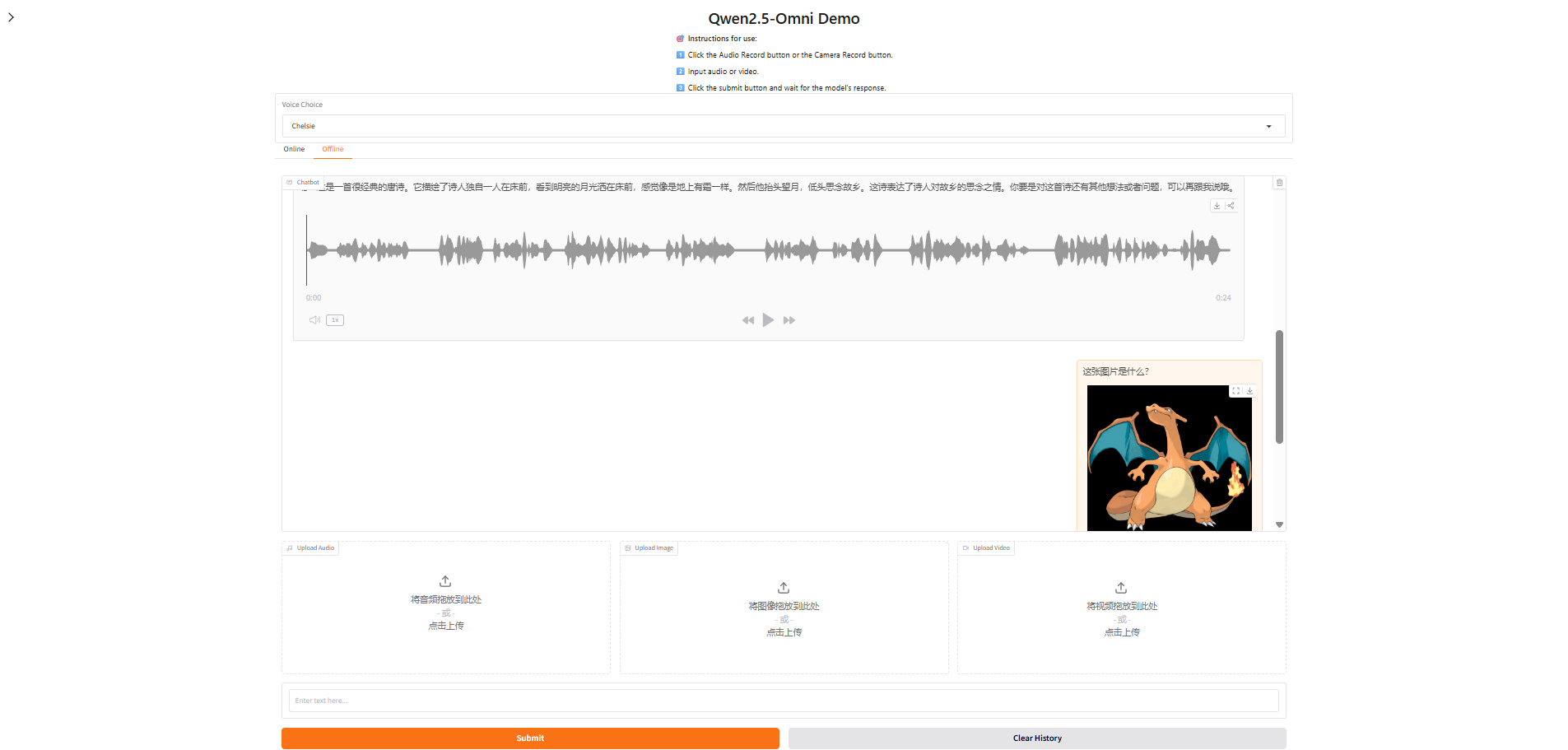
可以通过 pip install vllm>=0.8.5.post1 使用 vLLM serve,而 vLLM serve 仅支持 Qwen2.5-Omni 的 thinker,这意味着仅支持文本输出。
vllm serve $MODEL_PATH --port 8000 --host 127.0.0.1 --dtype bfloat16
报错,可能是vllm版本不兼容
ERROR 11-16 05:52:59 [core.py:386] EngineCore hit an exception: Traceback (most recent call last):
ERROR 11-16 05:52:59 [core.py:386]   File "/usr/local/lib/python3.10/dist-packages/vllm/v1/engine/core.py", line 377, in run_engine_core
ERROR 11-16 05:52:59 [core.py:386]     engine_core = EngineCoreProc(*args, **kwargs)
...
ERROR 11-16 05:52:59 [core.py:386]     assert all(e.ndim == 2 for e in mm_embeddings), (
ERROR 11-16 05:52:59 [core.py:386]   File "/usr/local/lib/python3.10/dist-packages/vllm/v1/worker/utils.py", line 27, in <genexpr>
ERROR 11-16 05:52:59 [core.py:386]     assert all(e.ndim == 2 for e in mm_embeddings), (
ERROR 11-16 05:52:59 [core.py:386] AttributeError: 'tuple' object has no attribute 'ndim'
ERROR 11-16 05:52:59 [core.py:386]
CRITICAL 11-16 05:52:59 [core_client.py:359] Got fatal signal from worker processes, shutting down. See stack trace above for root cause issue.
安装指定版本
pip install vllm==0.8.5.post1 --i https://mirrors.aliyun.com/pypi/simple/
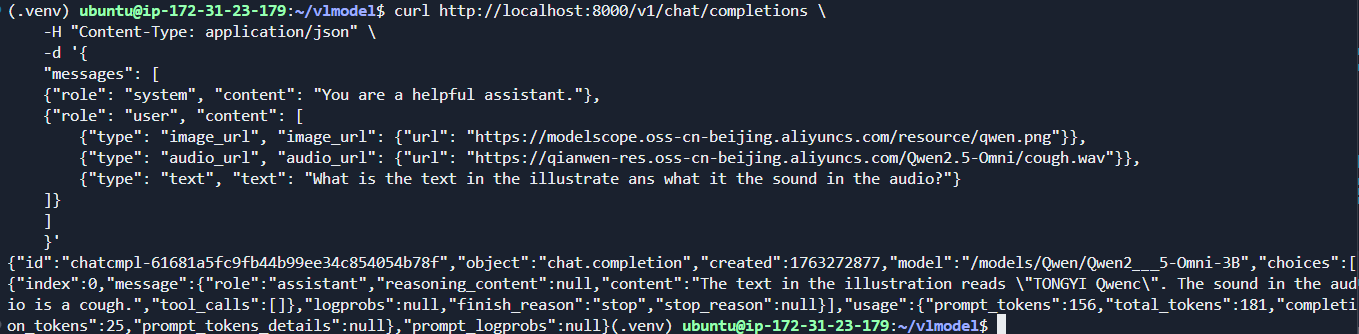
再次启动正常,测试请求
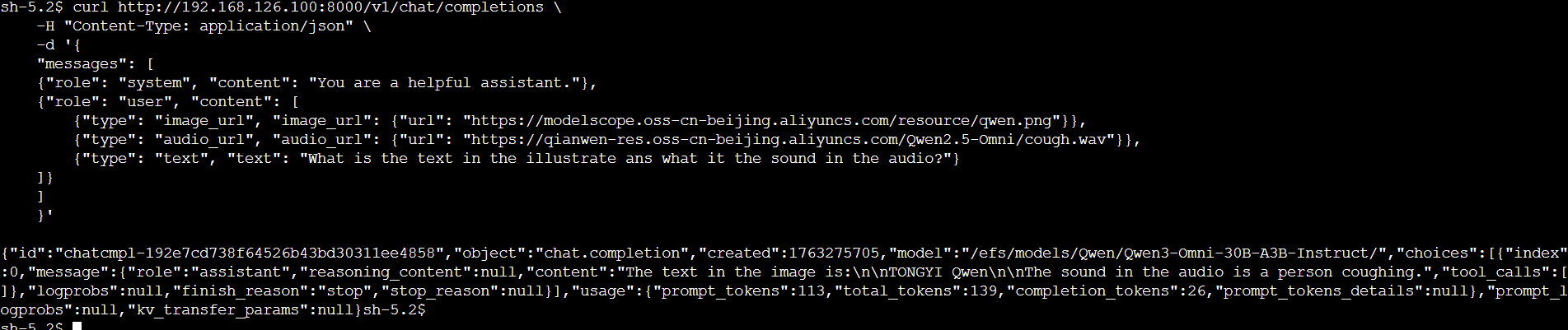
curl http://localhost:8000/v1/chat/completions \-H "Content-Type: application/json" \-d '{"messages": [{"role": "system", "content": "You are a helpful assistant."},{"role": "user", "content": [{"type": "image_url", "image_url": {"url": "https://modelscope.oss-cn-beijing.aliyuncs.com/resource/qwen.png"}},{"type": "audio_url", "audio_url": {"url": "https://qianwen-res.oss-cn-beijing.aliyuncs.com/Qwen2.5-Omni/cough.wav"}},{"type": "text", "text": "What is the text in the illustrate ans what it the sound in the audio?"}]}]}'
结果如下
Qwen3-Omni
Qwen3-Omni 采用了 MoE 架构,使用 Hugging Face Transformers 在 MoE 模型上的推理速度可能会非常慢。对于大规模调用或低延迟需求,官方强烈推荐使用 vLLM 或通过 DashScope API 进行推理。
提供了三种Qwen3-Omni 模型
- Qwen3-Omni-30B-A3B-Instruct,包含思考者和说话者,支持音频、视频和文本输入,以及音频和文本输出
- Qwen3-Omni-30B-A3B-Thinking,包含思考组件,配备思维链推理功能,支持音频、视频和文本输入,以及文本输出。
- Qwen3-Omni-30B-A3B-Captioner,从Qwen3-Omni-30B-A3B-Instruct微调的下游音频细粒度描述模型,能够为任意音频输入生成详细且低幻觉的描述。
此外建议在使用 FlashAttention 2 来减少 GPU 内存使用,vLLM 默认包含 FlashAttention 2。只有当模型加载在 torch.float16 或 torch.bfloat16 时,才能使用 FlashAttention 2
官方提供了一个一个工具包pip install qwen-omni-utils -U,能够更方便地处理各种类型的音频和视频输入
conversation = [{"role": "user","content": [{"type": "image", "image": "https://qianwen-res.oss-cn-beijing.aliyuncs.com/Qwen3-Omni/demo/cars.jpg"},{"type": "audio", "audio": "https://qianwen-res.oss-cn-beijing.aliyuncs.com/Qwen3-Omni/demo/cough.wav"},{"type": "text", "text": "What can you see and hear? Answer in one short sentence."}],},
]
audios, images, videos = process_mm_info(conversation, use_audio_in_video=USE_AUDIO_IN_VIDEO)
如果不使用talk输出可以节省显存
model = Qwen3OmniMoeForConditionalGeneration.from_pretrained(...)
model.disable_talker()
本次直接使用vllm部署Qwen3-Omni-30B-A3B-Instruct
官方提供了预构建的镜像qwenllm/qwen3-omni,配方为(https://github.com/QwenLM/Qwen3-Omni/blob/main/docker/Dockerfile-omni-3-cu124),包含了 Hugging Face Transformers 和 vLLM 的完整运行环境。
docker run -it --rm --gpus all --name qwen3-omni qwenllm/qwen3-omni:latest
将模型下载并提前存储在s3中,模型地址为
s3://bucketname/Qwen/Qwen3-Omni-30B-A3B-Instruct/
由于Qwen3-Omni-30B-A3B-Instruct目前没有小尺寸模型,无法在测试环境中运行,我的环境中需要提交到EKS节点来部署。因此将模型转储到efs中便于之后的挂载,这里也可以考虑使用s3-csi直接挂载。我是用的是单台g5.12xlarge机器
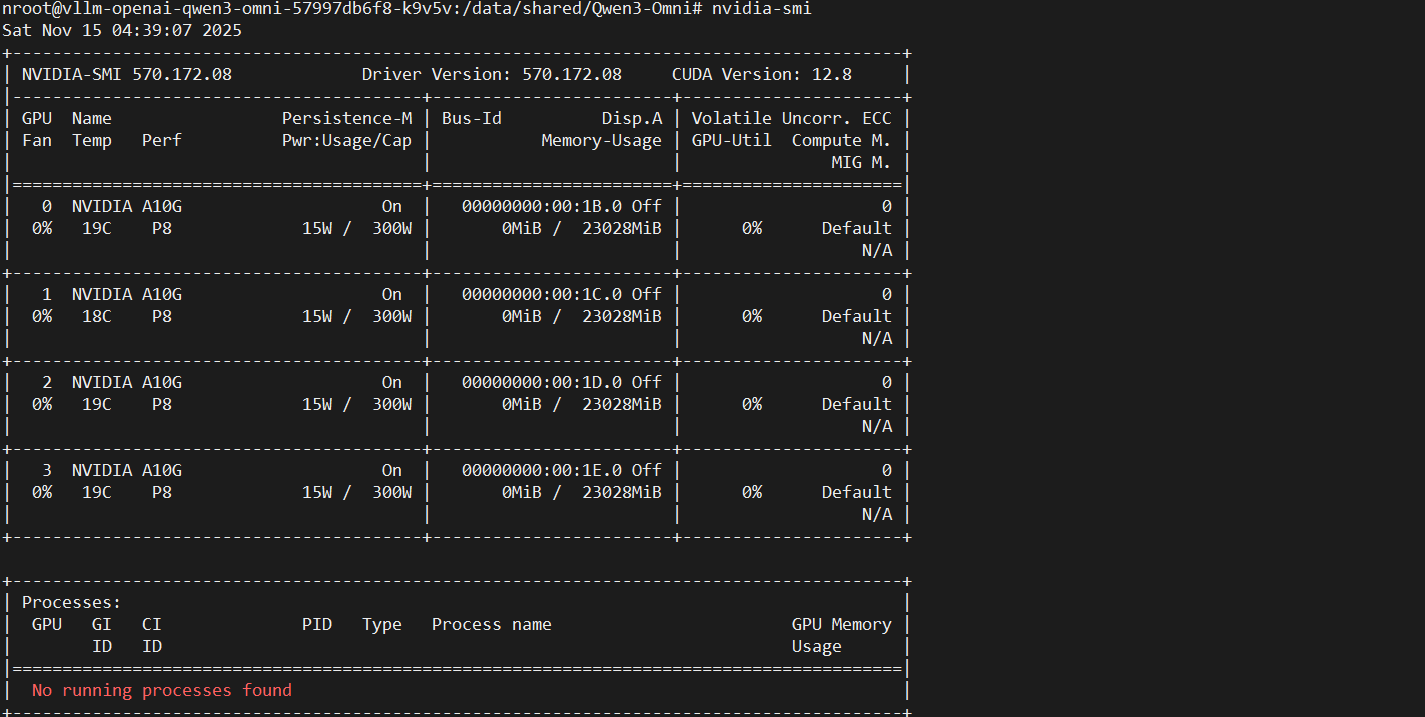
使用如下清单,修改入口命令便于调试
apiVersion: apps/v1
kind: Deployment
metadata:name: vllm-openai-qwen3-omninamespace: aitaolabels:app: vllm-openai
spec:replicas: 1selector:matchLabels:app: vllm-openaitemplate:metadata:labels:app: vllm-openaispec:serviceAccount: sa-service-account-apinodeSelector:eks.amazonaws.com/nodegroup: llm-ngcontainers:- name: qwenvllmimage: xxxxxxx.dkr.ecr.cn-north-1.amazonaws.com.cn/qwenllm:latestports:- containerPort: 8000name: http-apiargs:- sleep- infinityresources:limits:nvidia.com/gpu: 4requests:nvidia.com/gpu: 4volumeMounts:- name: persistent-storagemountPath: /efsvolumes:- name: persistent-storagepersistentVolumeClaim:claimName: efs-claimrestartPolicy: Always
结果如图

将仓库clone到容器当中,网络不好可以使用镜像站
git clone https://github.com/QwenLM/Qwen3-Omni.git
首先测试transfromer的代码片段,修改模型地址即可
import soundfile as sffrom transformers import Qwen3OmniMoeForConditionalGeneration, Qwen3OmniMoeProcessor
from qwen_omni_utils import process_mm_infoMODEL_PATH = "/efs/models/Qwen/Qwen3-Omni-30B-A3B-Instruct/"model = Qwen3OmniMoeForConditionalGeneration.from_pretrained(MODEL_PATH,dtype="auto",device_map="auto",attn_implementation="flash_attention_2",
)
model.disable_talker() # 关闭talker
...
直接报错OOM了
torch.OutOfMemoryError: CUDA out of memory. Tried to allocate 2.00 MiB. GPU 3 has a total capacity of 22.30 GiB of which 704.00 KiB is free. Process 1916104 has 22.29 GiB memory in use. Of the allocated memory 14.63 GiB is allocated by PyTorch, and 7.42 GiB is reserved by PyTorch but unallocated. If reserved but unallocated memory is large try setting PYTORCH_CUDA_ALLOC_CONF=expandable_segments:True to avoid fragmentation. See documentation for Memory Management (https://pytorch.org/docs/stable/notes/cuda.html#environment-variables)
尝试使用vllm server启动部署,需要调小--max-model-len,否则直接OOM
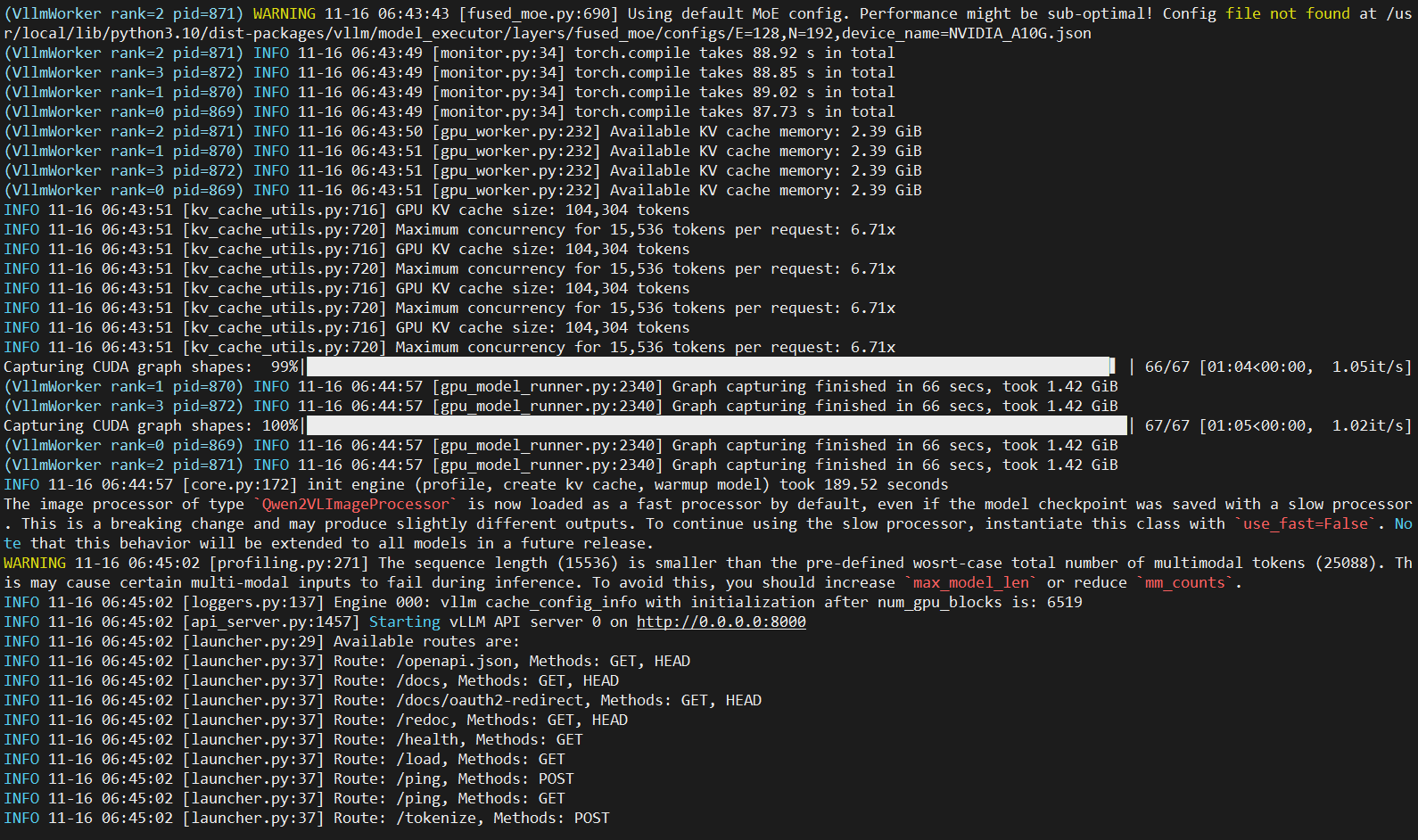
vllm serve /efs/models/Qwen/Qwen3-Omni-30B-A3B-Instruct/ --port 8000 --dtype bfloat16 --max-model-len 15536 --allowed-local-media-path / -tp 4
仍旧报错,错误表明 vLLM 在尝试初始化多 GPU 通信时遇到了问题。NCCL是NVIDIA Collective Communications Library(NVIDIA集合通信库),能自动识别GPU直接互相通信方式是NVLink、PCIe还是InfiniBand,然后选择最快的路线。当它无法建立进程组通信时就会报这个错误。
RuntimeError: NCCL error: unhandled system error (run with NCCL_DEBUG=INFO for details)
查看GPU连接方式,卡之间通过PCIe链接
# nvidia-smi topo -mGPU0    GPU1    GPU2    GPU3    CPU Affinity    NUMA Affinity   GPU NUMA ID
GPU0     X      PHB     PHB     PHB     0-47    0               N/A
GPU1    PHB      X      PHB     PHB     0-47    0               N/A
GPU2    PHB     PHB      X      PHB     0-47    0               N/A
GPU3    PHB     PHB     PHB      X      0-47    0               N/ALegend:X    = SelfSYS  = Connection traversing PCIe as well as the SMP interconnect between NUMA nodes (e.g., QPI/UPI)NODE = Connection traversing PCIe as well as the interconnect between PCIe Host Bridges within a NUMA nodePHB  = Connection traversing PCIe as well as a PCIe Host Bridge (typically the CPU)PXB  = Connection traversing multiple PCIe bridges (without traversing the PCIe Host Bridge)PIX  = Connection traversing at most a single PCIe bridgeNV#  = Connection traversing a bonded set of # NVLinks
export NCCL_DEBUG=INFO开启日志后,报错如下。表明/dev/shm空间已满,无法为NCCL分配所需的内存。
[2025-11-16 06:32:45] vllm-openai-qwen3-omni-6fd56679d4-grft7:1511:1603 [3] misc/shmutils.cc:87 NCCL WARN Error: failed to extend /dev/shm/nccl-YSYywC to 9637892 bytes, error: No space left on device (28)
...
RuntimeError: NCCL error: unhandled system error (run with NCCL_DEBUG=INFO for details)
调整pod配置挂载卷,增加共享内存大小
...volumeMounts:- name: persistent-storagemountPath: /efs- name: shmmountPath: /dev/shm
volumes:- name: shmemptyDir:medium: MemorysizeLimit: 2GirestartPolicy: Always
调整后结果
# df -h /dev/shm
Filesystem      Size  Used Avail Use% Mounted on
tmpfs           2.0G     0  2.0G   0% /dev/shm
再次运行,启动成功
测试请求
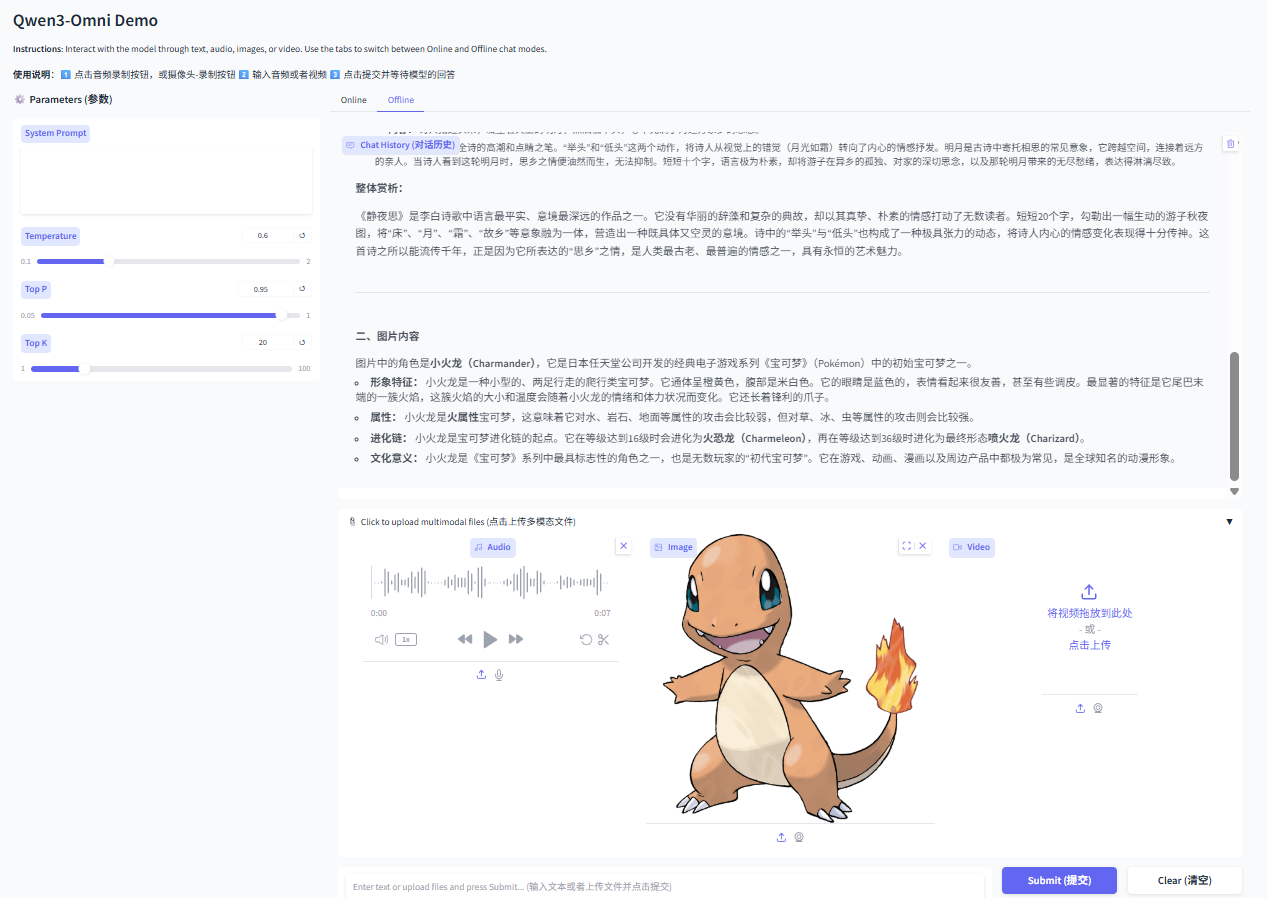
启动web demo, 默认使用vllm推理
python web_demo.py -c /efs/models/Qwen/Qwen3-Omni-30B-A3B-Instruct/
默认参数出现OOM,调整--max-model-len后重试
model = LLM(model=args.checkpoint_path, trust_remote_code=True, gpu_memory_utilization=0.95,tensor_parallel_size=4,limit_mm_per_prompt={'image': 1, 'video': 1, 'audio': 1},max_num_seqs=1,max_model_len=12768,seed=1234,
)
测试结果如下: