
下面是效果图
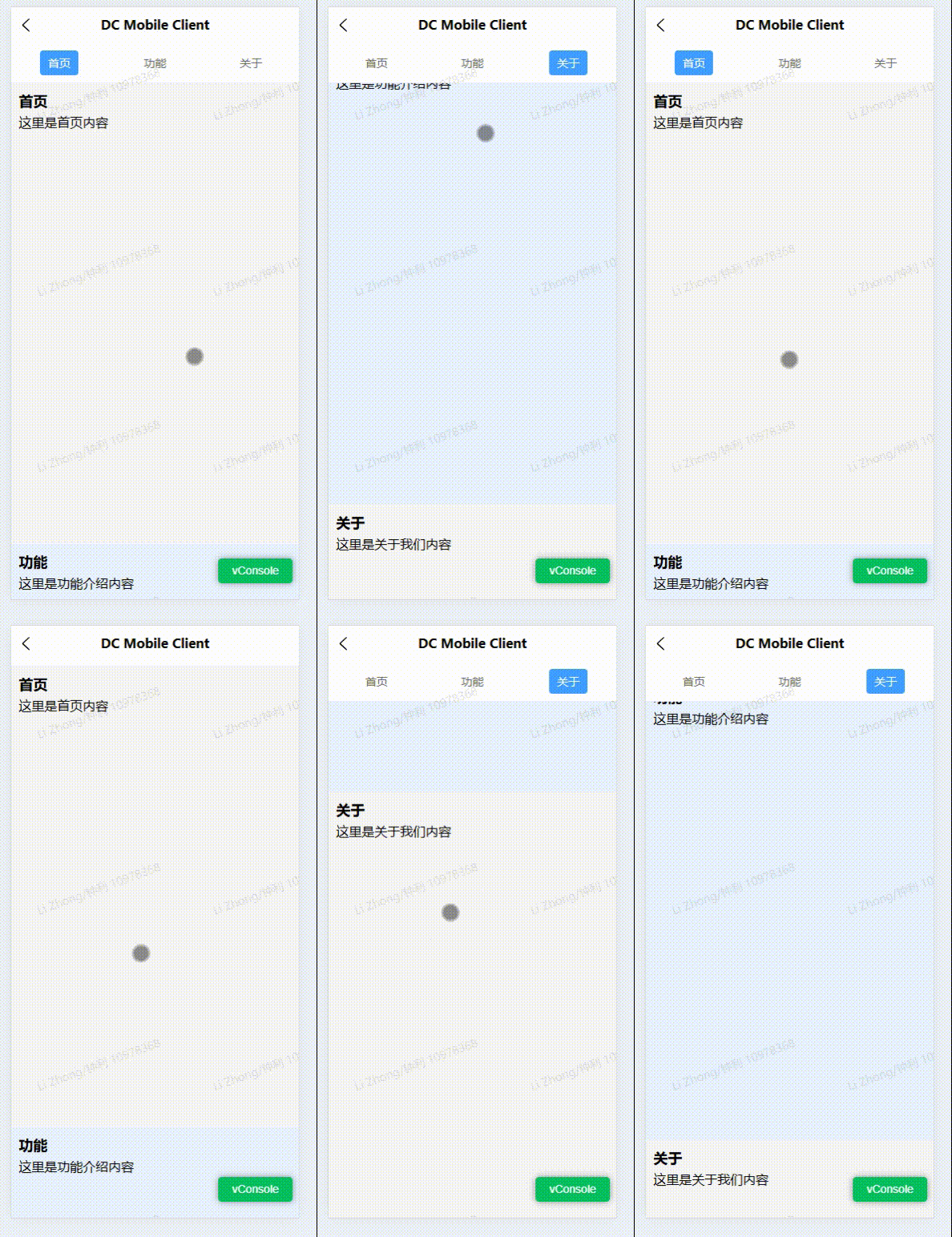
下面是实现代码
<template><view class="container"><!-- 顶部导航 --><view class="navbar"><viewv-for="(item, index) in navList":key="index"class="nav-item":class="{ active: currentIndex === index }"@tap="scrollTo(index)">{{ item.title }}</view></view><!-- 内容区 --><scroll-viewclass="scroll-content"scroll-yscroll-with-animation:scroll-into-view="scrollId"@scroll="onScroll"><view v-for="(item, index) in navList" :key="index" class="section" :id="'sec' + index"><view class="section-title">{{ item.title }}</view><view class="section-content">{{ item.content }}</view></view></scroll-view></view>
</template><script setup>
import { ref, onMounted } from 'vue'const navList = ref([{ title: '首页', content: '这里是首页内容' },{ title: '功能', content: '这里是功能介绍内容' },{ title: '关于', content: '这里是关于我们内容' },
])const currentIndex = ref(0)
const scrollId = ref('')
const sectionTops = ref([])// 点击导航滚动
function scrollTo(index) {scrollId.value = 'sec' + indexcurrentIndex.value = index
}// 监听滚动事件,高亮当前section
function onScroll(e) {const scrollTop = e.detail.scrollTopfor (let i = 0; i < sectionTops.value.length; i++) {const top = sectionTops.value[i]const nextTop = sectionTops.value[i + 1] || Infinityif (scrollTop >= top - 60 && scrollTop < nextTop - 60) {currentIndex.value = ibreak}}
}onMounted(() => {// 获取每个section的位置
  const query = uni.createSelectorQuery().in(getCurrentInstance())query.selectAll('.section').boundingClientRect((data) => {sectionTops.value = data.map((item) => item.top)}).exec()
})
</script><style scoped>
.container {display: flex;flex-direction: column;height: 100vh;
}/* 顶部导航栏 */
.navbar {display: flex;justify-content: space-around;align-items: center;height: 50px;background-color: #fff;border-bottom: 1px solid #eee;position: sticky;top: 0;z-index: 10;
}.nav-item {color: #666;padding: 6px 10px;font-size: 14px;
}.nav-item.active {color: #fff;background-color: #409eff;border-radius: 4px;
}/* 滚动内容区域 */
.scroll-content {flex: 1;
}.section {height: 1200rpx;padding: 20rpx;box-sizing: border-box;
}.section:nth-child(odd) {background-color: #f6f6f6;
}
.section:nth-child(even) {background-color: #e8f1ff;
}.section-title {font-size: 18px;font-weight: bold;margin-bottom: 10rpx;
}
</style>