
问题描述
使用PowerShell Microsoft Graph 命令来获取用户认证的电话信息时,发现 Get-MgUserAuthenticationPhoneMethod 命令在中国区 Azure上不可用。报错:Get-MgUserAuthenticationPhoneMethod : Resource not found for the segment 'phoneMethods'.
错误信息:
Get-MgUserAuthenticationPhoneMethod
cmdlet Get-MgUserAuthenticationPhoneMethod at command pipeline position 1
Supply values for the following parameters:
UserId:***@***.partner.onmschina.cnGet-MgUserAuthenticationPhoneMethod : Resource not found for the segment 'phoneMethods'.
Status: 400 (BadRequest)
ErrorCode: BadRequest
Date: 2025-11-18T12:01:26
Headers:
Transfer-Encoding : chunked
Vary : Accept-Encoding
Strict-Transport-Security : max-age=31536000
request-id : 83*************a78
client-request-id : 83*************a78
x-ms-ags-diagnostic : {"ServerInfo":{"DataCenter":"China
North","Slice":"E","Ring":"5","ScaleUnit":"000","RoleInstance":"BJ1NEPF00000A4C"}}
Date : Tue, 18 Nov 2025 12:01:26 GMT
At line:1 char:1
+ Get-MgUserAuthenticationPhoneMethod
+ ~~~~~~~~~~~~~~~~~~~~~~~~~~~~~~~~~~~
+ CategoryInfo : InvalidOperation: ({ UserId = *****... , Headers = }:<>f__AnonymousType112`10) [Get-MgUserAuthenticationPhoneMethod
_List], Exception
+ FullyQualifiedErrorId : BadRequest,Microsoft.Graph.PowerShell.Cmdlets.GetMgUserAuthenticationPhoneMethod_List
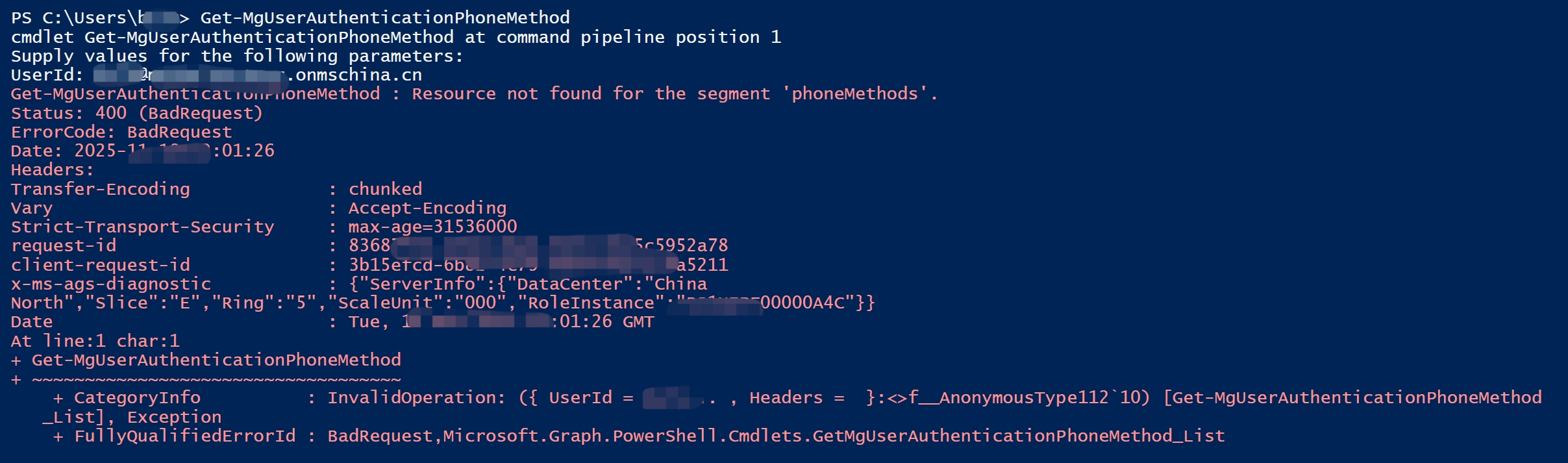
错误截图:
问题解答
这是因为中国区Azure的特殊性导致的,这个命令在正式版的模板代码中( Microsoft.Graph) 还没有被支持,但如果使用Beta版本,就可以成功。
注意:在使用Beta版本命令前,需要卸载 Microsoft.Graph, 安装Microsoft.Graph.Beta 后,重新登录中国区Azure,方可使用Beta命令:Get-MgBetaUserAuthenticationPhoneMethod
需要执行指令为:
## 卸载以及重新安装Beta版
uninstall-Module Microsoft.Graph
install-Module Microsoft.Graph.Beta -Repository PSGallery -Force
## 断开与Graph的连接
disconnect-graph
## 重新登录Graph
connect-MgGraph -Scopes "User.ReadWrite.All", "UserAuthenticationMethod.ReadWrite.All", "UserAuthenticationMethod.ReadWrite" -ClientId "your entra id registered application client id" -Environment China -TenantID "your tenant id"
## 获取用户Phone Method信息
Get-MgBetaUserAuthenticationPhoneMethod
最终效果为:
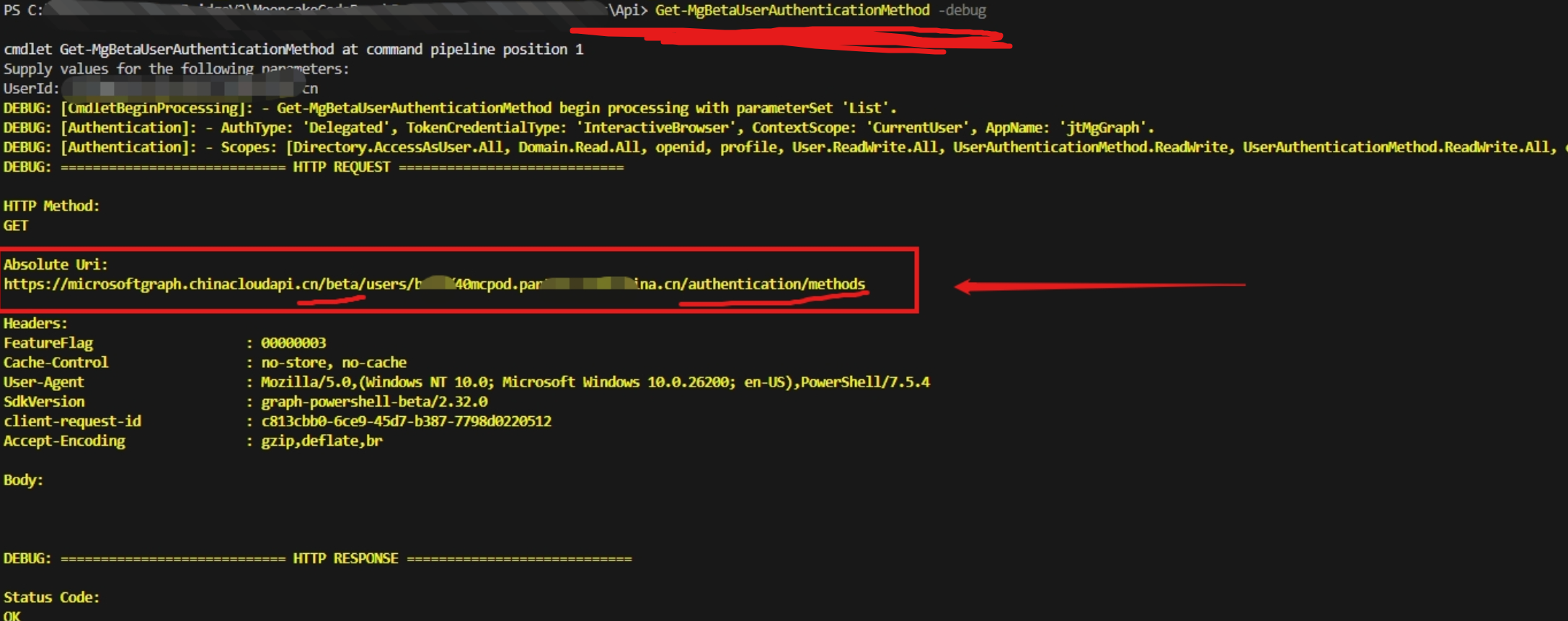
所以,解决这个问题的替代方案为:使用Beta版本的指令。同理,如果需要使用REST API来获取信息,可以PowerShell的命令中加上 -debug 参数,查看这些命令输出日志中所发起的API请求,即可反推出正确的API Endpoint!
参考资料
管理 Microsoft Entra 多重身份验证的身份验证方法 :https://learn.microsoft.com/zh-cn/entra/identity/authentication/howto-mfa-userdevicesettings#manage-methods-using-powershell