
目录
- 一、服务端替换APT公共源
- 二、安装apt-mirror
- 三、同步软件包
- 四、代理本地软件包目录
- 五、客户端修改本地离线APT源
- 六、定时同步公共源软件包
一、服务端替换APT公共源
介绍有两种方式,但方法一和方法二无需同时配置,否则apt update时会提示存在重复的软件源配置,建议使用方法一。此外,我在配置完apt update时报错 403 Forbidden,找阿里云提单放通我的公网IP就好了,但还是会有限速,实际可替换为其他源。
Ubuntu20.04和Ubuntu22.04制作本地离线APT源可参考以下链接,方法都是类似的
https://blog.csdn.net/weixin_44758063/article/details/139750386?spm=1001.2014.3001.5501
1、方法一
修改/etc/apt/sources.list文件
cp /etc/apt/sources.list /etc/apt/sources.list.backup
vi /etc/apt/sources.list
打开文件其实可以看到官方提示源配置已经移到了另一个配置文件,但是修改这里其实还是可以生效的
deb https://mirrors.aliyun.com/ubuntu/ noble main restricted universe multiverse
deb-src https://mirrors.aliyun.com/ubuntu/ noble main restricted universe multiverse
deb https://mirrors.aliyun.com/ubuntu/ noble-security main restricted universe multiverse
deb-src https://mirrors.aliyun.com/ubuntu/ noble-security main restricted universe multiverse
deb https://mirrors.aliyun.com/ubuntu/ noble-updates main restricted universe multiverse
deb-src https://mirrors.aliyun.com/ubuntu/ noble-updates main restricted universe multiverse
# deb https://mirrors.aliyun.com/ubuntu/ noble-proposed main restricted universe multiverse
# deb-src https://mirrors.aliyun.com/ubuntu/ noble-proposed main restricted universe multiverse
deb https://mirrors.aliyun.com/ubuntu/ noble-backports main restricted universe multiverse
deb-src https://mirrors.aliyun.com/ubuntu/ noble-backports main restricted universe multiverse
2、方法二
修改/etc/apt/sources.list.d/ubuntu.sources文件
Types: deb
URIs: https://mirrors.aliyun.com/ubuntu/
Suites: noble noble-updates noble-backports
Components: main restricted universe multiverse
Signed-By: /usr/share/keyrings/ubuntu-archive-keyring.gpg
Types: deb
URIs: https://mirrors.aliyun.com/ubuntu/
Suites: noble-security
Components: main restricted universe multiverse
Signed-By: /usr/share/keyrings/ubuntu-archive-keyring.gpg
URIs:后面链接修改为 https://mirrors.aliyun.com/ubuntu/
二、安装apt-mirror
上面两种方法选择其一之后,更新源,安装软件
apt update
apt upgrade -y
apt install apt-mirror
挂载磁盘
给虚拟机新建了一块800G磁盘,要下载的文件有600GB以上。
mkfs.xfs /dev/vdb
mkdir /apt-ubuntu24.04
mount /dev/vdb /apt-ubuntu24.04
echo "/dev/vdb /apt-ubuntu24.04 xfs	defaults,nofail	0 0" >> /etc/fstab
mount -a
三、同步软件包
编辑 apt-mirror 配置文件 /etc/apt/mirror.list,添加以下内容。
cp /etc/apt/mirror.list /etc/apt/mirror.list.bak
vi /etc/apt/mirror.list
set base_path /apt-ubuntu24.04 本地下载保存路径
set defaultarch amd64 系统处理器架构
set nthreads 20 20线程下载
同时这里有个注意事项,链接https://mirrors.aliyun.com/ubuntu后不要接/符号,否则apt-mirror时会有报错(如 can’t open index)并且下载不全。
############# config ##################
#
set base_path    /apt-ubuntu24.04
#
set mirror_path  $base_path/mirror
set skel_path    $base_path/skel
set var_path     $base_path/var
set cleanscript  $var_path/clean.sh
set defaultarch  amd64
set postmirror_script $var_path/postmirror.sh
set run_postmirror 0
set nthreads     20
set _tilde 0
#
############# end config ##############
deb https://mirrors.aliyun.com/ubuntu noble main restricted universe multiverse
deb-src https://mirrors.aliyun.com/ubuntu noble main restricted universe multiverse
deb https://mirrors.aliyun.com/ubuntu noble-security main restricted universe multiverse
deb-src https://mirrors.aliyun.com/ubuntu noble-security main restricted universe multiverse
deb https://mirrors.aliyun.com/ubuntu noble-updates main restricted universe multiverse
deb-src https://mirrors.aliyun.com/ubuntu noble-updates main restricted universe multiverse
# deb https://mirrors.aliyun.com/ubuntu noble-proposed main restricted universe multiverse
# deb-src https://mirrors.aliyun.com/ubuntu noble-proposed main restricted universe multiverse
deb https://mirrors.aliyun.com/ubuntu noble-backports main restricted universe multiverse
deb-src https://mirrors.aliyun.com/ubuntu noble-backports main restricted universe multiverse
clean https://mirrors.aliyun.com/ubuntu
开始同步,看提示有618.5G要下载,耐心等待同步完成。全量同步 600GB + 文件耗时较长(100Mbps 网速约需 14 小时,1Gbps 约需 1.5 小时)。
apt-mirror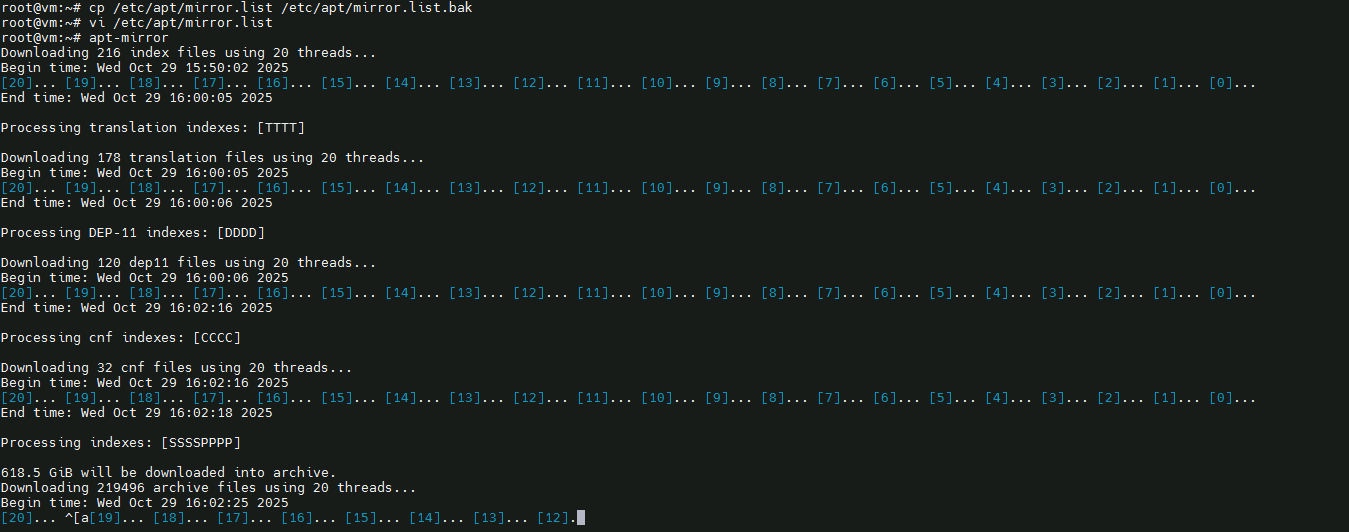
有时会有下载中断的情况导致下载不全,需要多次执行apt-mirror,中断后再执行命令会从已完成部分继续,不会从头开始。直到出现0 bytes will be downloaded into archive.说明文件已全部下载完成。
apt-mirror
apt-mirror
四、代理本地软件包目录
下载完成后,软件包和依赖包将会存储在 /apt-ubuntu24.04/ 目录下。
需要代理的目录为当前同步源下/ubuntu目录,即/apt-ubuntu24.04/mirror/mirrors.aliyun.com/ubuntu/
apt install -y apache2
cd /var/www/html/
ln -sf /apt-ubuntu24.04/mirror/mirrors.aliyun.com/ubuntu/ ubuntu24.04
五、客户端修改本地离线APT源
配置客户端来使用服务端10.17.16.199的apt源。使用以下命令编辑/etc/apt/sources.list文件:
deb http://10.17.16.199/ubuntu24.04 noble main restricted universe multiverse
deb-src http://10.17.16.199/ubuntu24.04 noble main restricted universe multiverse
deb http://10.17.16.199/ubuntu24.04 noble-security main restricted universe multiverse
deb-src http://10.17.16.199/ubuntu24.04 noble-security main restricted universe multiverse
deb http://10.17.16.199/ubuntu24.04 noble-updates main restricted universe multiverse
deb-src http://10.17.16.199/ubuntu24.04 noble-updates main restricted universe multiverse
# deb http://10.17.16.199/ubuntu24.04 noble-proposed main restricted universe multiverse
# deb-src http://10.17.16.199/ubuntu24.04 noble-proposed main restricted universe multiverse
deb http://10.17.16.199/ubuntu24.04 noble-backports main restricted universe multiverse
deb-src http://10.17.16.199/ubuntu24.04 noble-backports main restricted universe multiverse
apt update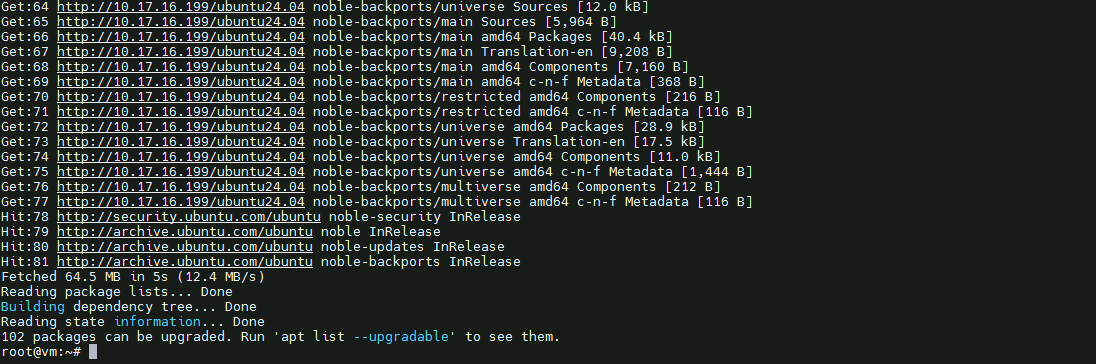
配置完成,客户端就可以使用刚才创建的本地APT源来下载软件包。
六、定时同步公共源软件包
每周六凌晨3点执行apt-mirror,日志输出到 /var/log/apt-mirror/cron.log
mkdir -p /var/log/apt-mirror
chmod 755 /var/log/apt-mirror
crontab -e
0 3 * * 6 nohup /usr/bin/apt-mirror > /var/log/apt-mirror/cron.log 2>&1 &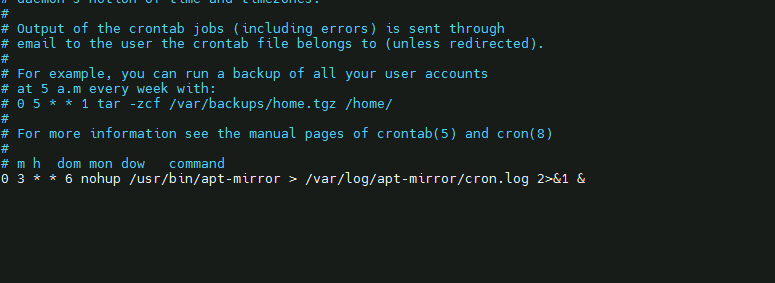
内网服务器到外网的权限不宜过大,但现在的防火墙一般都支持URL过滤,服务端服务器申请到https://mirrors.aliyun.com/ubuntu网址,端口80、443的公网访问权限就可以了。