
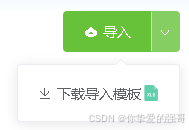
sgImportBtn.vue
{{ dropdownItems[0].label }} {{ item.label }} export default { name: "sgExportBtn", components: {}, data() { return { form: {}, disabled: false, placement_dropdown: `bottom-end`, placement_tooltip: `top-end`, tooltipContent: null, dropdownItems: [ // 第一个是默认按钮点击触发 { label: `导出`, command: `xls`, icon: `el-icon-download`, }, // 后面以此是下拉框里面的按钮 { label: `导出Excel`, command: `xls`, icon: `el-icon-download`, src: `~@/../static/img/fileType/xls.svg`, }, { label: `导出CSV`, command: `csv`, icon: `el-icon-download`, src: `~@/../static/img/fileType/document/csv.svg`, }, ], }; }, props: ["data"], computed: {}, watch: { data: { handler(newValue, oldValue) { //console.log('深度监听:', newValue, oldValue); if (newValue && Object.keys(newValue).length) { this.form = newValue; this.$g.convertForm2ComponentParam(`disabled`, this); this.$g.convertForm2ComponentParam(`placement_dropdown`, this); this.$g.convertForm2ComponentParam(`placement_tooltip`, this); this.$g.convertForm2ComponentParam(`tooltipContent`, this); this.$g.convertForm2ComponentParam(`dropdownItems`, this); } }, deep: true, //深度监听 immediate: true, //立即执行 }, }, created() {}, mounted() {}, methods: { getShow({ item, index, _this = this } = {}) { return typeof item.show === "function" ? item.show({ item, index, _this }) : item.show; }, getHide({ item, index, _this = this } = {}) { return typeof item.hide === "function" ? item.hide({ item, index, _this }) : item.hide; }, getBtnShow({ item, index, _this = this } = {}) { if (item.hasOwnProperty("show")) return this.getShow({ item, index, _this }); if (item.hasOwnProperty("hide")) return !this.getHide({ item, index, _this }); return true; }, exportData(d) { this.$emit(`exportData`, d); }, command(d) { let item = this.dropdownItems.find((v) => v.command == d); let data = { ...item, fileType: item.command }; item.clickEvent ? item.clickEvent(data) : this.exportData(data); }, }, beforeDestroy() {},};.sgExportBtn { display: inline-block;}.export-dropdown-menu { .export-item-btn { img { width: 16px; height: 16px; object-position: center; object-fit: contain; transform: translateY(2px); margin-left: 2px; } }}demo
... importData({ command } = {}) { switch (command) { case `import`: this.uploadBtn.click(); break; case `downloadImportTemplate`: console.log(`触发下载导入模板Excel文件`); break; default: }},导出按钮组件【sgExportBtn】自定义组件:导出按钮(支持上下文关联导出菜单,配置导出按钮命令、样式、图标路径等)-CSDN博客文章浏览阅读169次。【代码】【sgExportBtn】自定义组件:导出按钮(支持上下文关联导出菜单,配置导出按钮命令、样式、图标路径等)https://blog.csdn.net/qq_37860634/article/details/147271278