
1.浮动的基本使用
<!DOCTYPE html>
<html lang="en">
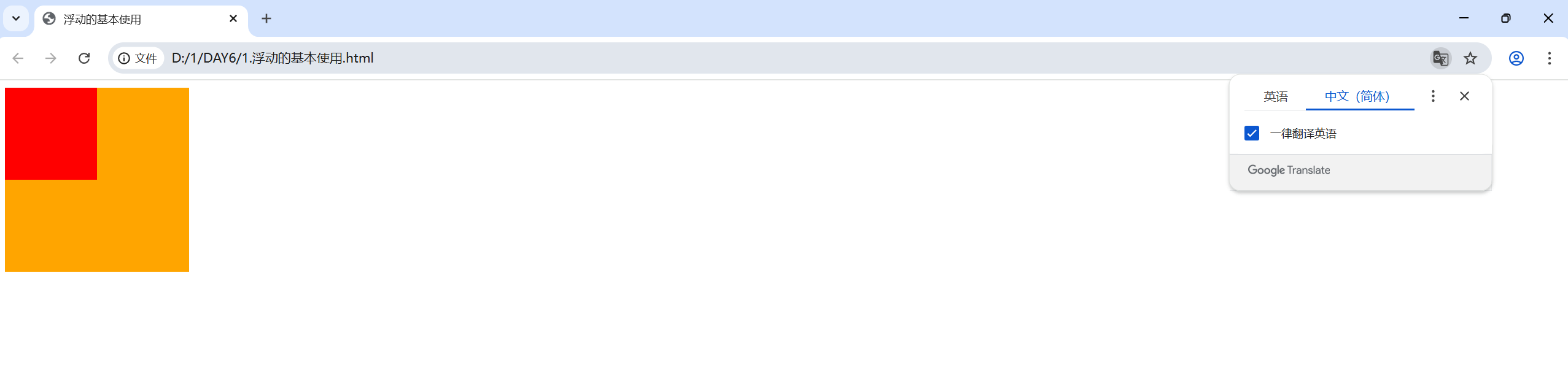
<head><meta charset="UTF-8"><meta name="viewport" content="width=device-width, initial-scale=1.0"><title>浮动的基本使用</title><style>/* 特点:顶对齐,具备行内块显示模式,即可以在同一行一起显示 */.one{width: 100px;height: 100px;background-color: red;float: left;}.two{width: 200px;height: 200px;background-color: orange;/* float: left; *//* float: right; *//* 此时由于只有.one进行了浮动,而浮动会导致该标签脱标 *//* 即浏览器不在会识别他为标签,后面的标签可能会抢占原本浮动标签的位置 *//* 导致标签重叠错乱 */}</style>
</head>
<body><div class="one"></div><div class="two"></div>
</body>
</html>
2.产品区域布局
<!DOCTYPE html>
<html lang="en">
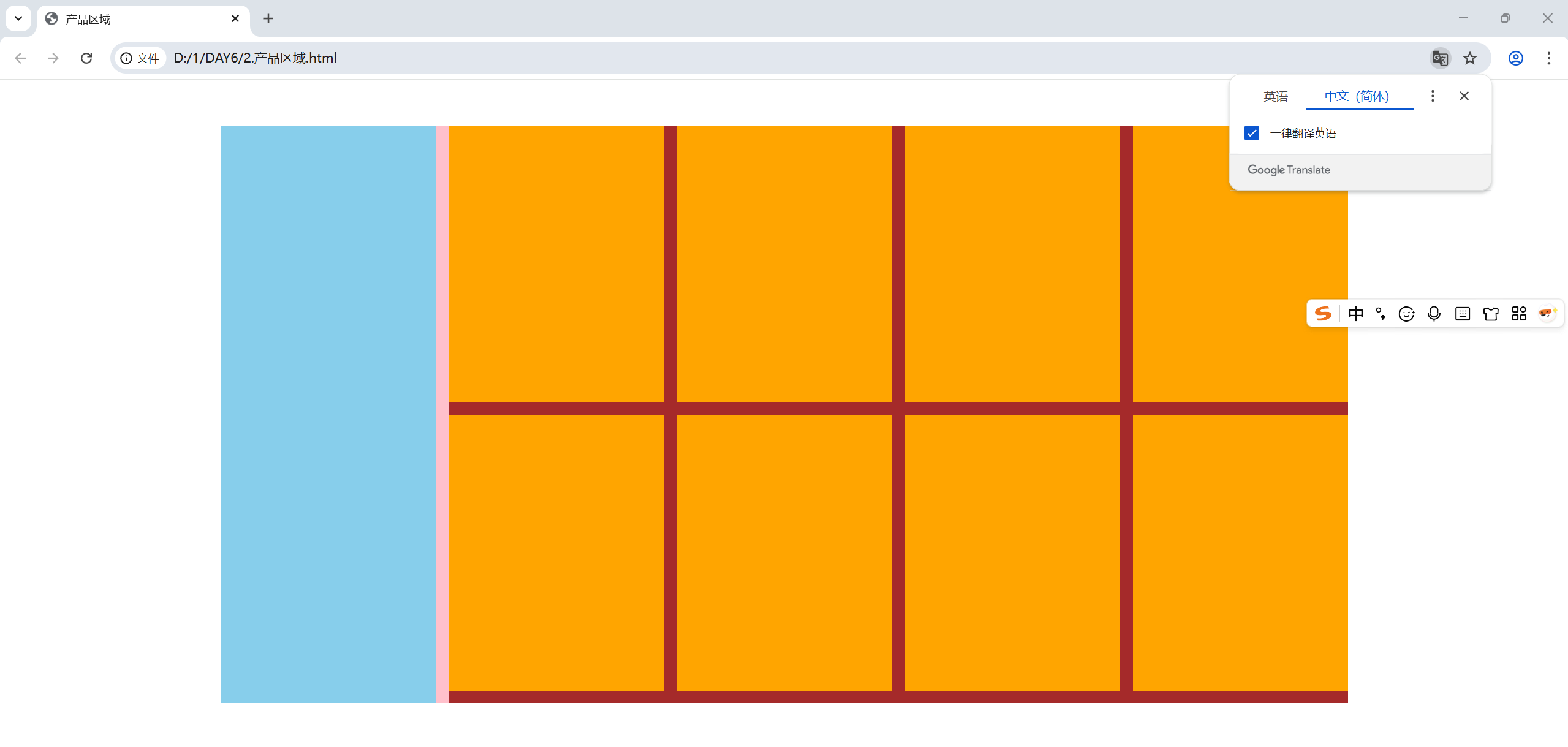
<head><meta charset="UTF-8"><meta name="viewport" content="width=device-width, initial-scale=1.0"><title>产品区域</title><style>*{margin: 0;padding: 0;}li{list-style: none;}.product{margin: 50px auto;width: 1226px;height: 628px;background-color: pink;}.left{float: left;width: 234px;height: 628px;background-color: skyblue;}.right{float: right;width: 978px;height: 628px;background-color: brown;}.right li{float: left;margin-right: 14px;margin-bottom: 14px;width: 234px;height: 300px;background-color: orange;}/* 第四个和第八个li去掉右边的margin */.right li:nth-child(4n){margin-right: 0;}/* 如果父级的宽度不够,即使加上了浮动,浮动的标签也可能因为位置不够而被挤到下一行 */</style>
</head>
<body><div class="product"><div class="left"></div><div class="right"><ul><li></li><li></li><li></li><li></li><li></li><li></li><li></li><li></li></ul></div></div>
</body>
</html>
3.清除浮动异常

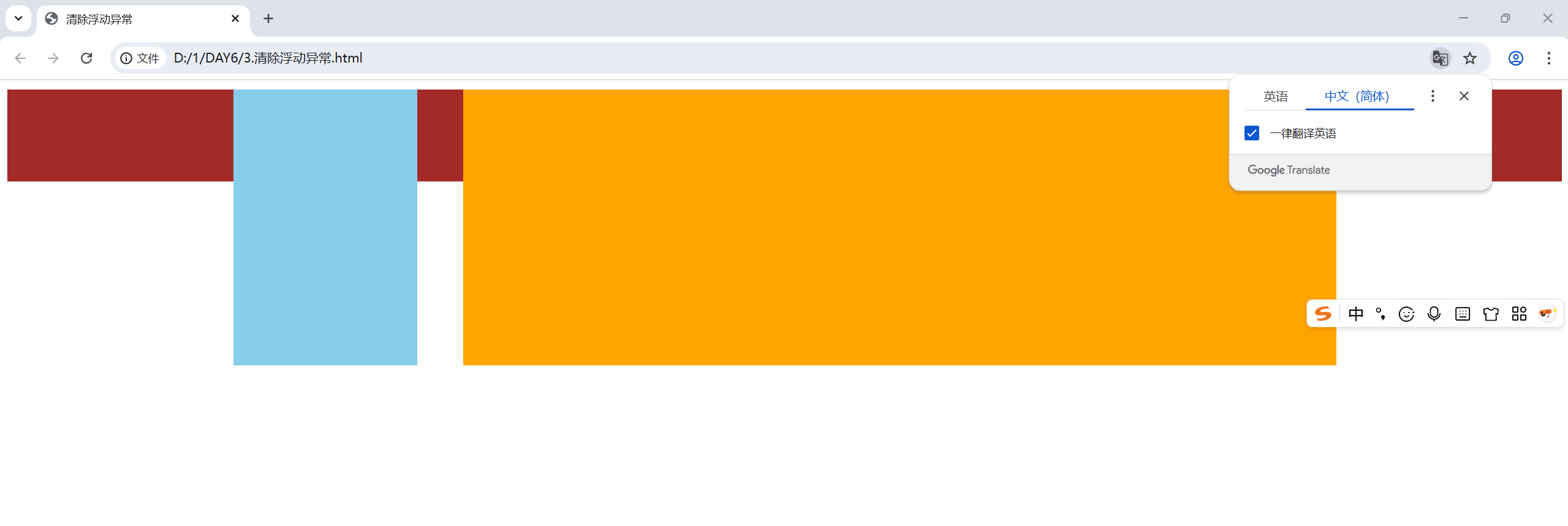
原理就是标签添加浮动属性之后会导致脱标,即浏览器不在为该标签安排位置,所以下一个标签会挤占浮动标签的位置,造成页面异常
例如:
<!DOCTYPE html>
<html lang="en">
<head><meta charset="UTF-8"><meta name="viewport" content="width=device-width, initial-scale=1.0"><title>清除浮动异常</title><style>.top{margin: 10px auto;width: 1200px;/* 注释掉父级的高度,子集无法撑开父级高度,会导致页面错乱 *//* height: 300px; */background-color: pink;}.right{float: left;width: 200px;height: 300px;background-color: skyblue;}.left{float: right;width: 950px;height: 300px;background-color: orange;}.bottom{height: 100px;background-color: brown;}</style>
</head>
<body><div class="top"><div class="left"></div><div class="right"></div></div><div class="bottom"></div>
</body>
</html>
解决浮动异常的四种方法
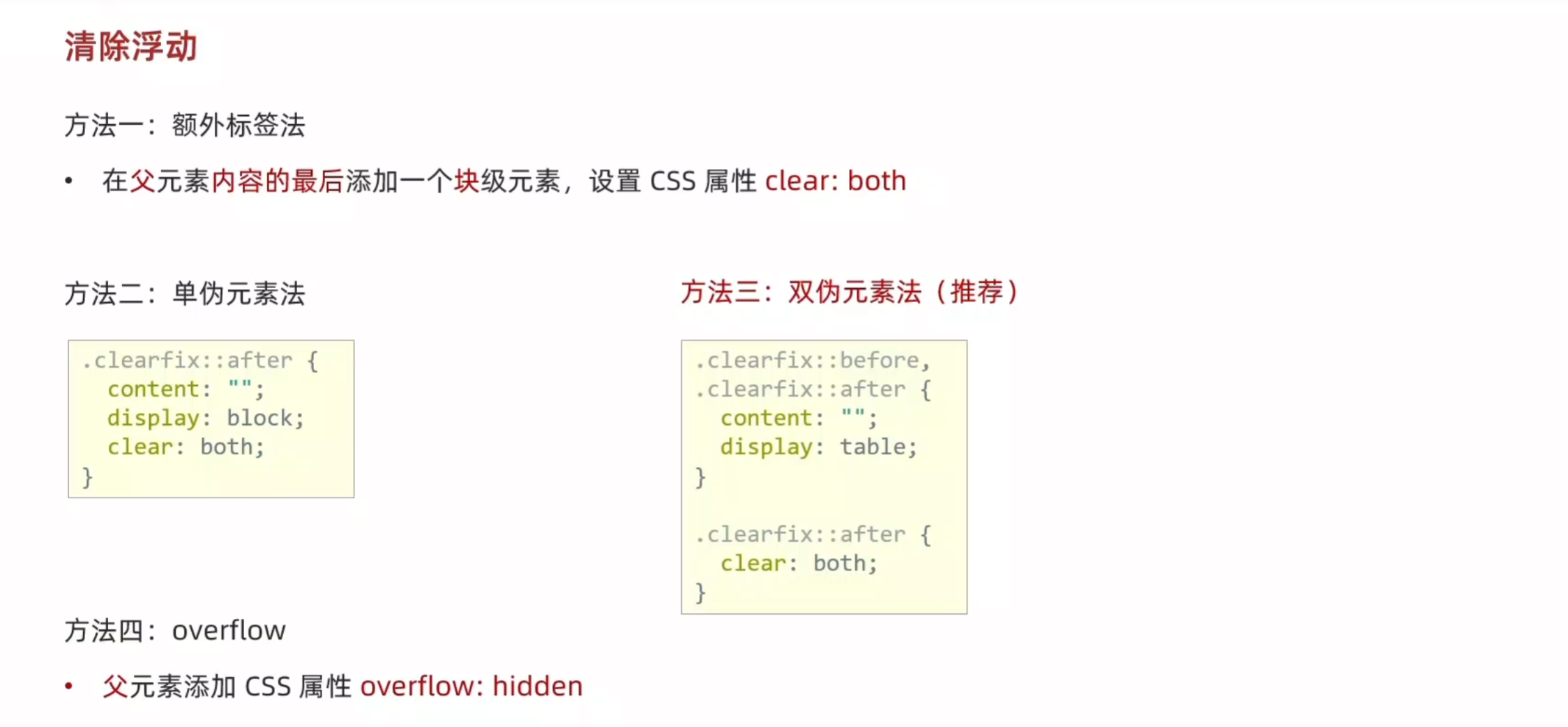
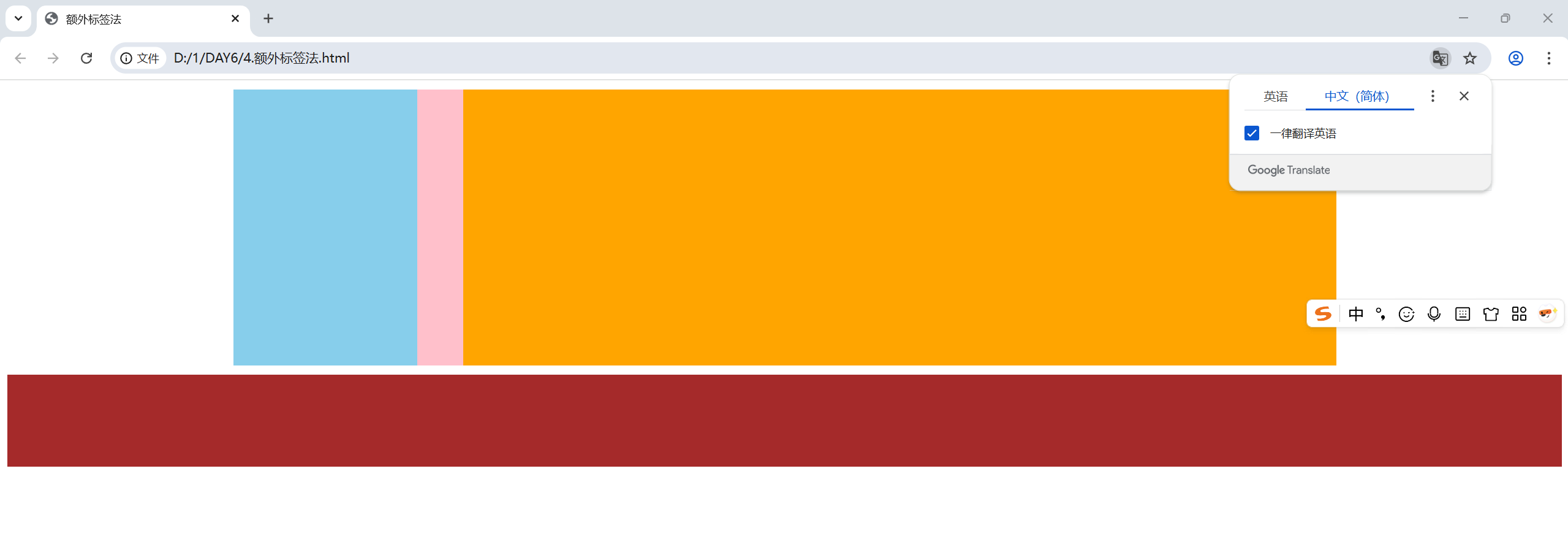
额外标签法,在出现异常的标签的基础上再添加一个标签
<!DOCTYPE html>
<html lang="en">
<head><meta charset="UTF-8"><meta name="viewport" content="width=device-width, initial-scale=1.0"><title>额外标签法</title><style>.top{margin: 10px auto;width: 1200px;/* 注释掉父级的高度,子集无法撑开父级高度,会导致页面错乱 *//* height: 300px; */background-color: pink;}.right{float: left;width: 200px;height: 300px;background-color: skyblue;}.left{float: right;width: 950px;height: 300px;background-color: orange;}.bottom{height: 100px;background-color: brown;}.clearfix{clear: both;}</style>
</head>
<body><div class="top"><div class="left"></div><div class="right"></div><div class="clearfix"></div></div><div class="bottom"></div>
</body>
</html>
单伪元素法
<!DOCTYPE html>
<html lang="en">
<head><meta charset="UTF-8"><meta name="viewport" content="width=device-width, initial-scale=1.0"><title>单伪元素法</title><style>.top{margin: 10px auto;width: 1200px;/* 注释掉父级的高度,子集无法撑开父级高度,会导致页面错乱 *//* height: 300px; */background-color: pink;}.right{float: left;width: 200px;height: 300px;background-color: skyblue;}.left{float: right;width: 950px;height: 300px;background-color: orange;}.bottom{height: 100px;background-color: brown;}.clearfix::after{content: "";display: block;clear: both;}</style>
</head>
<body><div class="top clearfix"><div class="left"></div><div class="right"></div></div><div class="bottom"></div>
</body>
</html>
双伪元素法
<!DOCTYPE html>
<html lang="en">
<head><meta charset="UTF-8"><meta name="viewport" content="width=device-width, initial-scale=1.0"><title>双伪元素法</title><style>.top{margin: 10px auto;width: 1200px;/* 注释掉父级的高度,子集无法撑开父级高度,会导致页面错乱 *//* height: 300px; */background-color: pink;}.right{float: left;width: 200px;height: 300px;background-color: skyblue;}.left{float: right;width: 950px;height: 300px;background-color: orange;}.bottom{height: 100px;background-color: brown;}.clearfix::before,.clearfix::after {content: "";display: table;}.clearfix::after {clear: both;}</style>
</head>
<body><div class="top clearfix"><div class="left"></div><div class="right"></div></div><div class="bottom"></div>
</body>
</html>