
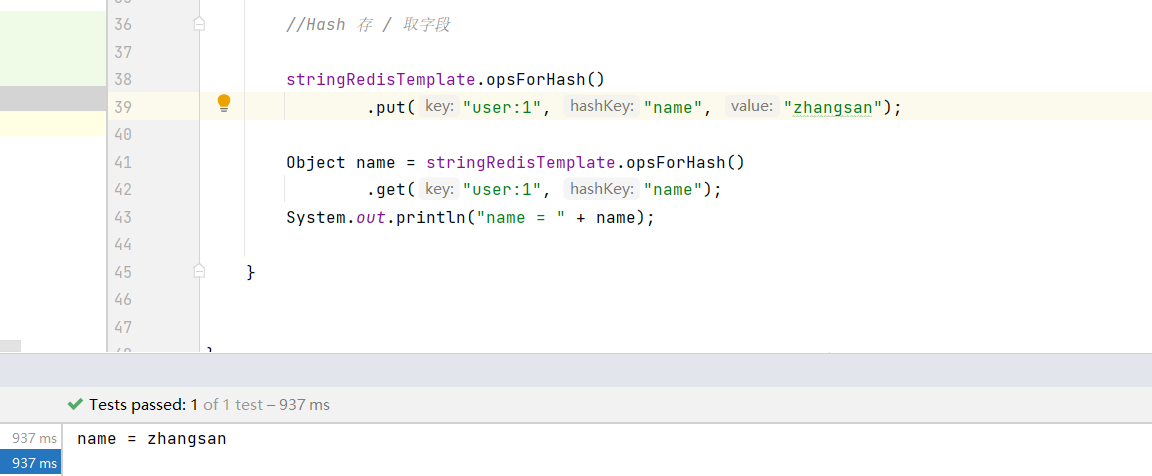
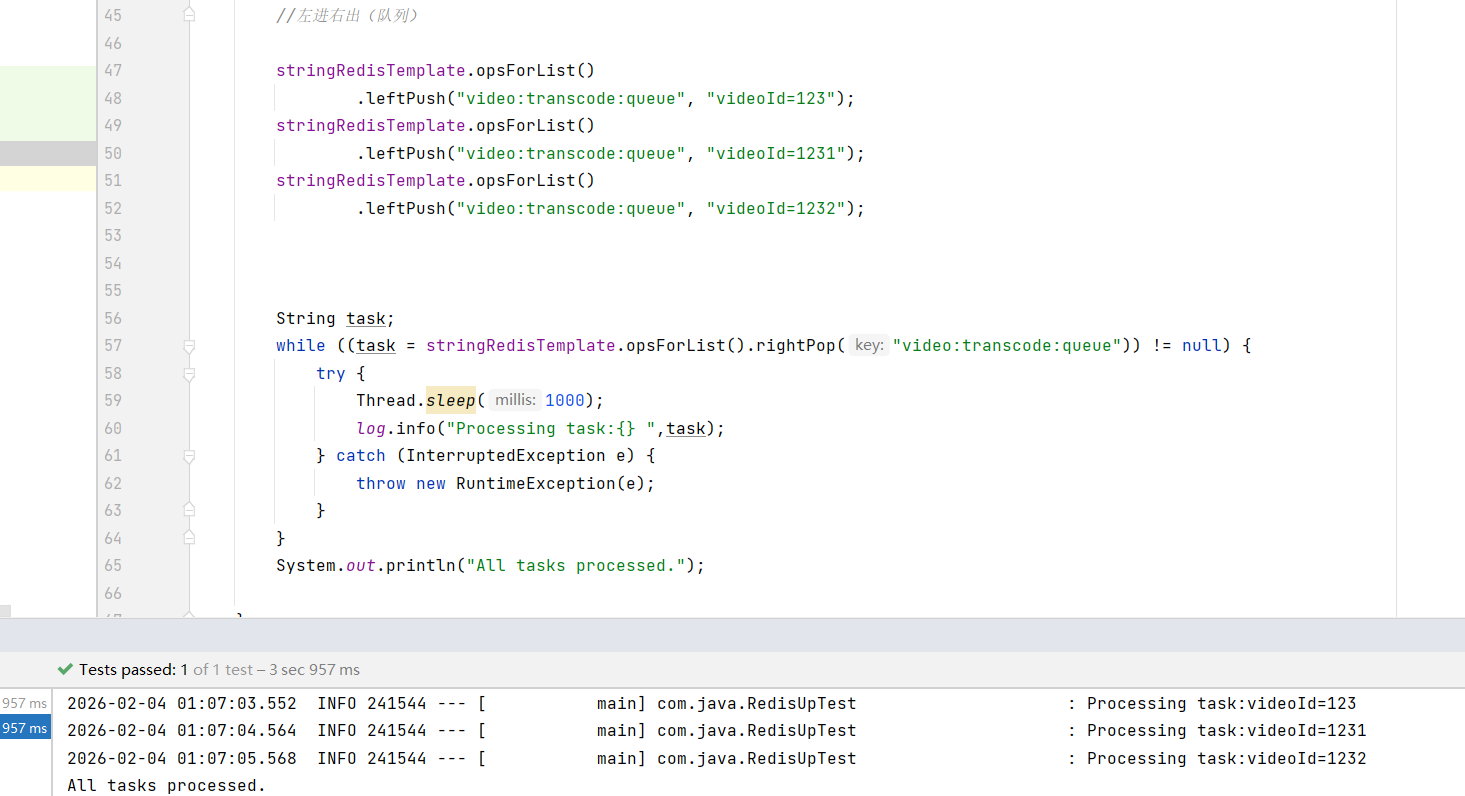
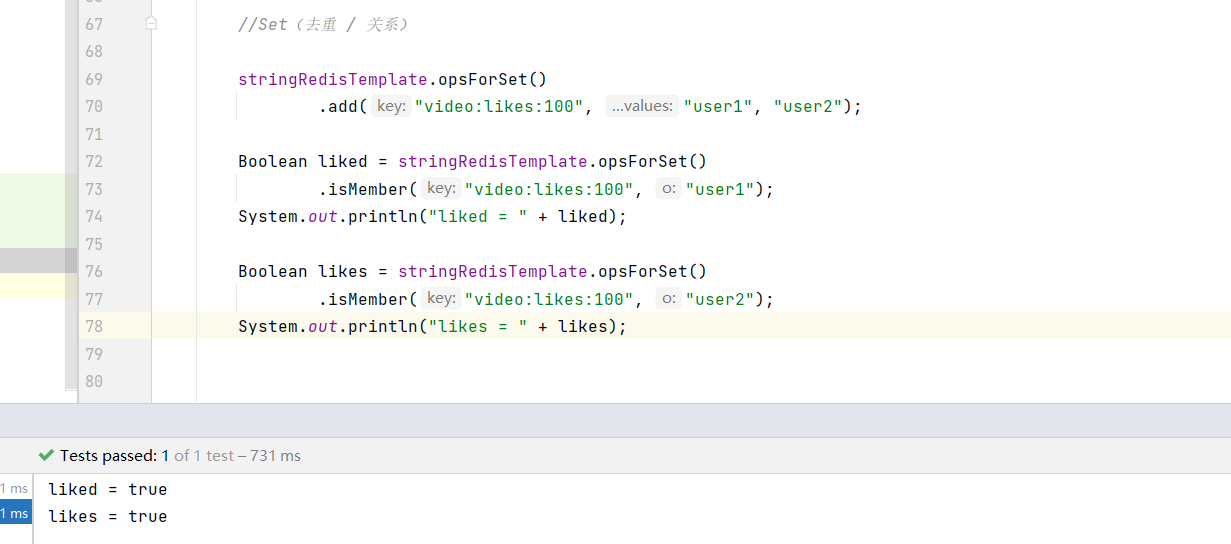
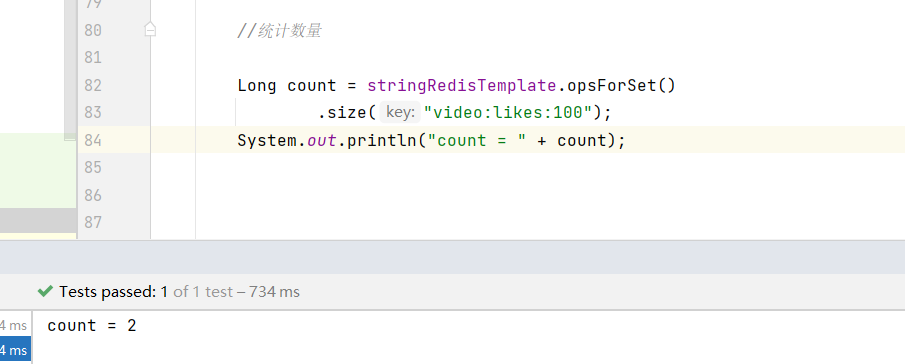
效果图
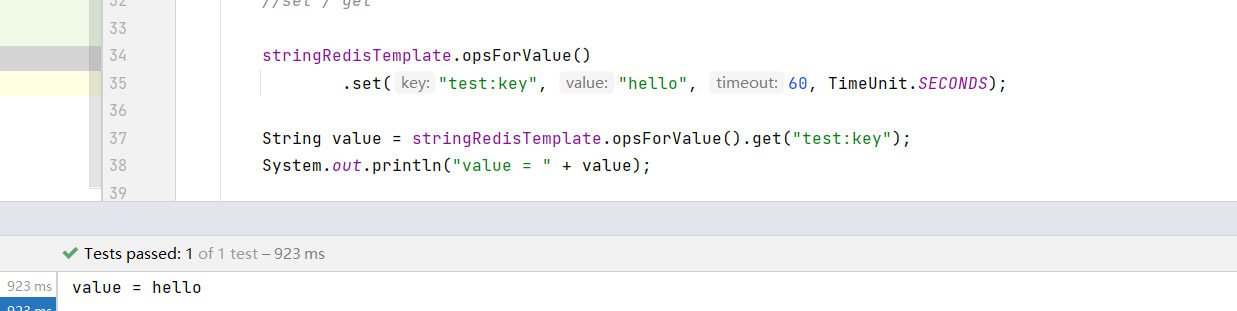
效果图
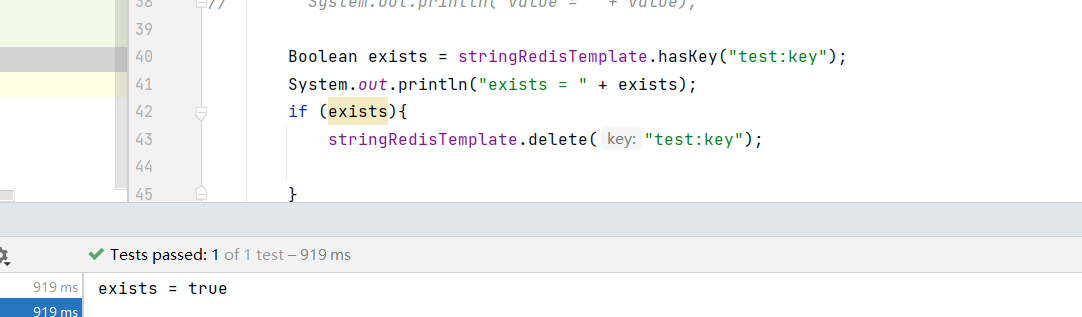
效果图
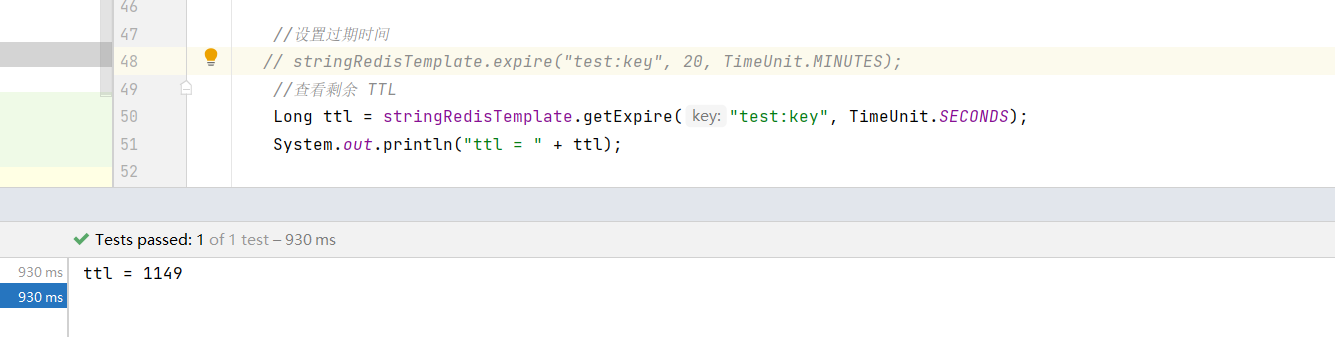
完整pom
<?xml version="1.0" encoding="UTF-8"?>
<project xmlns="http://maven.apache.org/POM/4.0.0"xmlns:xsi="http://www.w3.org/2001/XMLSchema-instance"xsi:schemaLocation="http://maven.apache.org/POM/4.0.0 http://maven.apache.org/xsd/maven-4.0.0.xsd"><modelVersion>4.0.0</modelVersion><groupId>com.java</groupId><artifactId>redis-service</artifactId><version>1.0-SNAPSHOT</version><properties><maven.compiler.source>8</maven.compiler.source><maven.compiler.target>8</maven.compiler.target><project.build.sourceEncoding>UTF-8</project.build.sourceEncoding></properties><!-- 继承 Spring Boot 父 POM,管理 Spring Boot 依赖版本 --><parent><groupId>org.springframework.boot</groupId><artifactId>spring-boot-starter-parent</artifactId><version>2.7.18</version><relativePath/> <!-- 从仓库查找父 POM --></parent><dependencies><dependency><groupId>org.springframework.boot</groupId><artifactId>spring-boot-starter-data-redis</artifactId></dependency><!--lombok依赖--><dependency><groupId>org.projectlombok</groupId><artifactId>lombok</artifactId><version>1.18.16</version></dependency><!--引入junit单元测试依赖--><dependency><groupId>junit</groupId><artifactId>junit</artifactId><version>4.12</version></dependency><dependency><groupId>org.springframework.boot</groupId><artifactId>spring-boot-starter</artifactId></dependency><dependency><groupId>org.springframework.boot</groupId><artifactId>spring-boot-starter-test</artifactId><scope>test</scope></dependency></dependencies></project>
代码部分
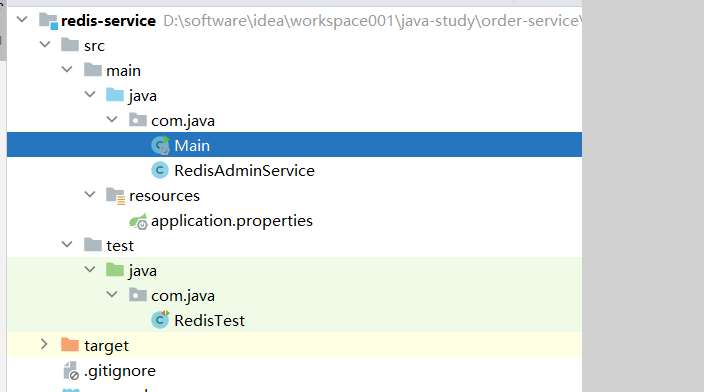
package com.java;import org.springframework.boot.SpringApplication;
import org.springframework.boot.autoconfigure.SpringBootApplication;@SpringBootApplication
public class Main {public static void main(String[] args) {SpringApplication.run(Main.class,args);}
}
package com.java;import org.springframework.beans.factory.annotation.Autowired;
import org.springframework.data.redis.core.StringRedisTemplate;
import org.springframework.stereotype.Service;import java.util.Set;
import java.util.concurrent.TimeUnit;/*** @Description:* @Author: tutu-qiuxie* @Create: 2026/2/4 0:43*/
@Service
public class RedisAdminService {@Autowiredprivate StringRedisTemplate redisTemplate;/** 查询 key */public Set<String> keys(String pattern) {return redisTemplate.keys(pattern);}/** 获取值 */public String get(String key) {return redisTemplate.opsForValue().get(key);}/** 设置值 */public void set(String key, String value, long seconds) {redisTemplate.opsForValue().set(key, value, seconds, TimeUnit.SECONDS);}/** 删除 */public void delete(String key) {redisTemplate.delete(key);}/** TTL */public Long ttl(String key) {return redisTemplate.getExpire(key, TimeUnit.SECONDS);}
}
package com.java;import lombok.extern.slf4j.Slf4j;
import org.junit.Test;
import org.junit.runner.RunWith;
import org.springframework.beans.factory.annotation.Autowired;
import org.springframework.beans.factory.annotation.Qualifier;
import org.springframework.boot.test.context.SpringBootTest;import org.springframework.data.redis.core.StringRedisTemplate;
import org.springframework.test.context.junit4.SpringRunner;import java.util.concurrent.TimeUnit;/*** @Description:* @Author: tutu-qiuxie* @Create: 2026/2/4 0:29*/@RunWith(SpringRunner.class)
@SpringBootTest
@Slf4j
public class RedisTest {@Autowiredprivate StringRedisTemplate stringRedisTemplate;@Testpublic void test001(){//set / get//        stringRedisTemplate.opsForValue()
//                .set("test:key", "hello", 60, TimeUnit.SECONDS);
//
//        String value = stringRedisTemplate.opsForValue().get("test:key");
//        System.out.println("value = " + value);//        Boolean exists = stringRedisTemplate.hasKey("test:key");
//        System.out.println("exists = " + exists);
//        if (exists){
//            stringRedisTemplate.delete("test:key");
//
//        }//设置过期时间// stringRedisTemplate.expire("test:key", 20, TimeUnit.MINUTES);//查看剩余 TTLLong ttl = stringRedisTemplate.getExpire("test:key", TimeUnit.SECONDS);System.out.println("ttl = " + ttl);}
}
配置文件
spring.redis.host=192.168.31.60spring.redis.port=6379spring.redis.password=spring.redis.database=0spring.redis.timeout=3000
package com.java;import lombok.extern.slf4j.Slf4j;
import org.junit.Test;
import org.junit.runner.RunWith;
import org.springframework.beans.factory.annotation.Autowired;
import org.springframework.boot.test.context.SpringBootTest;
import org.springframework.data.redis.core.StringRedisTemplate;
import org.springframework.test.context.junit4.SpringRunner;/*** @Description:* @Author: tutu-qiuxie* @Create: 2026/2/4 0:58*/
@RunWith(SpringRunner.class)
@SpringBootTest
@Slf4j
public class RedisUpTest {@Autowiredprivate StringRedisTemplate stringRedisTemplate;@Testpublic void test002(){//自增 / 自减(限流、计数神器)
//        Long count = stringRedisTemplate.opsForValue()
//                .increment("login:count:user:1");
//        System.out.println("count = " + count);
//
//        Long increment = stringRedisTemplate.opsForValue()
//                .increment("money:balance", -10);
//        System.out.println("increment = " + increment);//Hash 存 / 取字段//        stringRedisTemplate.opsForHash()
//                .put("user:1", "name", "zhangsan");
//
//        Object name = stringRedisTemplate.opsForHash()
//                .get("user:1", "name");
//        System.out.println("name = " + name);//左进右出(队列)//        stringRedisTemplate.opsForList()
//                .leftPush("video:transcode:queue", "videoId=123");
//        stringRedisTemplate.opsForList()
//                .leftPush("video:transcode:queue", "videoId=1231");
//        stringRedisTemplate.opsForList()
//                .leftPush("video:transcode:queue", "videoId=1232");
//
//
//
//        String task;
//        while ((task = stringRedisTemplate.opsForList().rightPop("video:transcode:queue")) != null) {
//            try {
//                Thread.sleep(1000);
//                log.info("Processing task:{} ",task);
//            } catch (InterruptedException e) {
//                throw new RuntimeException(e);
//            }
//        }
//        System.out.println("All tasks processed.");//Set(去重 / 关系)//        stringRedisTemplate.opsForSet()
//                .add("video:likes:100", "user1", "user2");
//
//        Boolean liked = stringRedisTemplate.opsForSet()
//                .isMember("video:likes:100", "user1");
//        System.out.println("liked = " + liked);
//
//        Boolean likes = stringRedisTemplate.opsForSet()
//                .isMember("video:likes:100", "user2");
//        System.out.println("likes = " + likes);//统计数量Long count = stringRedisTemplate.opsForSet().size("video:likes:100");System.out.println("count = " + count);}}