ibero 2025.1 Run PROGRAM_SPI_IMAGE_Action
ibero 2025.1 Run PROGRAM_SPI_IMAGE_Action
SPI Flash lemory is not configured. Use the Configure Design Initialization Data and memories tool to configure it

按照以下步骤 不会出现上面问题:
1、首先要修改 bit 文件版本号 ,一个是当前版本号, 一个是 我猜 是 当前版本升级失败时,返回的版本号
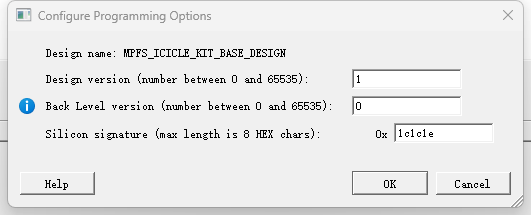
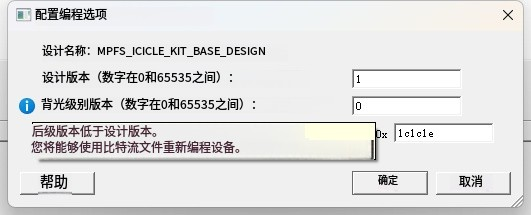
2、点击 Generate Bitstream 生成 版本为0和1 两个 bit 文件
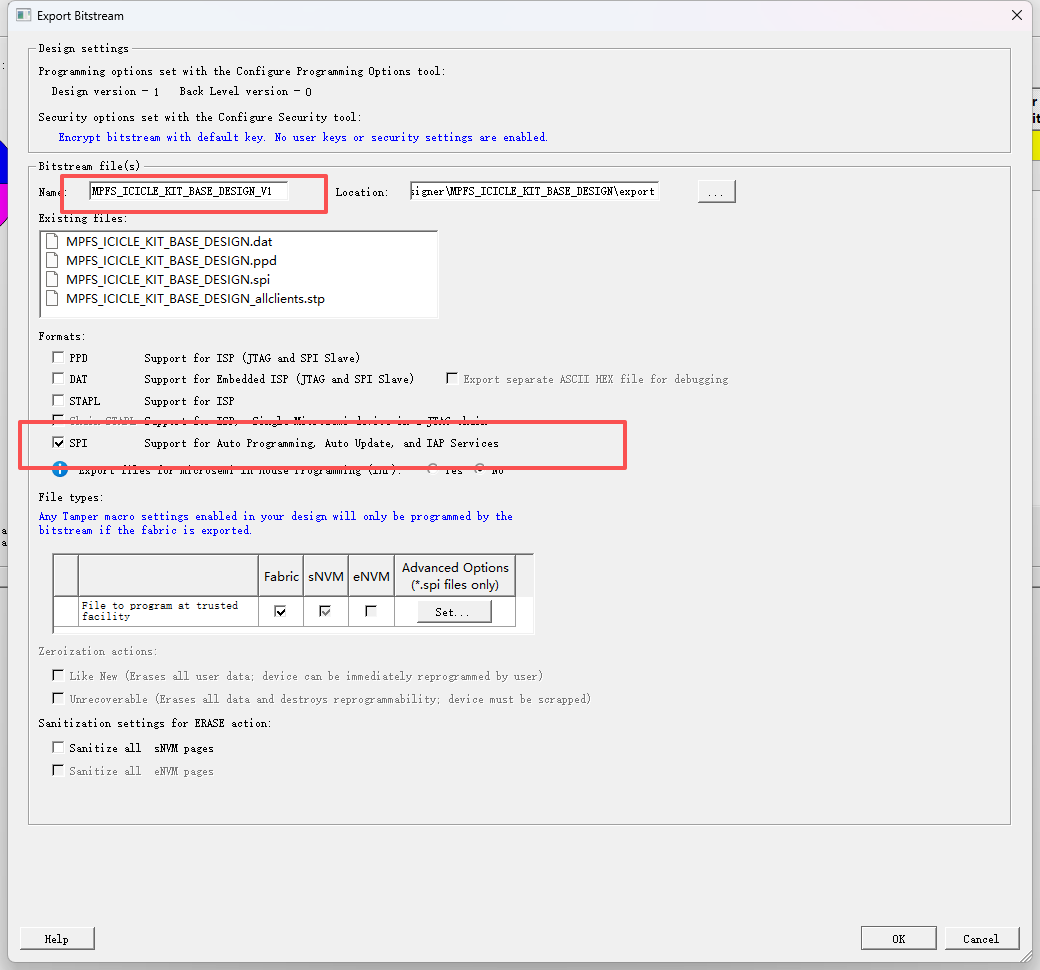
3、导出 bit 文件 SPI 格式,双击 export bitstream
4、 双击 Configure Design lnitialization Data and Memories, 设置 SPI FLASH 大小 ,和 文件路径
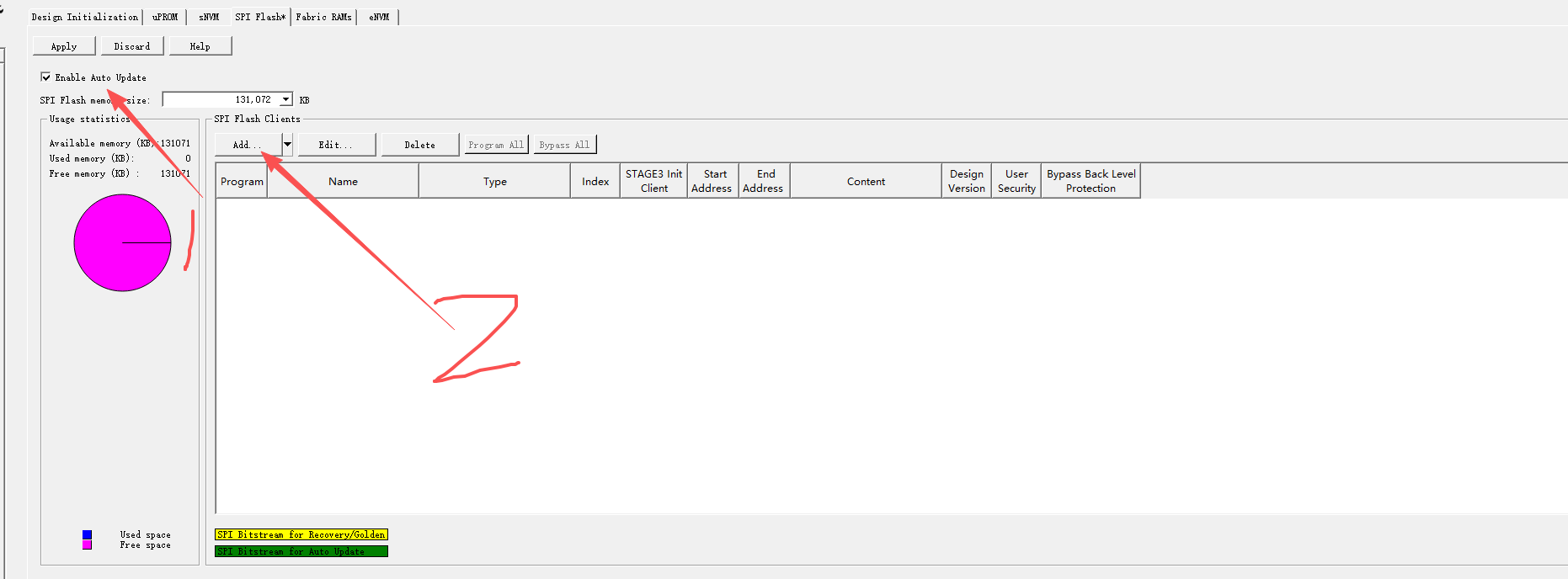
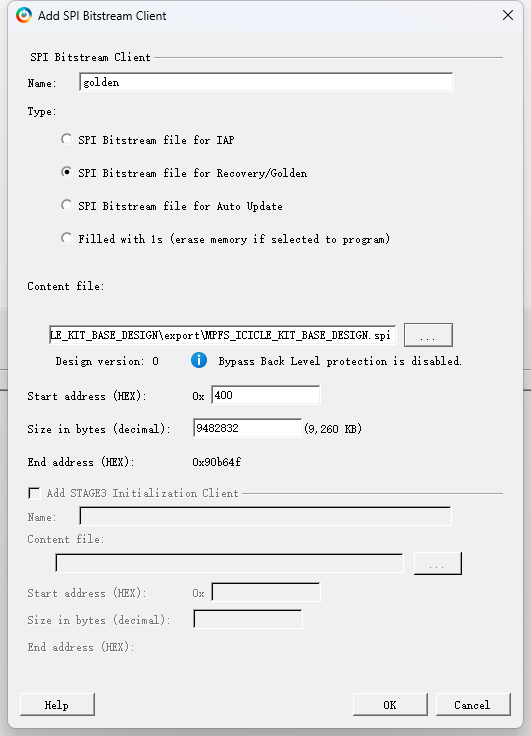
5、生成 golden, 这个版本为 0
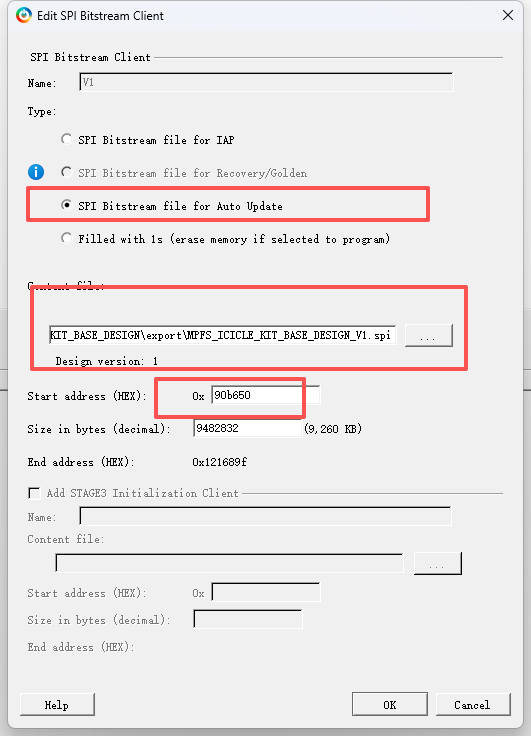
6、同样的方法,生成 版本为1 升级文件
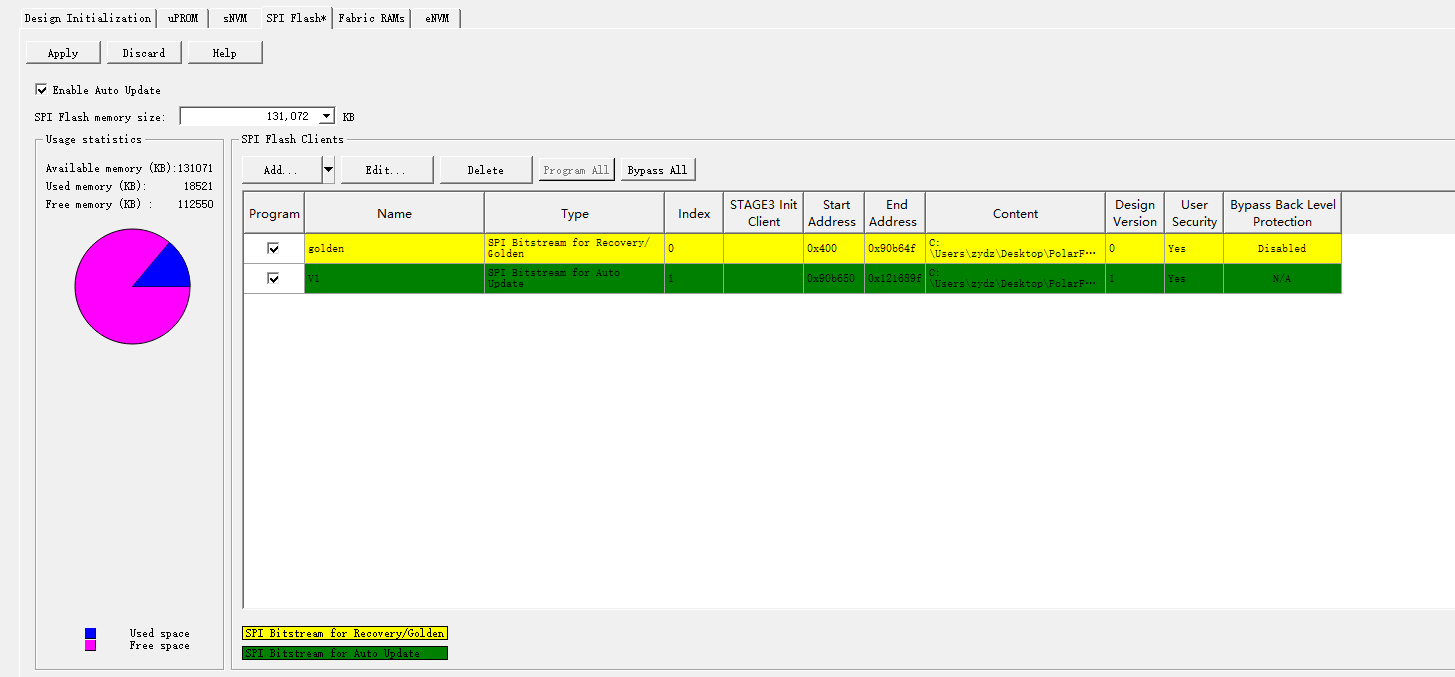
7、点击左上角 apply
8、双击
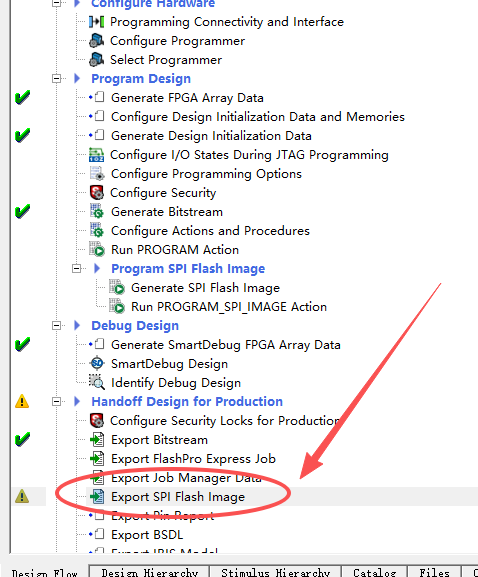
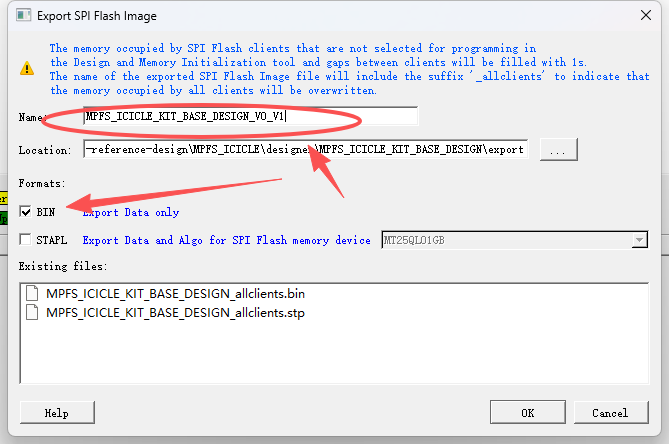
打开 生成 MPFS_ICICLE_KIT_BASE_DESIGN_V0_V1_allclients.bin 文件
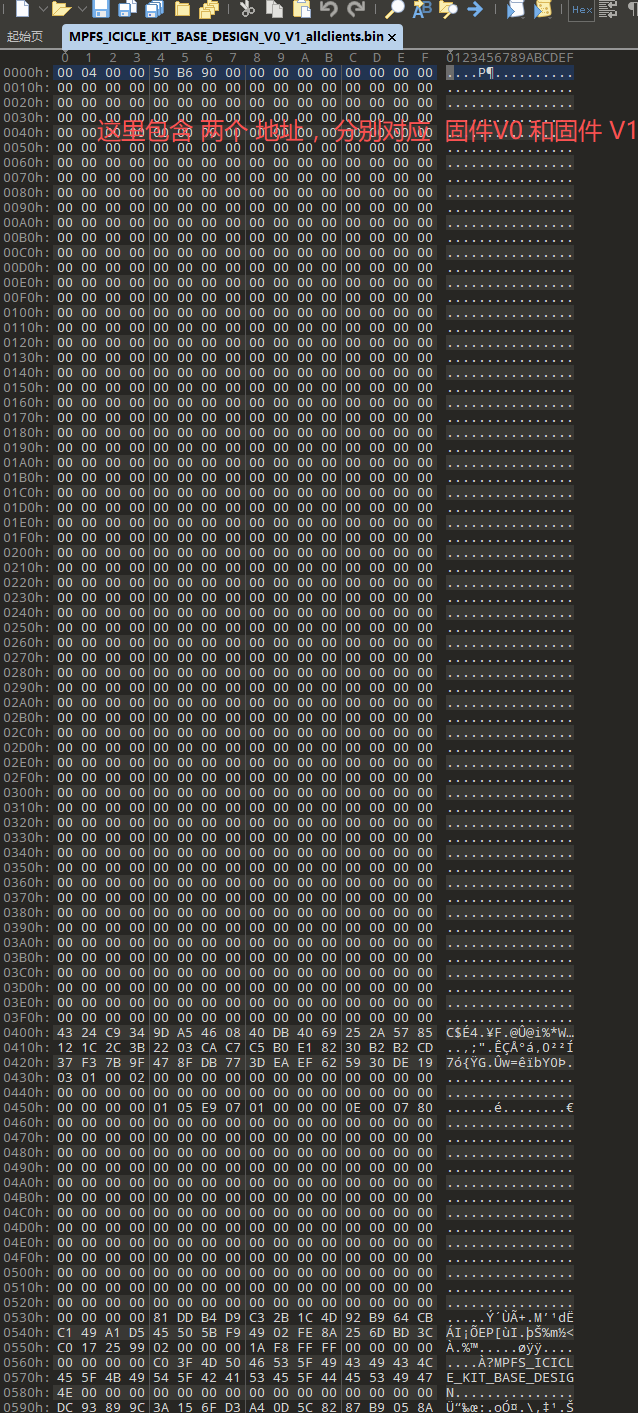
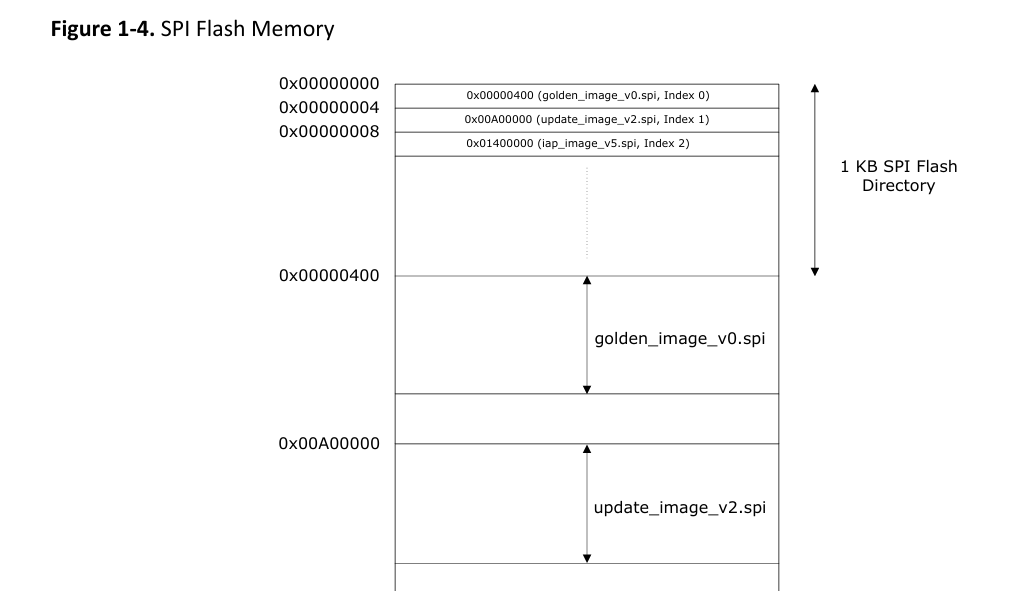
和下面 这个官方 文档里 差不多
AN4660: PolarFire FPGA Auto Update and In-Application Programming Application Note (Ealier AC466)