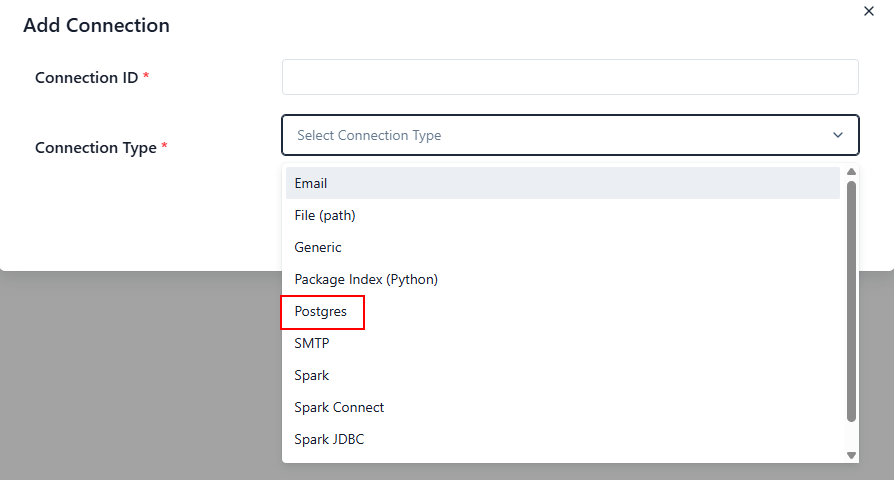
I wanted to create a connection to PostgreSQL in Airflow, but found that there's no Postgres connection type. Why? My Airflow version is 3.1.3.
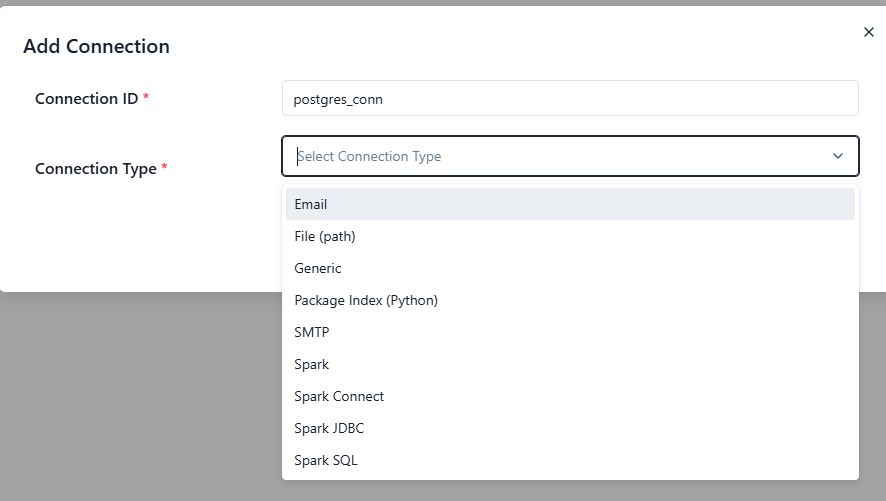
This is expected behavior in Airflow 3.x and it usually surprises people the first time.
Short answer
In Airflow 3.1.3, the Postgres connection type is not part of core Airflow.
It only appears if the Postgres provider package is installed.
If you don’t see a “Postgres” connection type, it means:
✅
apache-airflow-providers-postgresis not installed
Why this happens (Airflow 3 design)
Starting in Airflow 2 and reinforced in Airflow 3, Airflow is split into:
-
Core Airflow → scheduling, DAG parsing, UI, metadata DB
-
Providers → integrations (Postgres, MySQL, S3, Snowflake, etc.)
👉 Connection types are contributed by providers, not by core.
So:
-
No provider installed → no hook, no operator, no connection type in the UI
-
Provider installed → connection type dynamically appears
How to fix it
Install the Postgres provider:
Or if you install Airflow with extras:
Then:
-
Restart Airflow (webserver + scheduler)
-
Go to Admin → Connections
-
You will now see Postgres as a connection type
(airflow-venv) frank@ZZHPC:~$ pip install apache-airflow-providers-postgres
......
Installing collected packages: psycopg2-binary, asyncpg, apache-airflow-providers-postgres
Successfully installed apache-airflow-providers-postgres-6.5.1 asyncpg-0.31.0 psycopg2-binary-2.9.11(airflow-venv) frank@ZZHPC:~/dags$ airflow api-server --port 8080