
使用POI-TL组件按模板导出word文档
效果展示:
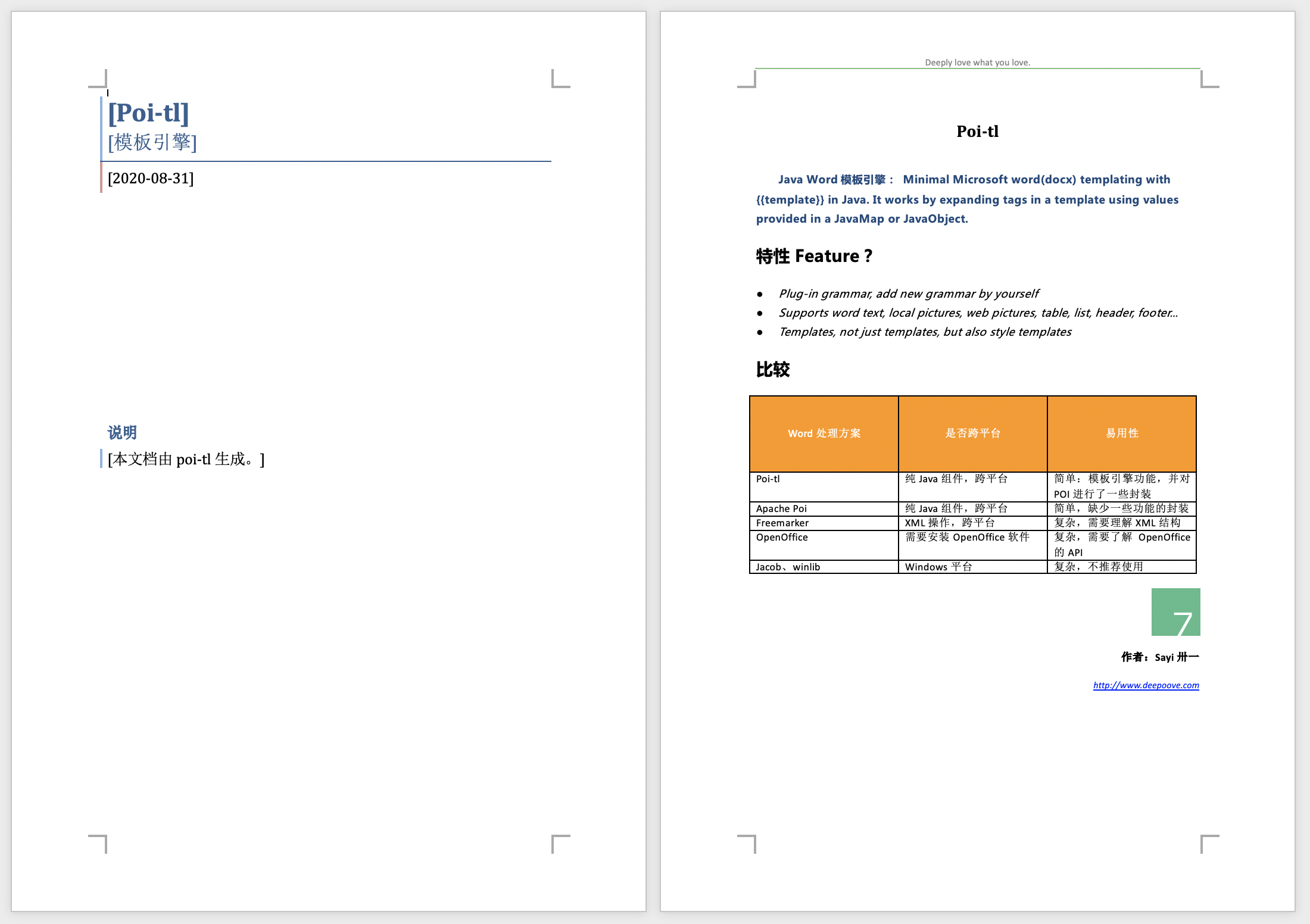
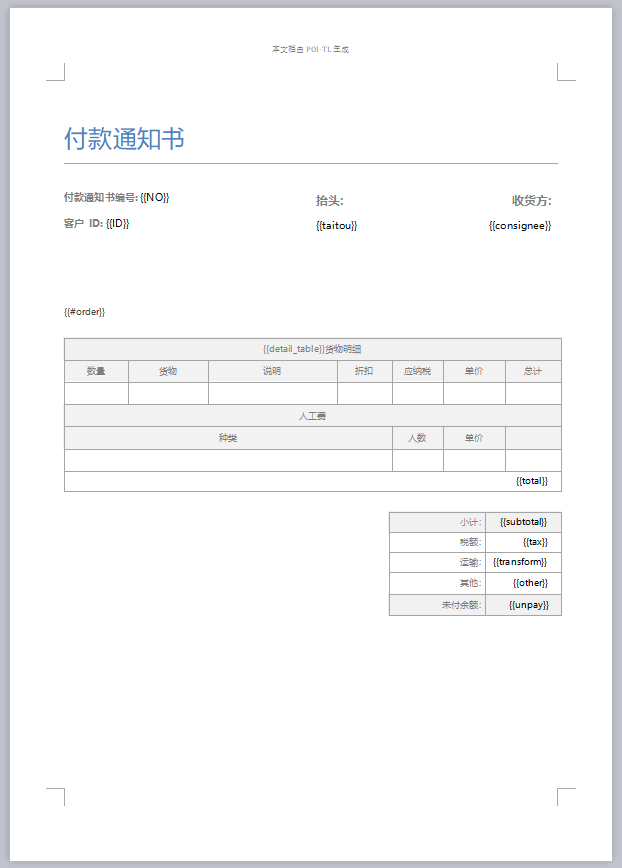
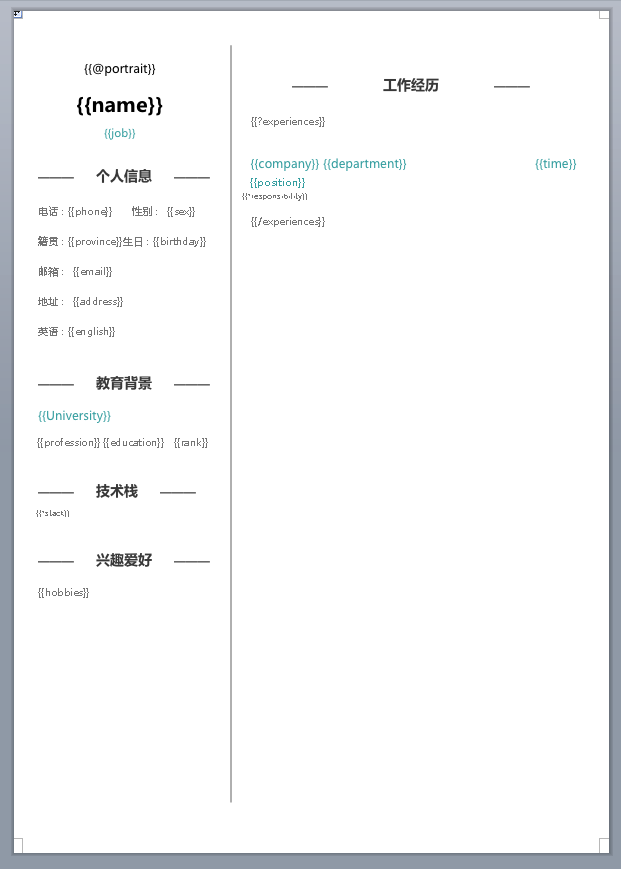
以及更多的效果,可以访问官方文档示例 ····> https://deepoove.com/poi-tl/示例
依赖引入:
<dependencies><!-- poi-tl 核心依赖 --><dependency><groupId>com.deepoove</groupId><artifactId>poi-tl</artifactId><version>1.12.2</version></dependency><!-- Apache POI 核心依赖 --><dependency><groupId>org.apache.poi</groupId><artifactId>poi</artifactId><version>5.2.5</version></dependency><!-- POI OOXML 支持 --><dependency><groupId>org.apache.poi</groupId><artifactId>poi-ooxml</artifactId><version>5.2.5</version></dependency><!-- POI OOXML Full 支持(处理复杂文档) --><dependency><groupId>org.apache.poi</groupId><artifactId>poi-ooxml-full</artifactId><version>5.2.5</version></dependency><!-- POI Scratchpad(处理旧版 Word 文档) --><dependency><groupId>org.apache.poi</groupId><artifactId>poi-scratchpad</artifactId><version>5.2.5</version></dependency>
</dependencies>
编写JAVA导出工具类:
import com.deepoove.poi.XWPFTemplate;
import lombok.extern.slf4j.Slf4j;import javax.servlet.http.HttpServletResponse;
import java.io.IOException;
import java.io.OutputStream;
import java.net.URLEncoder;
import java.util.Map;/*** poi-tl文旦渲染导出工具* 唐泽齐* @See {https://www.cnblogs.com/tangzeqi}*/
@Slf4j
public class PoitlUtils {/*** 导出渲染后的模板文档** @param templatePath 模板路径,常放于项目resources下如:template/xxx.docx* @param outName      导出文件名,需要与模板文件类型一致* @param data         写入模板的数据,参考 @See {https://deepoove.com/poi-tl}* @param response     流操作,一般来自Controller层Http接口的入参接收*/public static void export(String templatePath, String outName, Map<String, Object> data, HttpServletResponse response) {XWPFTemplate template = null;OutputStream out = null;try {// 设置响应头response.setContentType("application/octet-stream");String fileName = URLEncoder.encode(outName, "UTF-8");response.setHeader("Content-disposition", "attachment;filename=\"" + fileName + "\"");// 编译模板template = XWPFTemplate.compile(ClassLoader.getSystemResourceAsStream(templatePath)).render(data);// 获取输出流out = response.getOutputStream();// 写入响应流
            template.write(out);out.flush();} catch (Exception e) {log.error("导出文档失败", e);throw new RuntimeException("导出文档失败", e);} finally {// 关闭资源if (template != null) {try {template.close();} catch (IOException e) {log.error("关闭模板失败", e);}}// 注意:不要关闭 response 的 OutputStream// Servlet 容器会自动管理这个流
        }}}
调用工具:
PoitlUtils.export("template/XXXX.docx",date+"XXXX.docx",map,response);
代码说明:
一.模板位置获取
ClassLoader.getSystemResourceAsStream(templatePath)
用于查找模板在项目中的位置,假设有项目目录结构如下:
src/main/java/com/example/MyClass.javaresources/templates/template.txt
在工具中:
// 这样可以找到 template.txt
InputStream is1 = this.getClass().getResourceAsStream("/templates/template.txt");// 这样找不到,因为会从 com/example/ 目录下开始查找
InputStream is2 = this.getClass().getResourceAsStream("templates/template.txt");// 使用系统类加载器从 classpath 根目录查找
InputStream is3 = ClassLoader.getSystemResourceAsStream("templates/template.txt");
如果你想要更可靠地加载资源,建议使用:
InputStream is = Thread.currentThread().getContextClassLoader().getResourceAsStream(templatePath);
因为:
- 它不受当前类的包位置影响
- 在复杂的类加载器环境中(如 Web 应用、OSGi 等)更可靠
- 可以正确处理从 JAR 文件中加载资源的情况
二.模板渲染数据
https://deepoove.com/poi-tl/#_标签,https://deepoove.com/poi-tl/#_引用标签当然还可以自定义,参考https://deepoove.com/poi-tl/#_配置,以及更深层次自定义https://deepoove.com/poi-tl/#_插件