完整教程:分布式版本控制系统Gitlab
目录
一、环境
二、部署
1. 开启邮件服务
2. 添加YUM源
3. 安装gitlab
4. 查看gitlab版本
三、配置
1. 配置登录接口
2. 配置smtp邮件通知
3. 初始化启动
4. 发送邮件测试
5. 浏览器登录
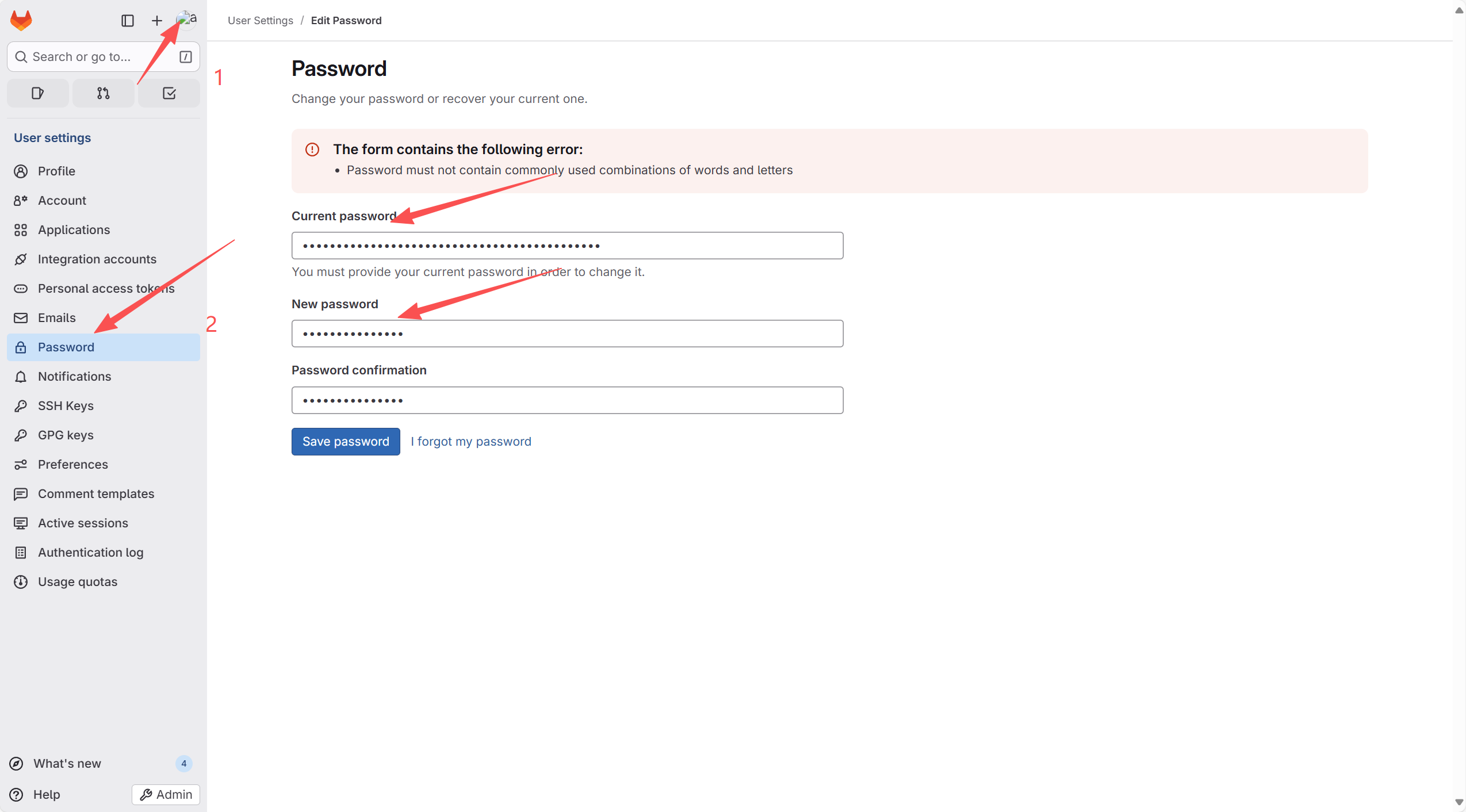
(1)修改密码
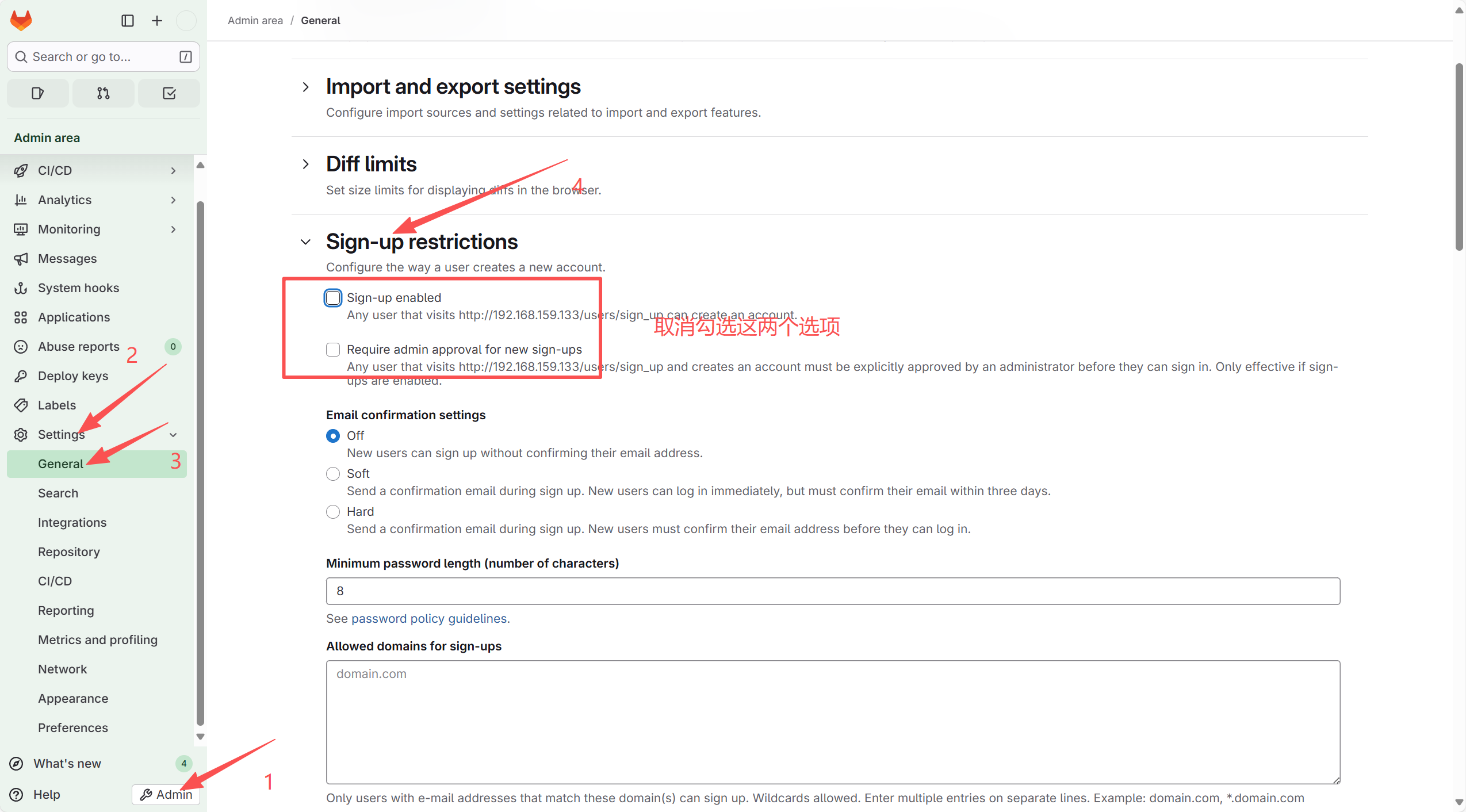
(2)取消用户自动注册功能(安全)
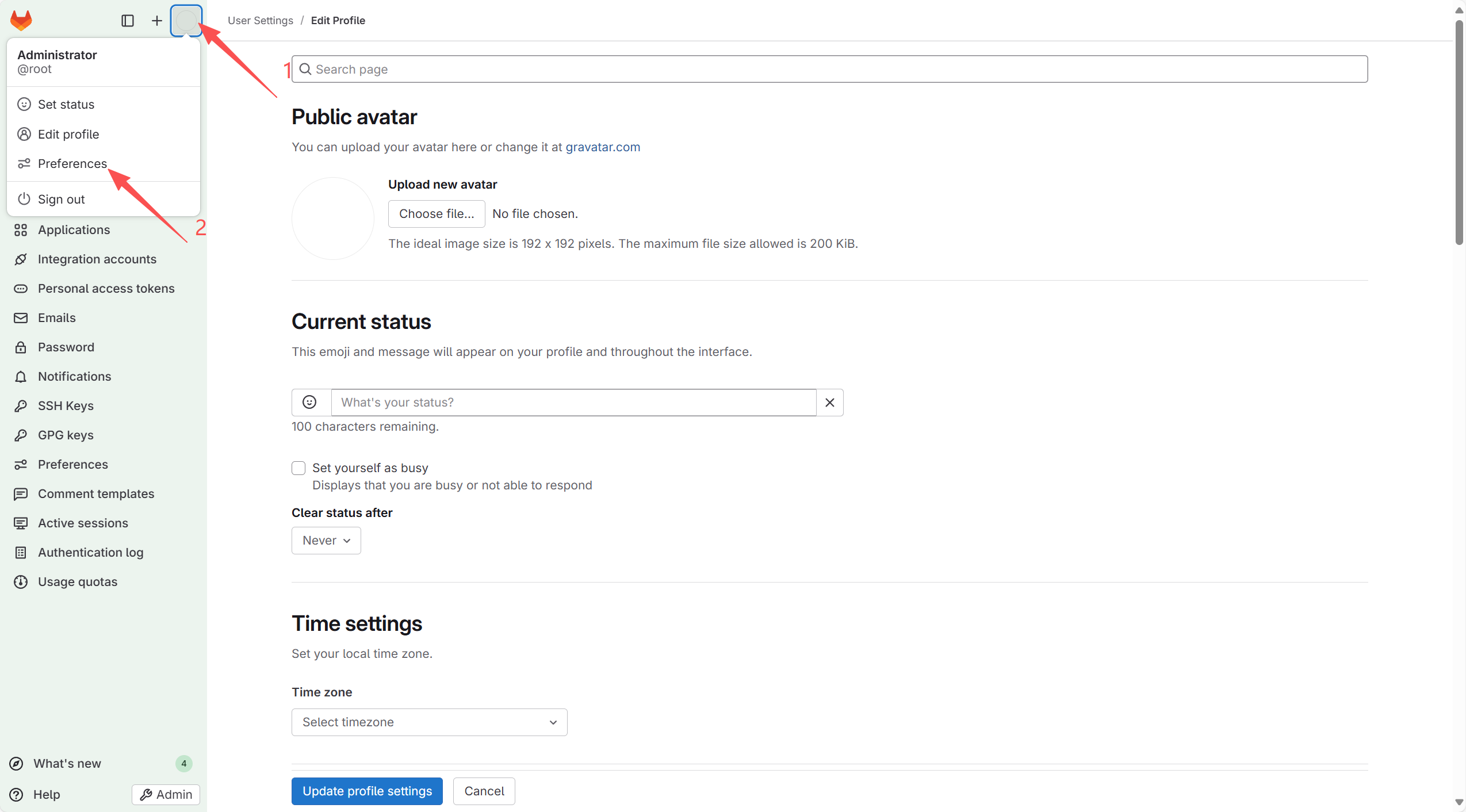
(3)修改中英文皮肤
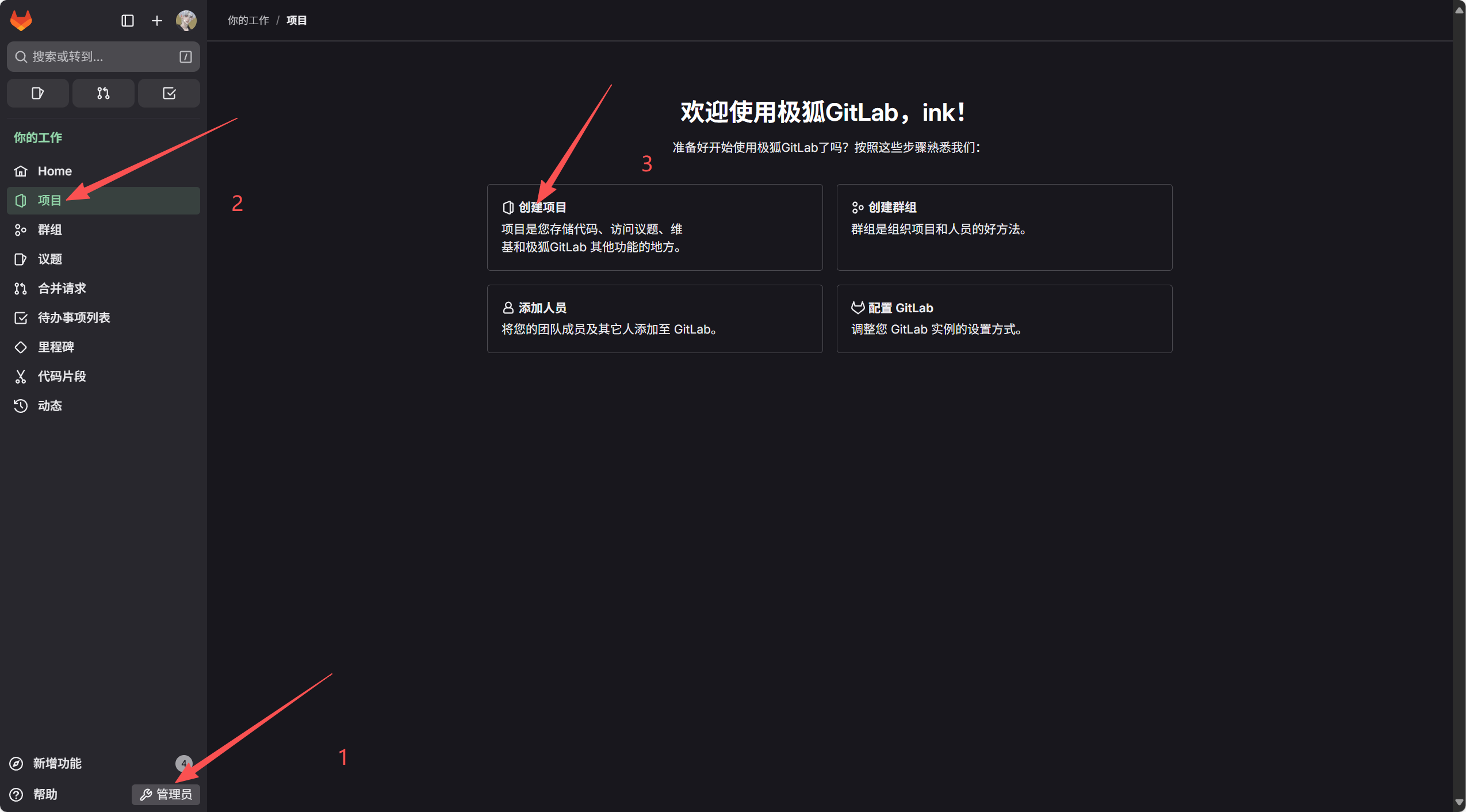
编辑四、创建项目
五、开发机克隆远程仓库
六、上传Markdown帮助文档
七、新建分支
验证
一、环境
关闭防火墙和SELINUX
| 主机名 | IP地址 | 系统版本 |
| gitlab-server | 192.168.159.133 | CentOS Stream release 9 |
二、部署
1. 开启邮件服务
yum install -y postfix && systemctl start postfix && systemctl enable postfix
2. 添加YUM源
(1)官方源:
curl https://packages.gitlab.com/install/repositories/gitlab/gitlab-ce/script.rpm.sh | sudo bash
(2)清华源:
[root@gitlab-sever ~]# vim /etc/yum.repos.d/gitlab-ce.repo
[gitlab-ce]
name=Gitlab CE Repository
baseurl=https://mirrors.tuna.tsinghua.edu.cn/gitlab-ce/yum/el$releasever/
gpgcheck=0
enabled=1
3. 安装gitlab
yum -y install gitlab-ce #自动安装最新版
4. 查看gitlab版本
[root@gitlab-sever ~]# head -1 /opt/gitlab/version-manifest.txt
gitlab-ce 18.5.1
三、配置
1. 配置登录接口
[root@gitlab-sever ~]# grep "192.168.159.133" /etc/gitlab/gitlab.rb
external_url 'http://192.168.159.133'
2. 配置smtp邮件通知
[root@gitlab-sever ~]# grep "gitlab_rails" /etc/gitlab/gitlab.rb | grep -v "^#"
gitlab_rails['smtp_enable'] = true
gitlab_rails['smtp_address'] = "smtp.qq.com"
gitlab_rails['smtp_port'] = 465
gitlab_rails['smtp_user_name'] = "2126177631@qq.com"
gitlab_rails['smtp_password'] = "pbdvpdxauvwvfddi"
gitlab_rails['smtp_domain'] = "smtp.qq.com"
gitlab_rails['smtp_authentication'] = "login"
gitlab_rails['smtp_enable_starttls_auto'] = false
gitlab_rails['smtp_tls'] = true
gitlab_rails['gitlab_email_enabled'] = true
gitlab_rails['gitlab_email_from'] = '2126177631@qq.com'
gitlab_rails['gitlab_email_display_name'] = 'gitlab'
gitlab_rails['gitlab_email_reply_to'] = '2126177631@qq.com'
gitlab_rails['gitlab_email_subject_suffix'] = '[gitlab]'
3. 初始化启动
[root@gitlab-sever ~]# gitlab-ctl reconfigure
[root@gitlab-sever ~]# gitlab-ctl start
[root@gitlab-sever ~]# lsof -i:80
COMMAND    PID       USER   FD   TYPE DEVICE SIZE/OFF NODE NAME
nginx     4497       root    7u  IPv4  68812      0t0  TCP *:http (LISTEN)
nginx     4498 gitlab-www    7u  IPv4  68812      0t0  TCP *:http (LISTEN)
nginx     4499 gitlab-www    7u  IPv4  68812      0t0  TCP *:http (LISTEN)
nginx     4499 gitlab-www   16u  IPv4  67979      0t0  TCP bogon:http->bogon:58438 (ESTABLISHED)
nginx     4500 gitlab-www    7u  IPv4  68812      0t0  TCP *:http (LISTEN)
nginx     4501 gitlab-www    7u  IPv4  68812      0t0  TCP *:http (LISTEN)
gitlab-ka 4568        git    7u  IPv4  68899      0t0  TCP bogon:58438->bogon:http (ESTABLISHED)
4. 发送邮件测试
# 发送邮件
[root@gitlab-sever ~]# gitlab-rails console
--------------------------------------------------------------------------------Ruby:         ruby 3.2.8 (2025-03-26 revision 13f495dc2c) [x86_64-linux]GitLab:       18.5.1 (2e5ae10576d) FOSSGitLab Shell: 14.45.3PostgreSQL:   16.10
------------------------------------------------------------[ booted in 37.54s ]
Loading production environment (Rails 7.1.5.2)
irb(main):001> Notify.test_email('2126177631@qq.com', 'Test Subject', 'Test Body').deliver_now
net-smtp (0.3.3) lib/net/smtp.rb:1076:in `check_response':  (Net::SMTPUnknownError)from net-smtp (0.3.3) lib/net/smtp.rb:1044:in `getok'from net-smtp (0.3.3) lib/net/smtp.rb:1026:in `quit'from net-smtp (0.3.3) lib/net/smtp.rb:715:in `do_finish'from net-smtp (0.3.3) lib/net/smtp.rb:614:in `start'from config/initializers/mail_starttls_patch.rb:53:in `start_smtp_session'from mail (2.8.1) lib/mail/network/delivery_methods/smtp.rb:100:in `deliver!'from mail (2.8.1) lib/mail/message.rb:2145:in `do_delivery'from mail (2.8.1) lib/mail/message.rb:253:in `block in deliver'from actionmailer (7.1.5.2) lib/action_mailer/base.rb:600:in `block in deliver_mail'from activesupport (7.1.5.2) lib/active_support/notifications.rb:208:in `instrument'from actionmailer (7.1.5.2) lib/action_mailer/base.rb:598:in `deliver_mail'from mail (2.8.1) lib/mail/message.rb:253:in `deliver'from actionmailer (7.1.5.2) lib/action_mailer/message_delivery.rb:126:in `block (2 levels) in deliver_now'from activesupport (7.1.5.2) lib/active_support/callbacks.rb:101:in `run_callbacks'from actionmailer (7.1.5.2) lib/action_mailer/message_delivery.rb:125:in `block in deliver_now'from actionmailer (7.1.5.2) lib/action_mailer/rescuable.rb:21:in `handle_exceptions'... 17 levels...
irb(main):002>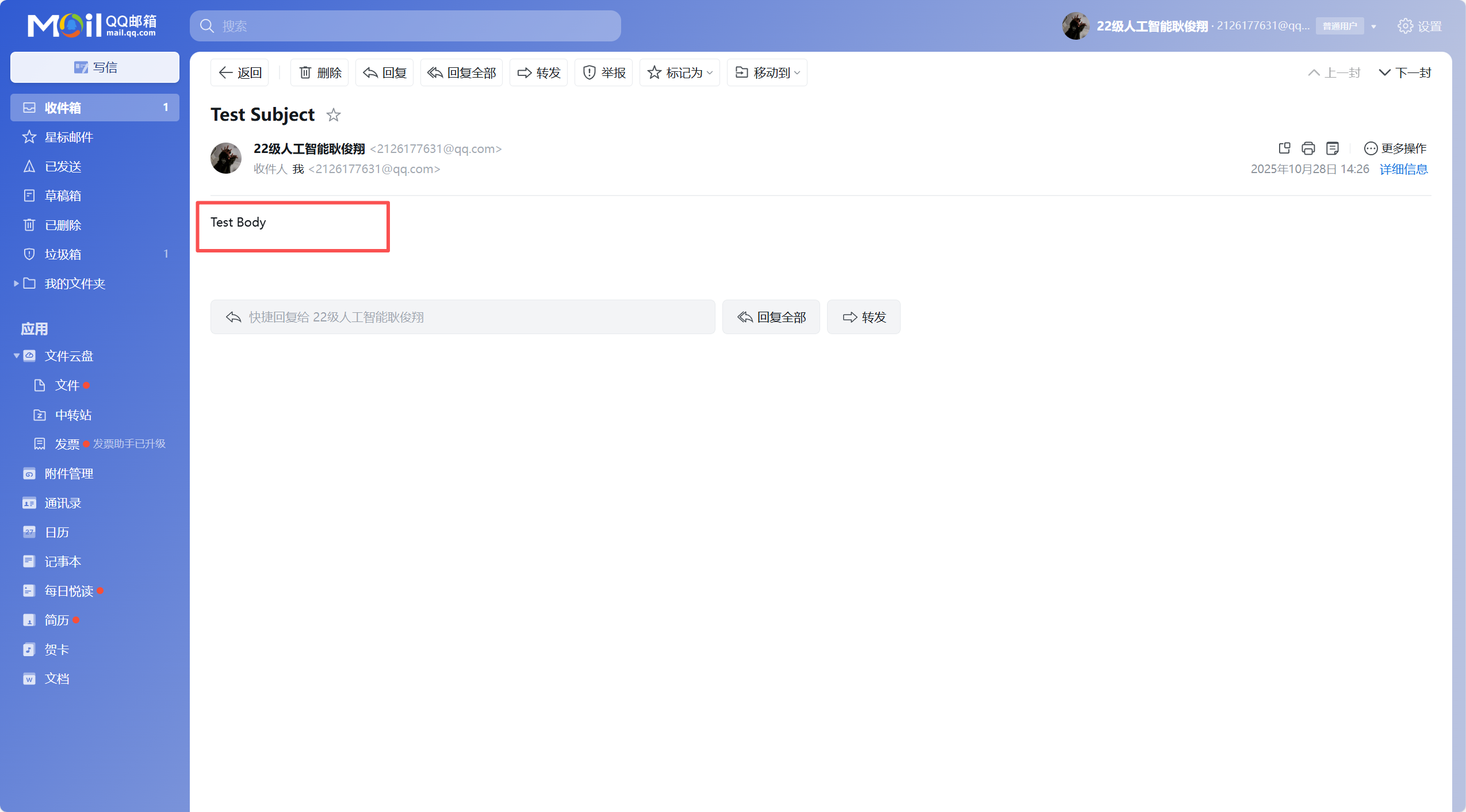
5. 浏览器登录
[root@gitlab-sever gitlab]# cat  initial_root_password
# WARNING: This password is only valid if ALL of the following are true:
#          ? You set it manually via the GITLAB_ROOT_PASSWORD environment variable
#            OR the gitlab_rails['initial_root_password'] setting in /etc/gitlab/gitlab.rb
#          ? You set it BEFORE the initial database setup (typically during first installation)
#          ? You have NOT changed the password since then (via web UI or command line)
#
#          If this password doesn't work, reset the admin password using:
#          https://docs.gitlab.com/security/reset_user_password/#reset-the-root-password
Password: sL6X3Yc8uR7Rd4u/UMPy/zNzLTVtg5VAJ7E7NhBJsZ0=
# NOTE: This file is automatically deleted after 24 hours on the next reconfigure run.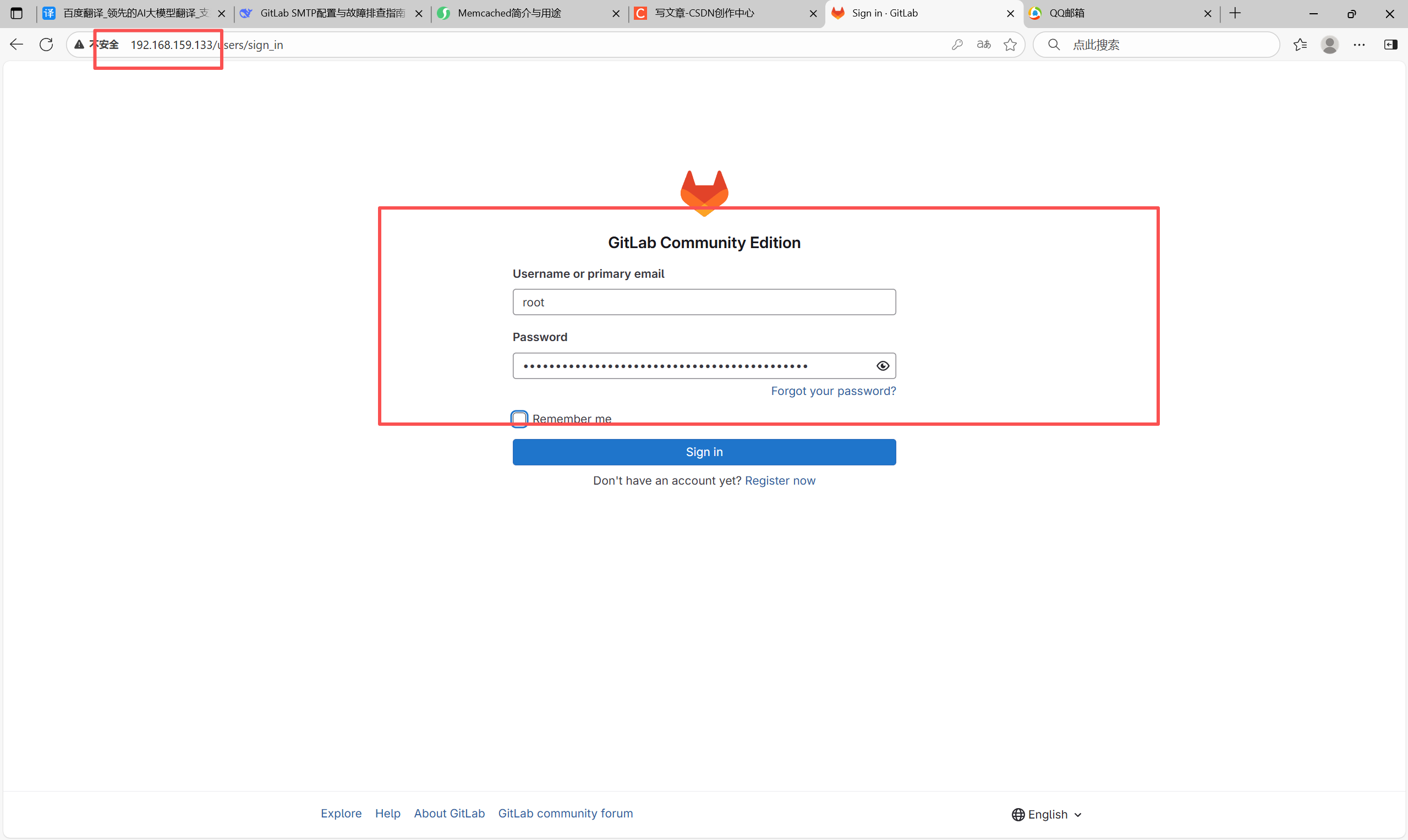
(1)修改密码
(2)取消用户自动注册功能(安全)
(3)修改中英文皮肤
可设置时间、语言、背景等
四、创建项目
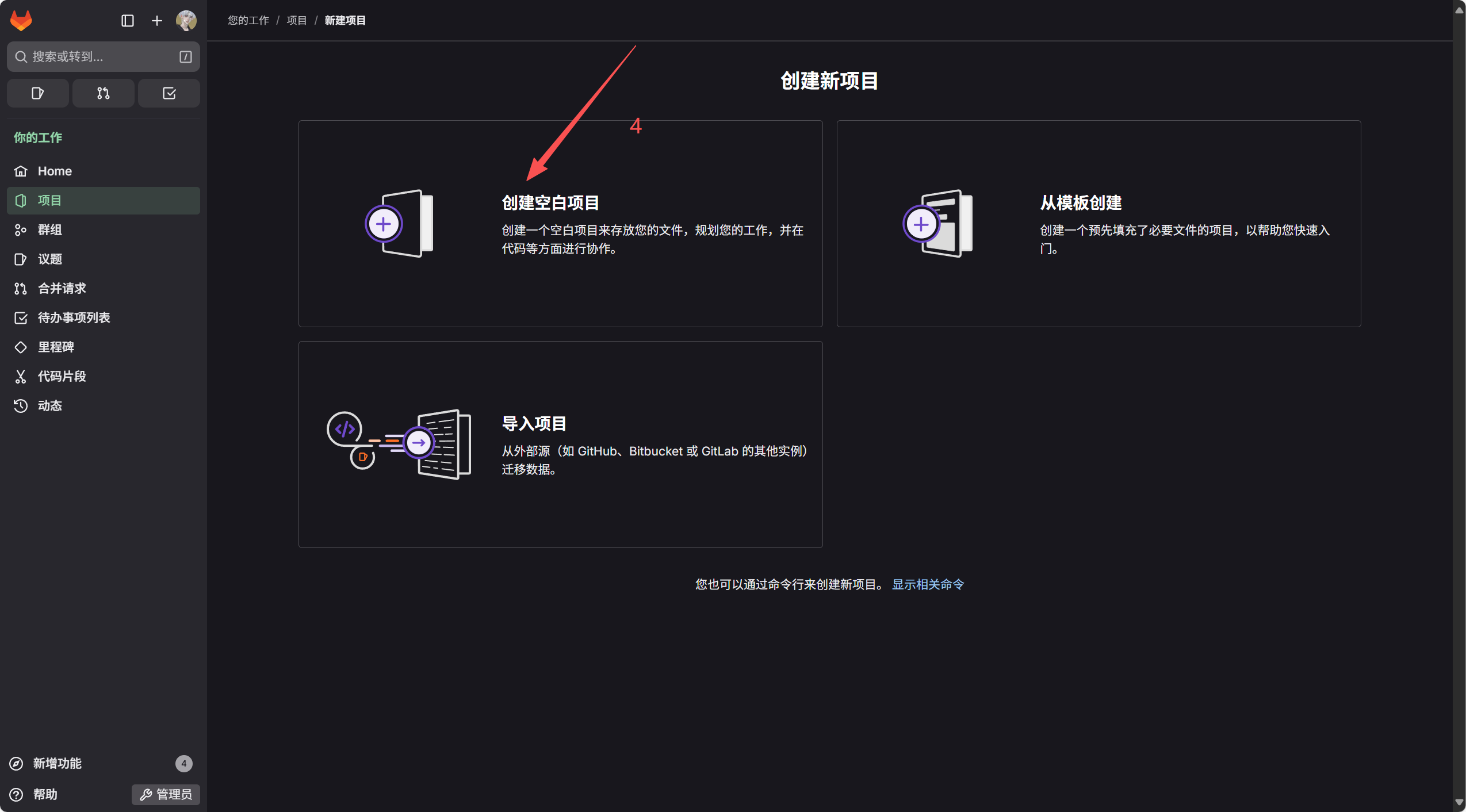
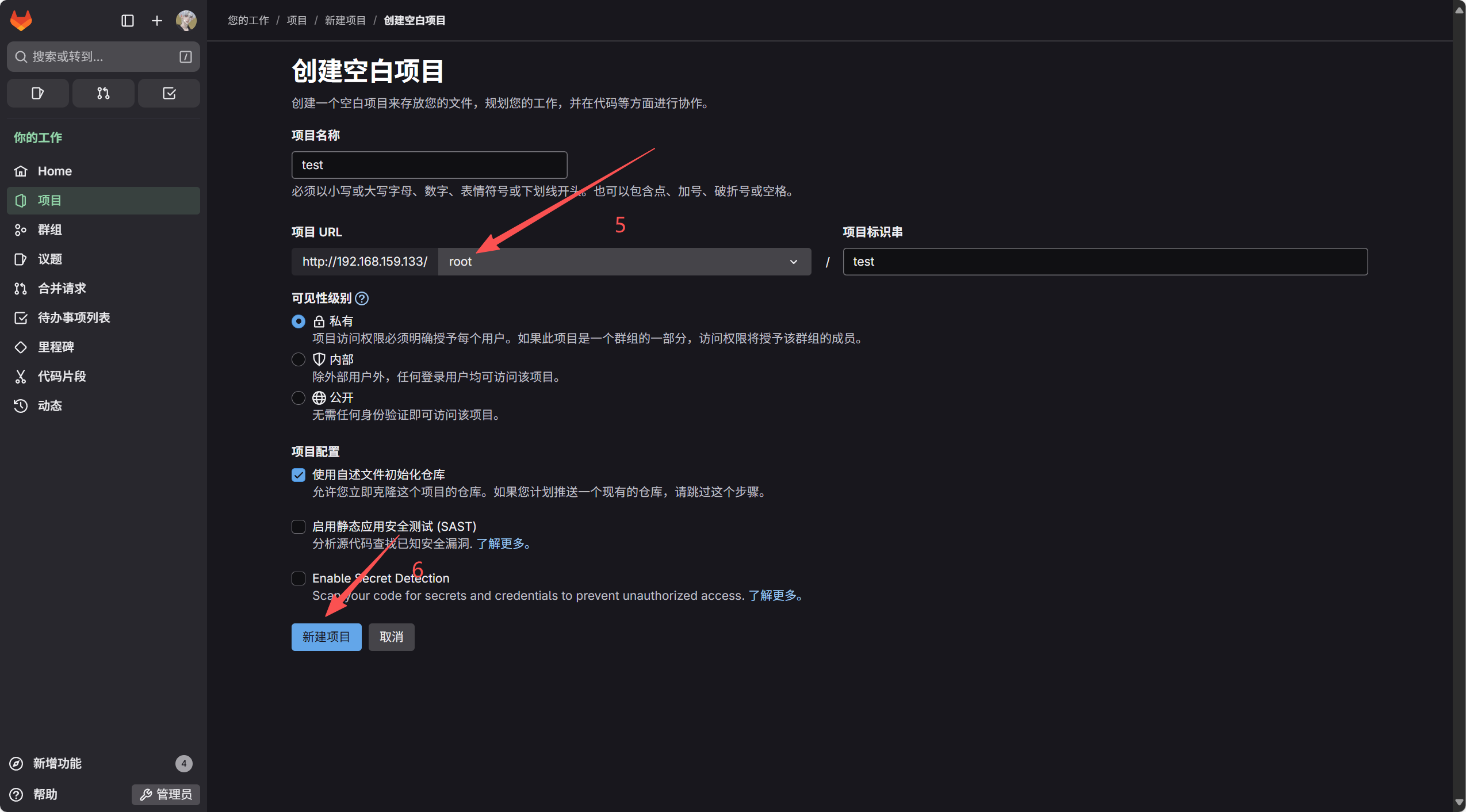
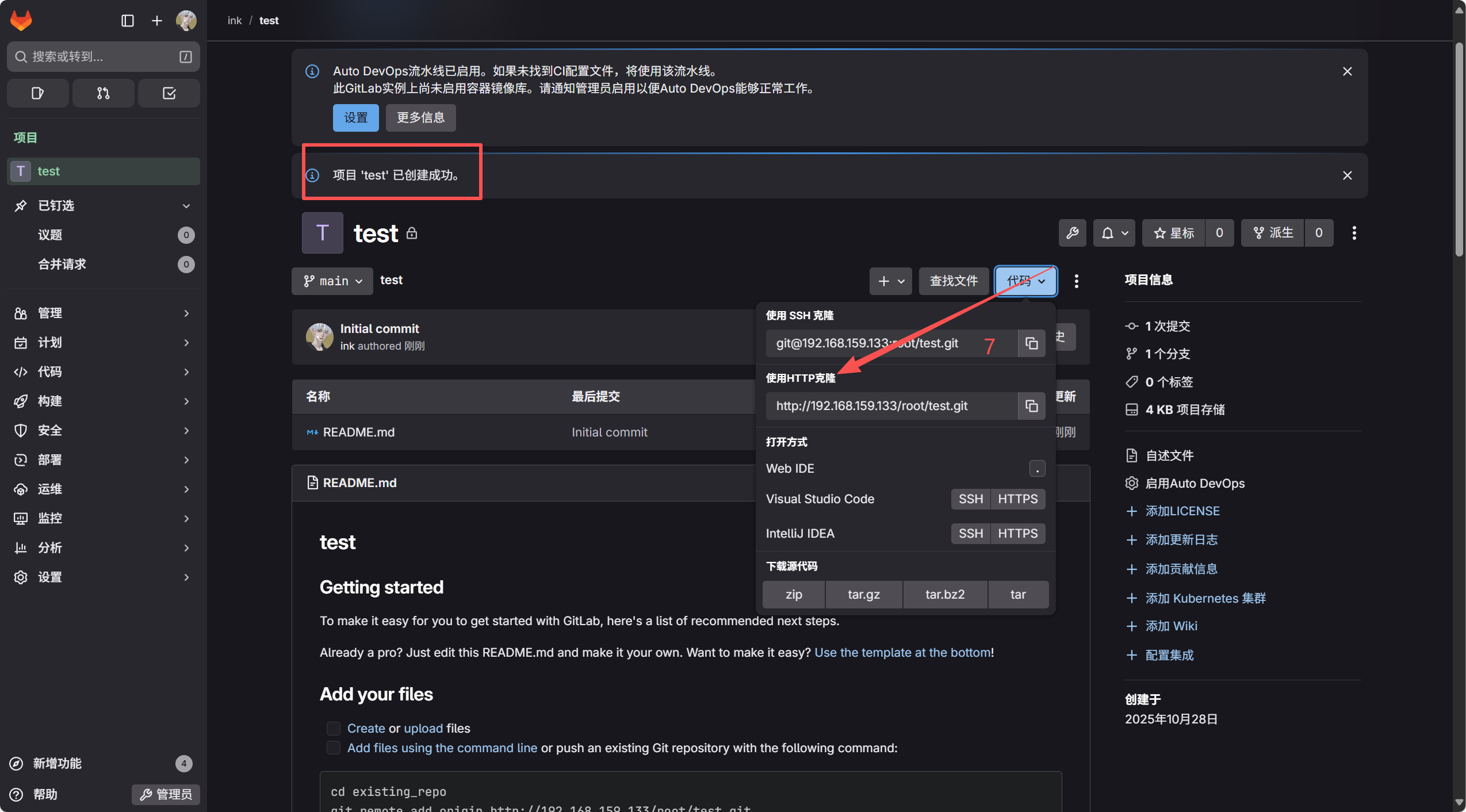
五、开发机克隆远程仓库
[root@dev ~]# git config --global user.email "2126177631@qq.com"
[root@dev ~]# git config --global user.name "ink"
从远程Git 仓库服务器克隆一个完整的代码仓库到本地
[root@dev ~]# git clone http://192.168.159.133/root/test.git
Cloning into 'test'...
Username for 'http://192.168.159.133': root      # 输入用户名
Password for 'http://root@192.168.159.133':      # 输入密码
remote: Enumerating objects: 3, done.
remote: Counting objects: 100% (3/3), done.
remote: Compressing objects: 100% (2/2), done.
remote: Total 3 (delta 0), reused 0 (delta 0), pack-reused 0 (from 0)
Receiving objects: 100% (3/3), done.
# 查看仓库
[root@dev ~]# ls
anaconda-ks.cfg  test
[root@dev ~]# cd test/
[root@dev test]# ls -a
.  ..  .git  README.md
持续交付
[root@dev test]# ls -a
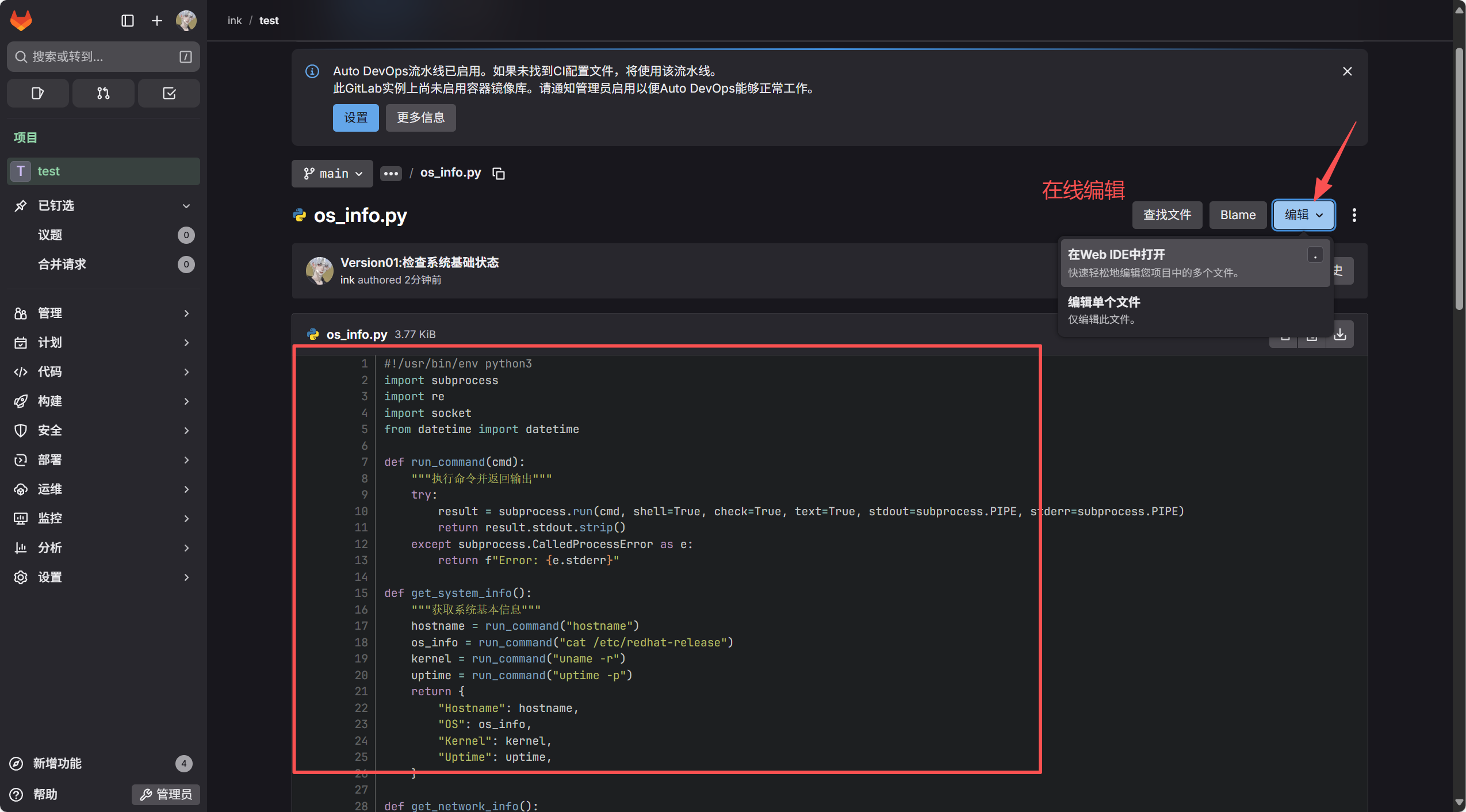
.  ..  .git  os_info.py  README.md
[root@dev test]# git add os_info.py
[root@dev test]# git commit -m "Version01:检查系统基础状态"
[main ba57bae] Version01:检查系统基础状态1 file changed, 115 insertions(+)create mode 100644 os_info.py
[root@dev test]# git log
commit ba57bae0870e44feef7e57bec86aa87ada79d1f9 (HEAD -> main)
Author: ink <2126177631@qq.com>
Date:   Tue Oct 28 17:51:16 2025 +0800Version01:检查系统基础状态
commit 113edcc0d93ae5f7dce339dd07973732e7fa194e (origin/main, origin/HEAD)
Author: ink <2126177631@qq.com>
Date:   Tue Oct 28 17:39:31 2025 +0800Initial commit
[root@dev test]# git branch -a
* mainremotes/origin/HEAD -> origin/mainremotes/origin/main
# 注意提交时所在的分支
[root@dev test]# git push origin main
Username for 'http://192.168.159.133': root
Password for 'http://root@192.168.159.133':
Enumerating objects: 4, done.
Counting objects: 100% (4/4), done.
Delta compression using up to 4 threads
Compressing objects: 100% (3/3), done.
Writing objects: 100% (3/3), 1.80 KiB | 1.80 MiB/s, done.
Total 3 (delta 0), reused 0 (delta 0), pack-reused 0 (from 0)
To http://192.168.159.133/root/test.git113edcc..ba57bae  main -> main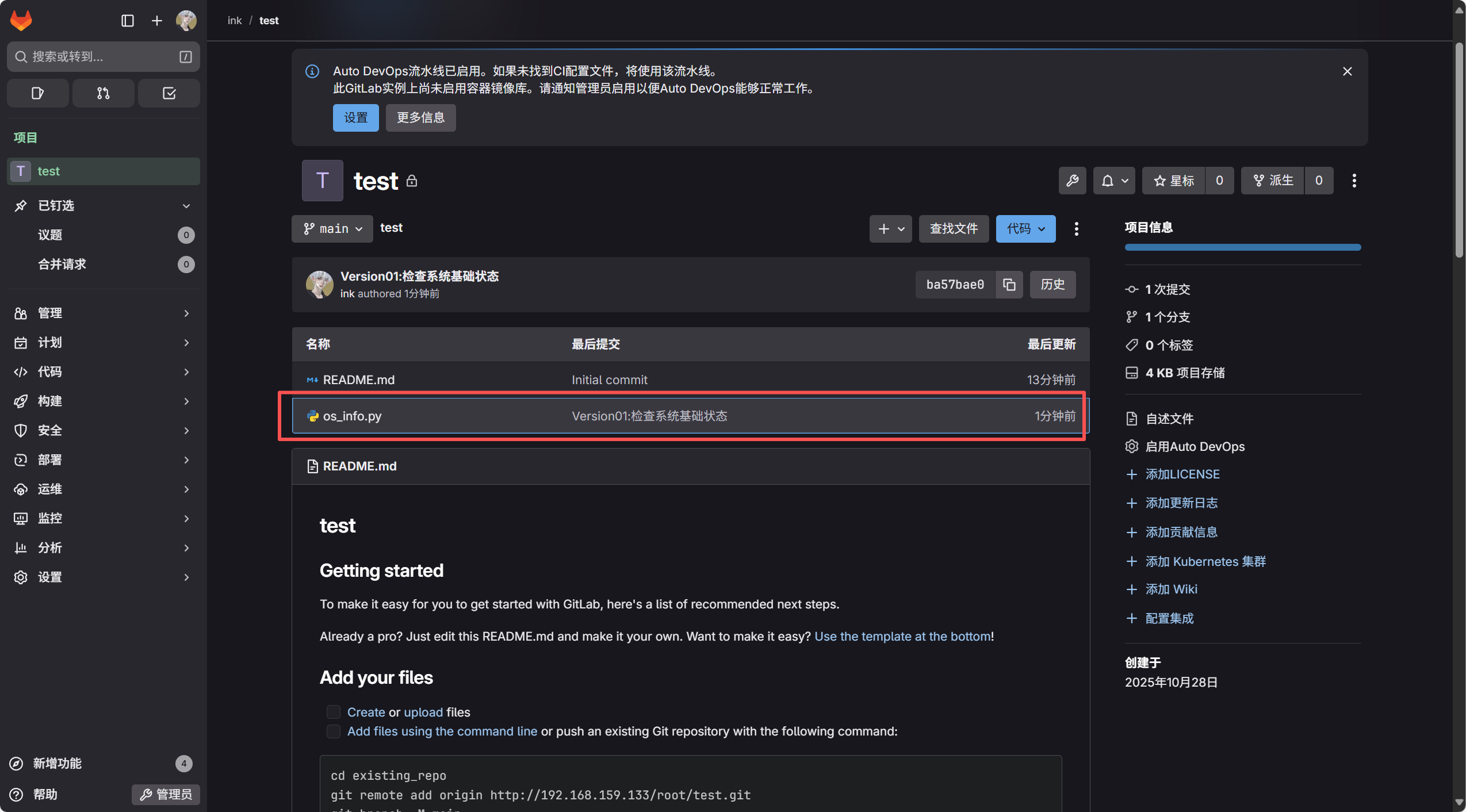
六、上传Markdown帮助文档
[root@dev test]# mkdir docs
[root@dev test]# cd docs/
[root@dev docs]# vim help.md
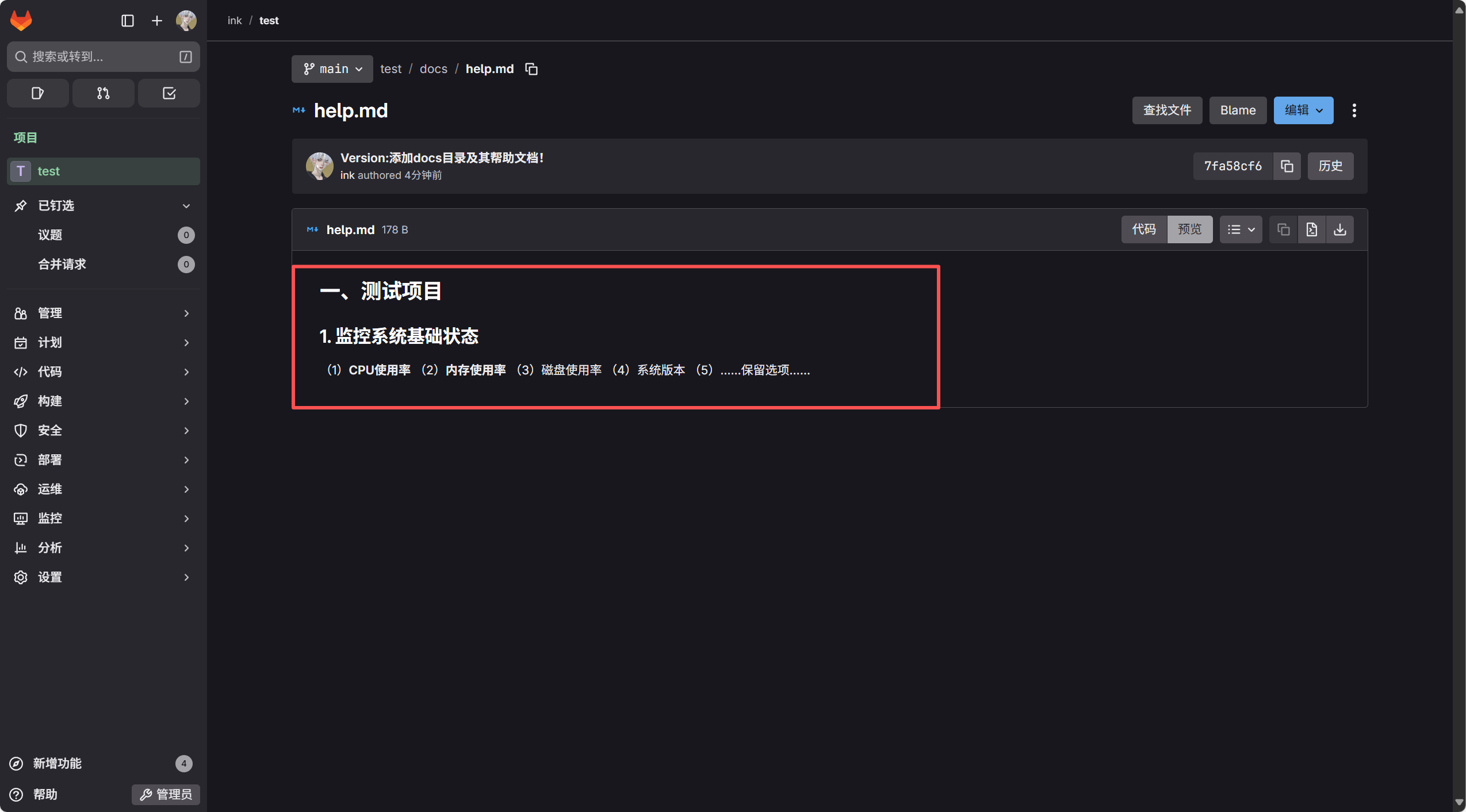
[root@dev docs]# cat help.md
# 一、测试项目
## 1. 监控系统基础状态
(1)**CPU使用率**
(2)**内存使用率**
(3)磁盘使用率
(4)系统版本
(5)……保留选项……
[root@dev test]# git add docs
[root@dev test]# git commit -m "Version:添加docs目录及其帮助文档!"
[root@dev test]# git log
commit 7fa58cf6dd61fed6b9ad838cae7bc3de79a82a0a (HEAD -> main)
Author: ink <2126177631@qq.com>
Date:   Tue Oct 28 19:06:13 2025 +0800Version:添加docs目录及其帮助文档!
commit ba57bae0870e44feef7e57bec86aa87ada79d1f9 (origin/main, origin/HEAD)
Author: ink <2126177631@qq.com>
Date:   Tue Oct 28 17:51:16 2025 +0800Version01:检查系统基础状态
commit 113edcc0d93ae5f7dce339dd07973732e7fa194e
Author: ink <2126177631@qq.com>
Date:   Tue Oct 28 17:39:31 2025 +0800Initial commit
[root@dev test]# git push origin main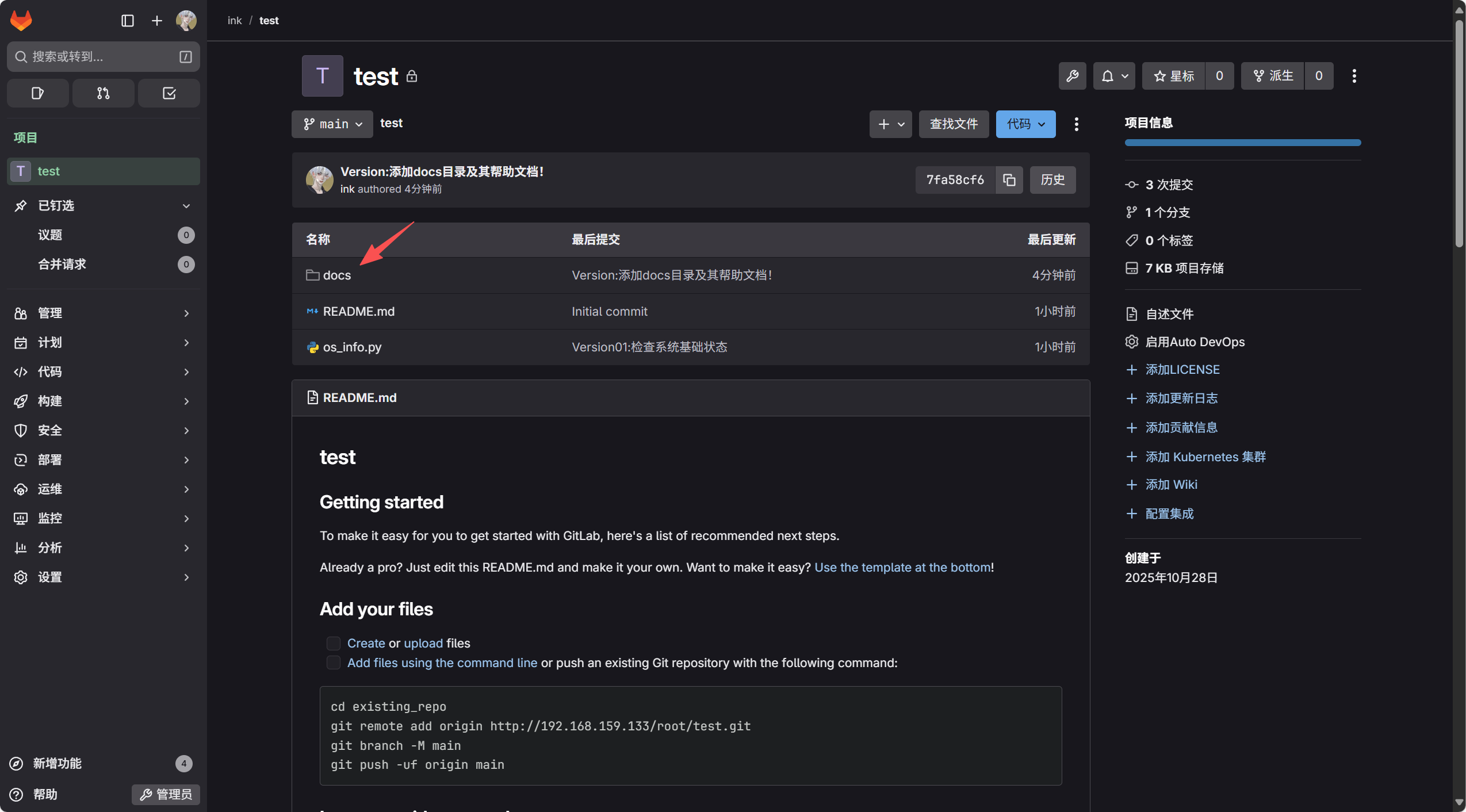
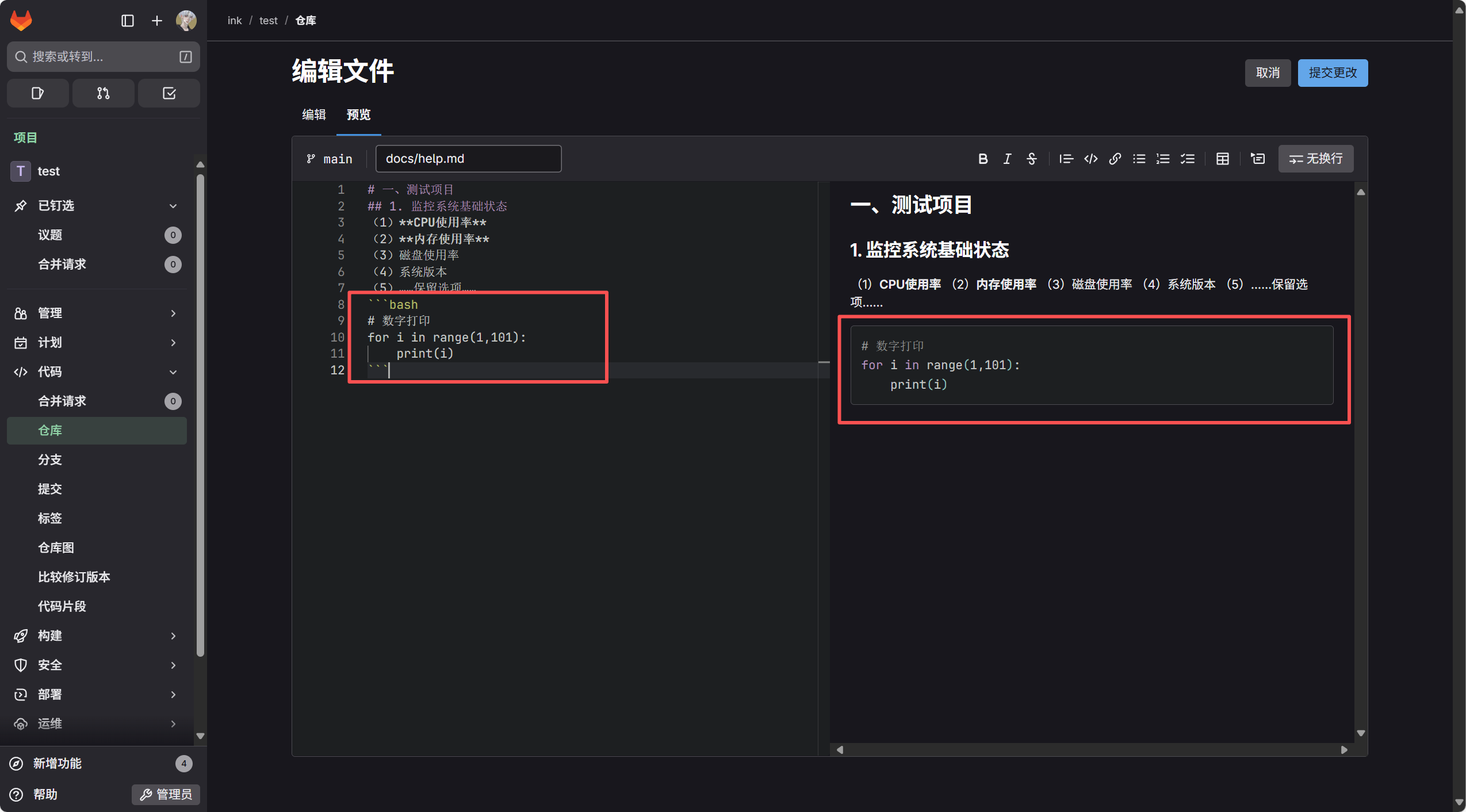
创建代码块
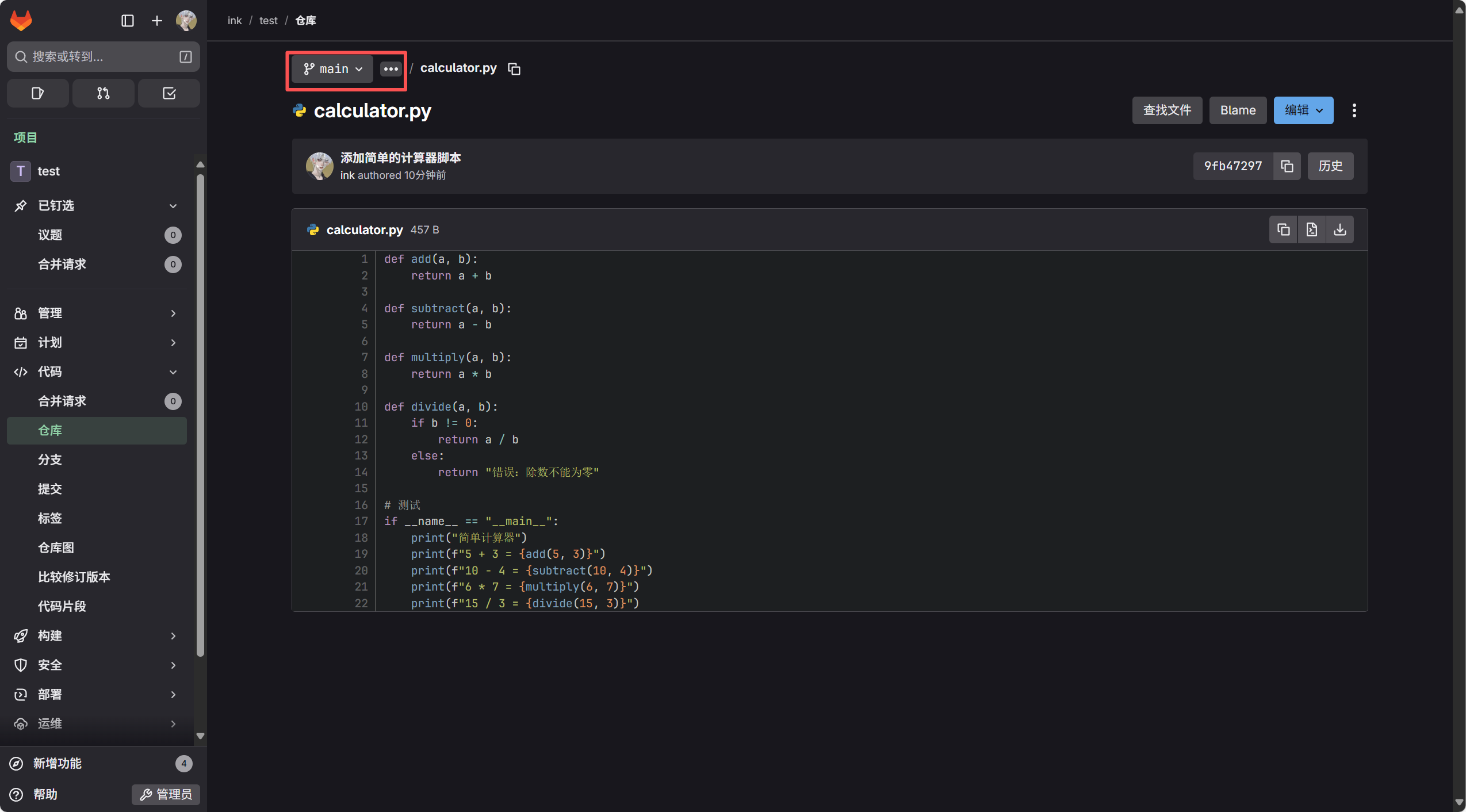
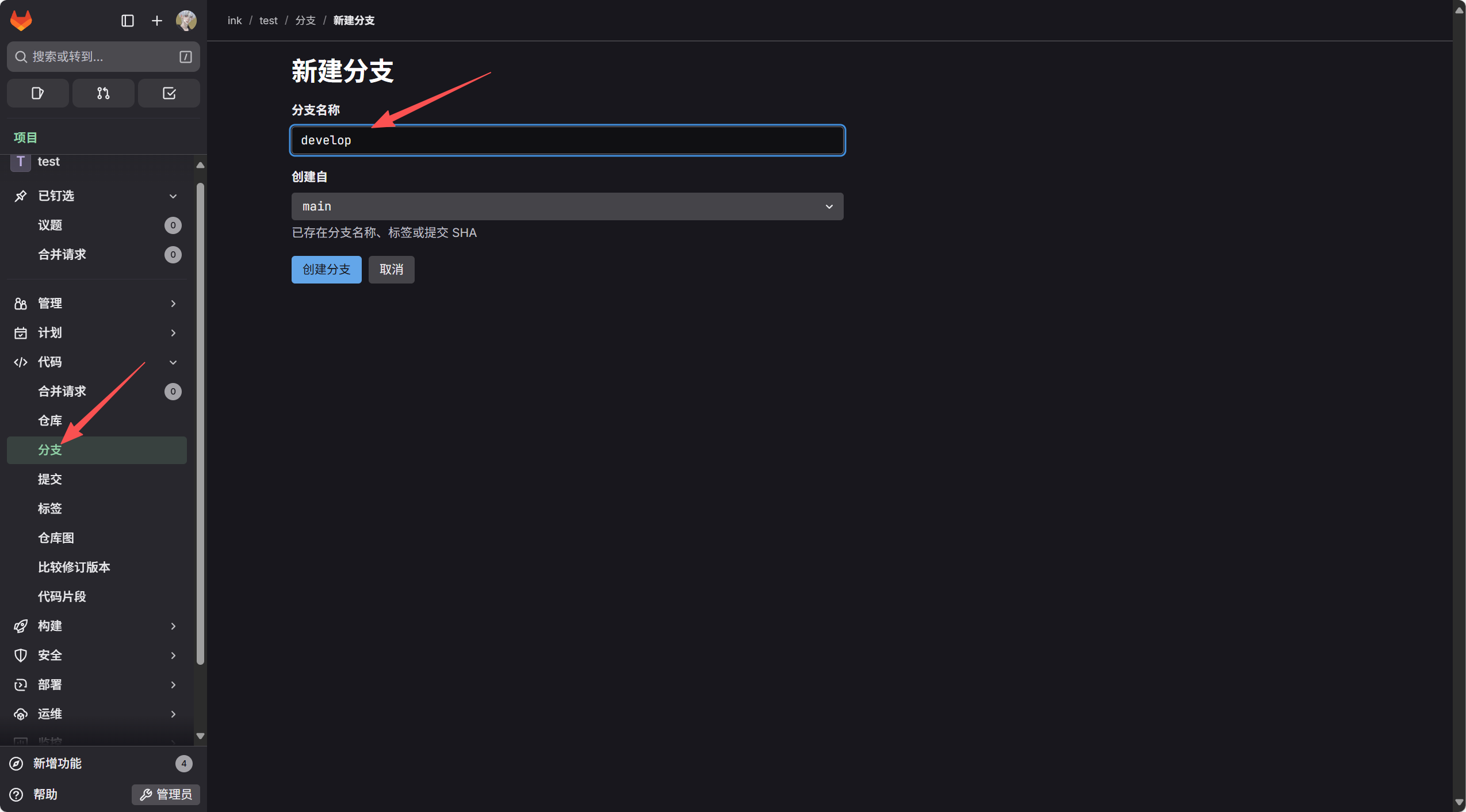
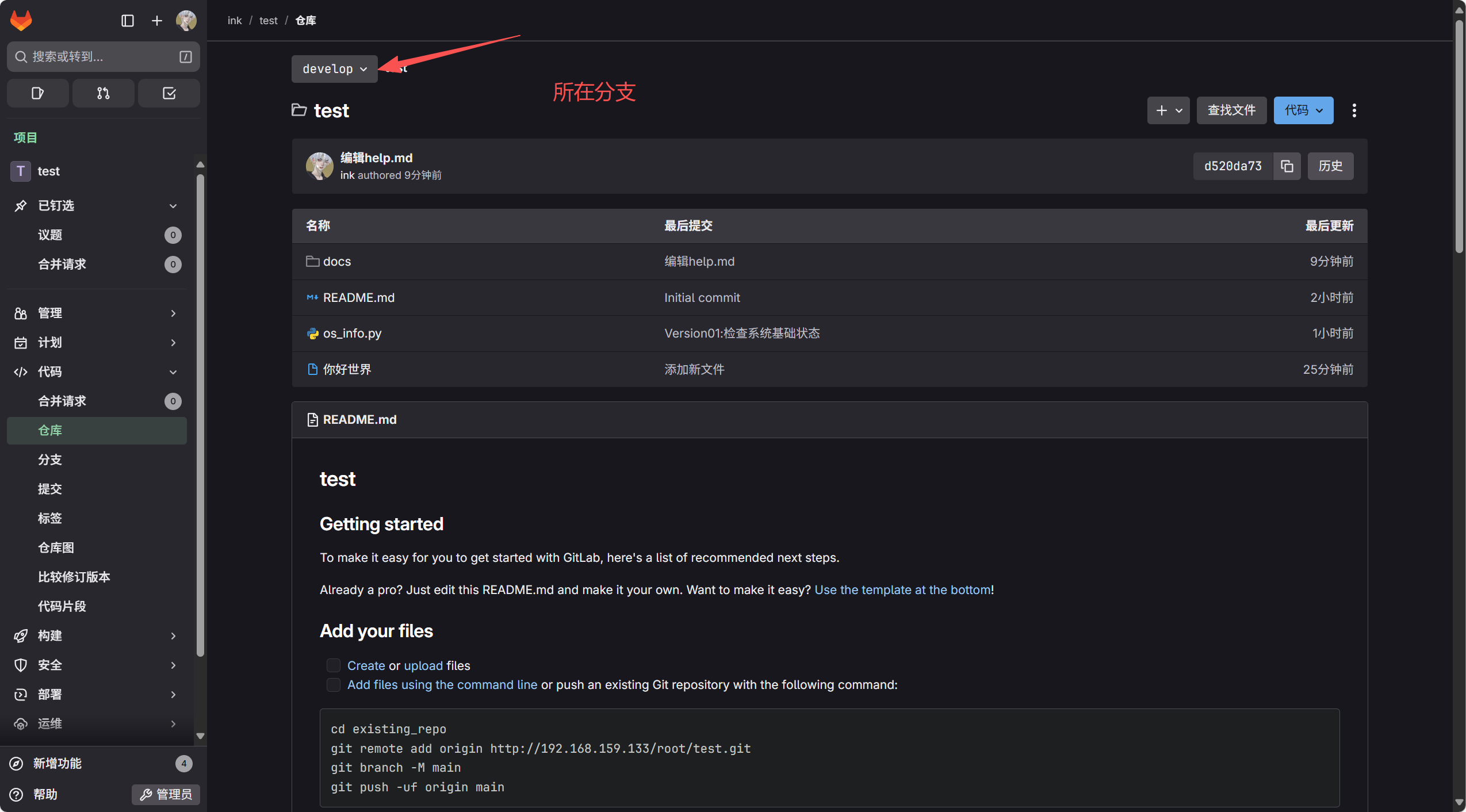
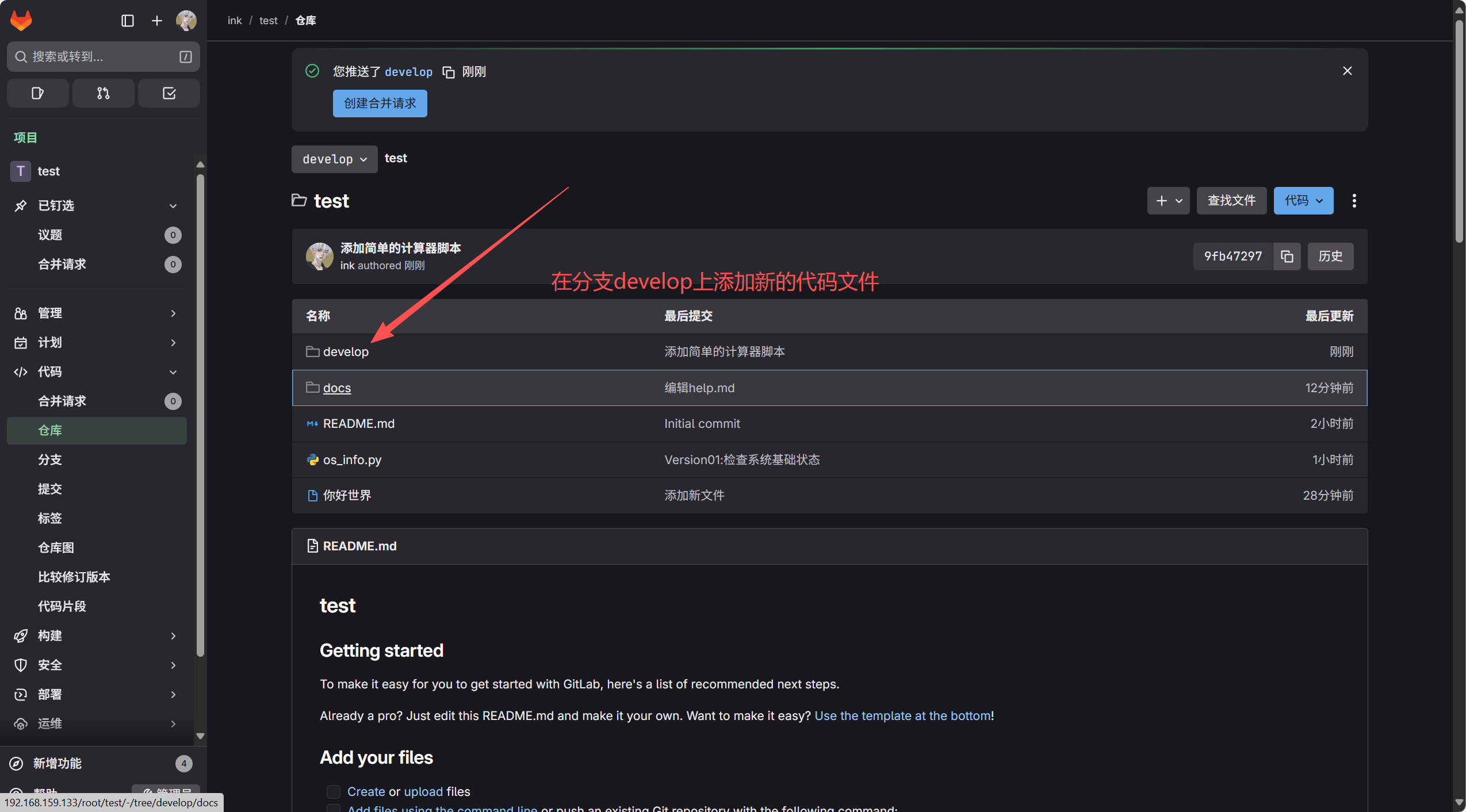
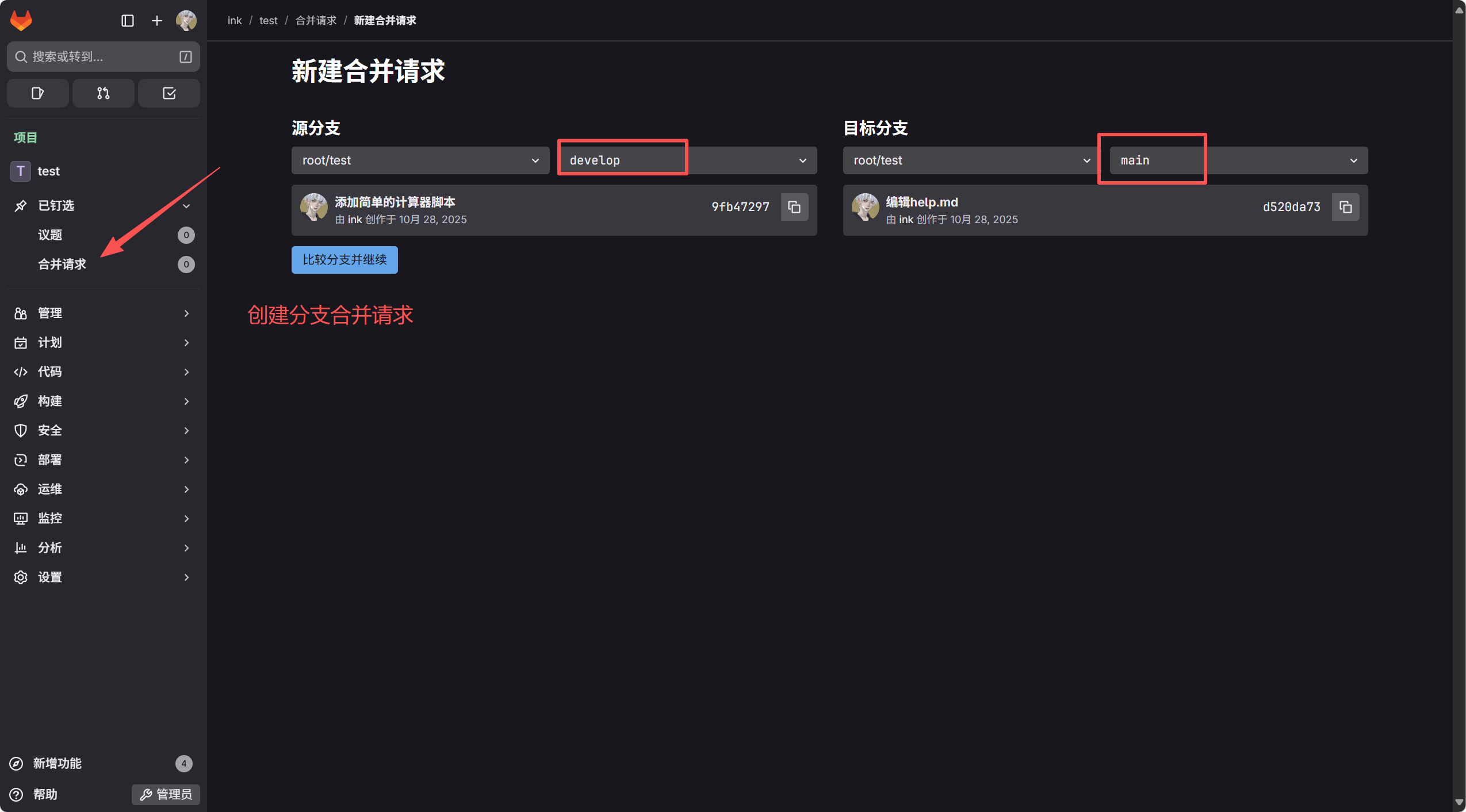
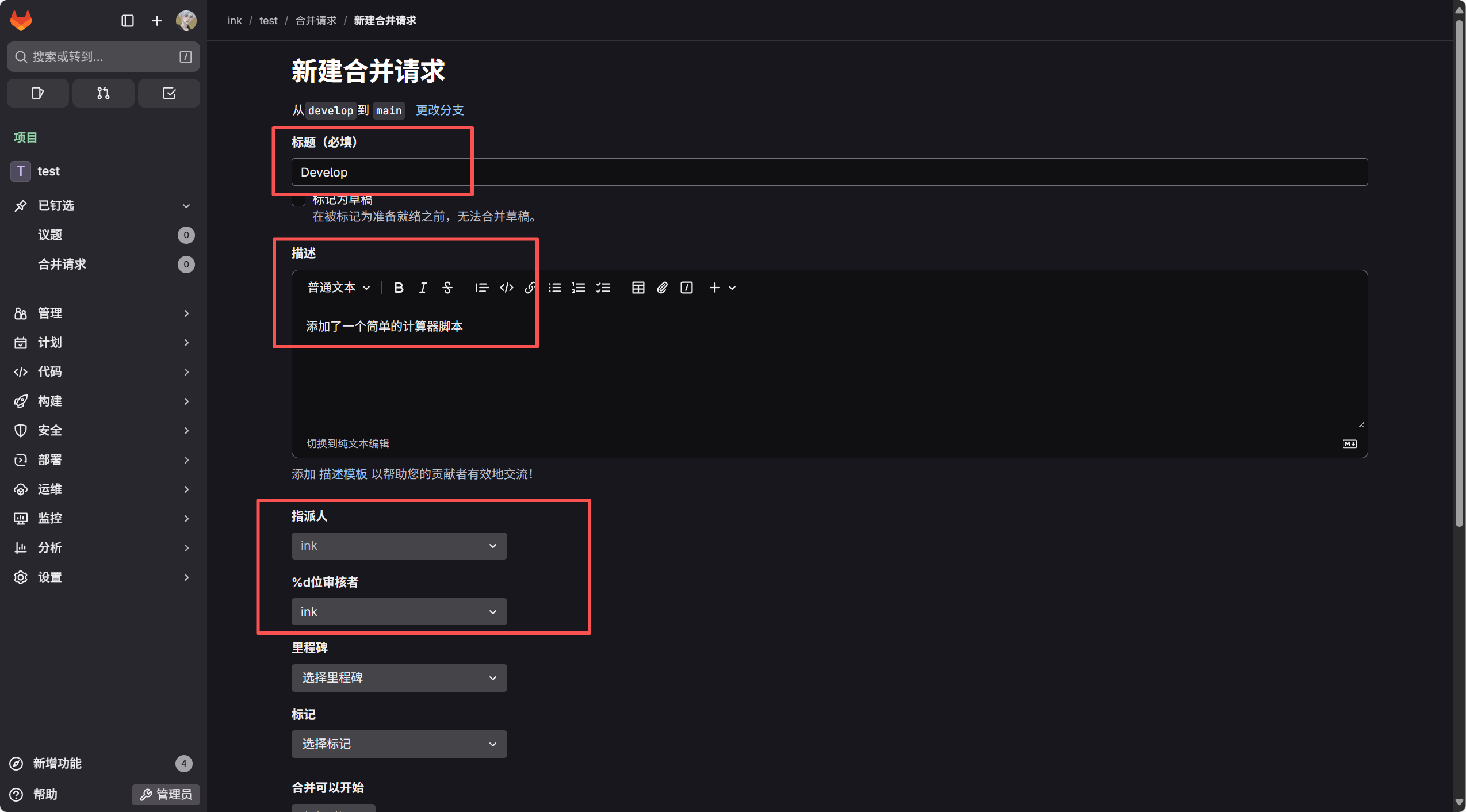
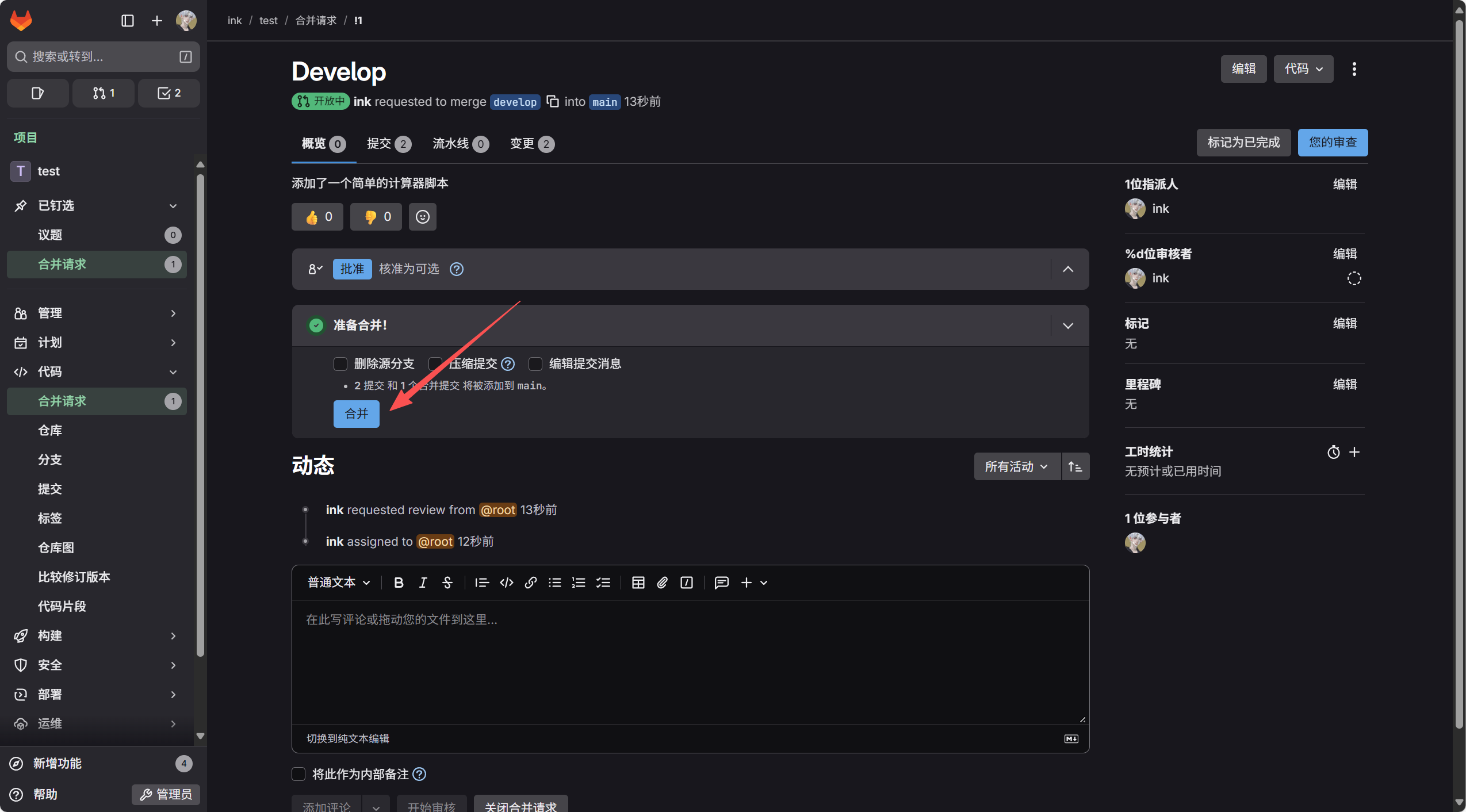
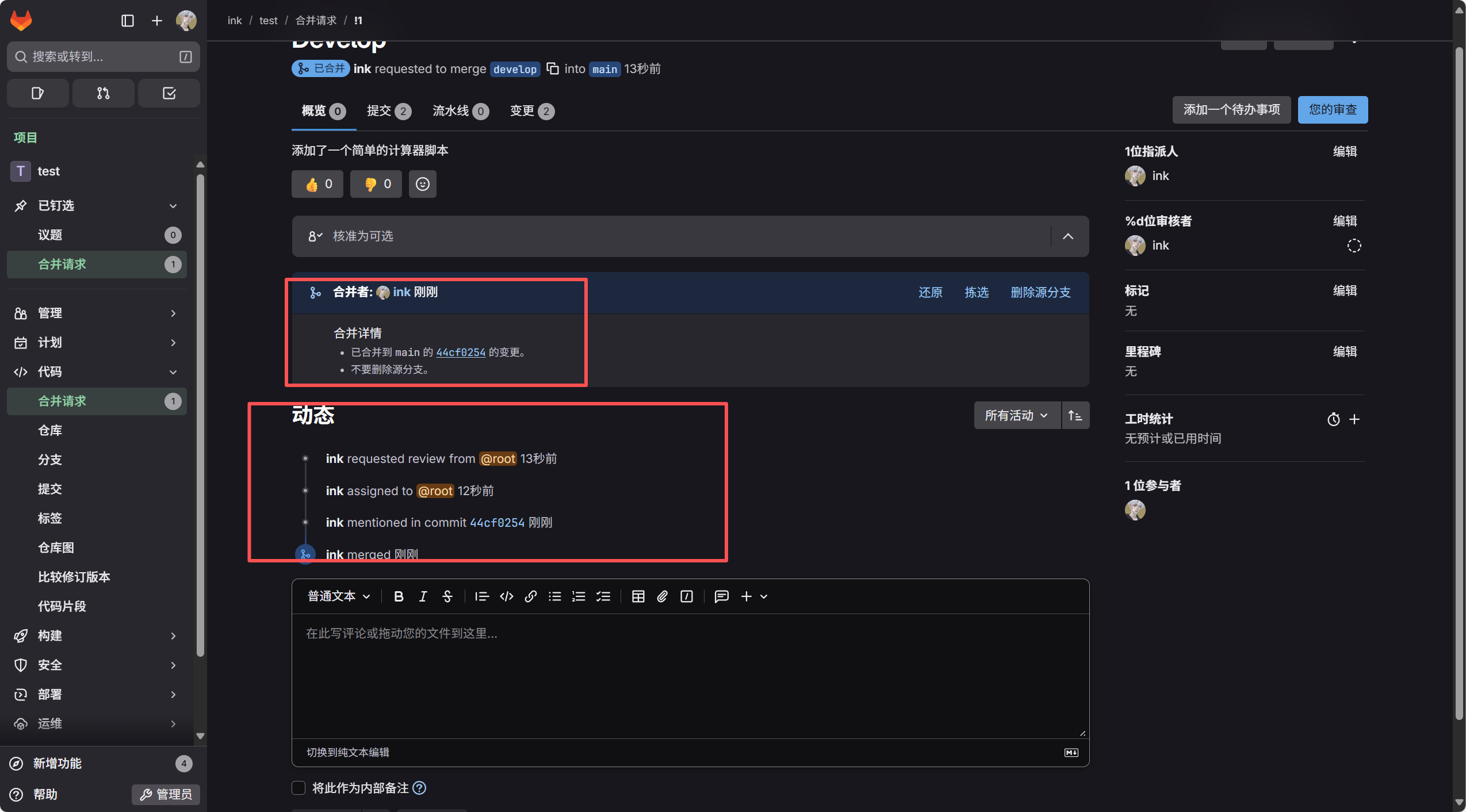
七、新建分支
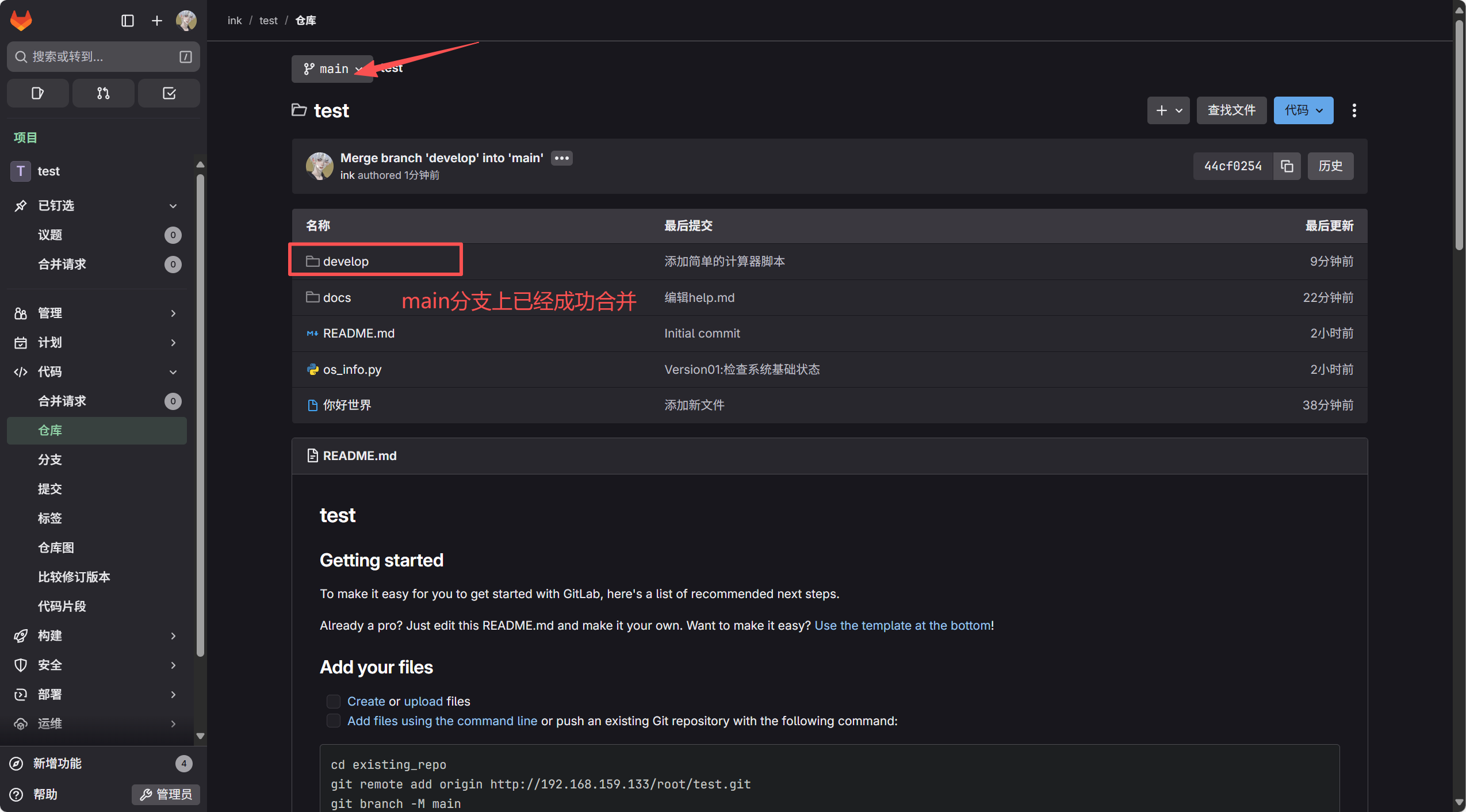
验证