
一、概述
上一篇文章,已经实现了商品列表点击跳转至商品详情页
接下来实现,商品详情轮播图,样式结构,数据渲染
效果如下:
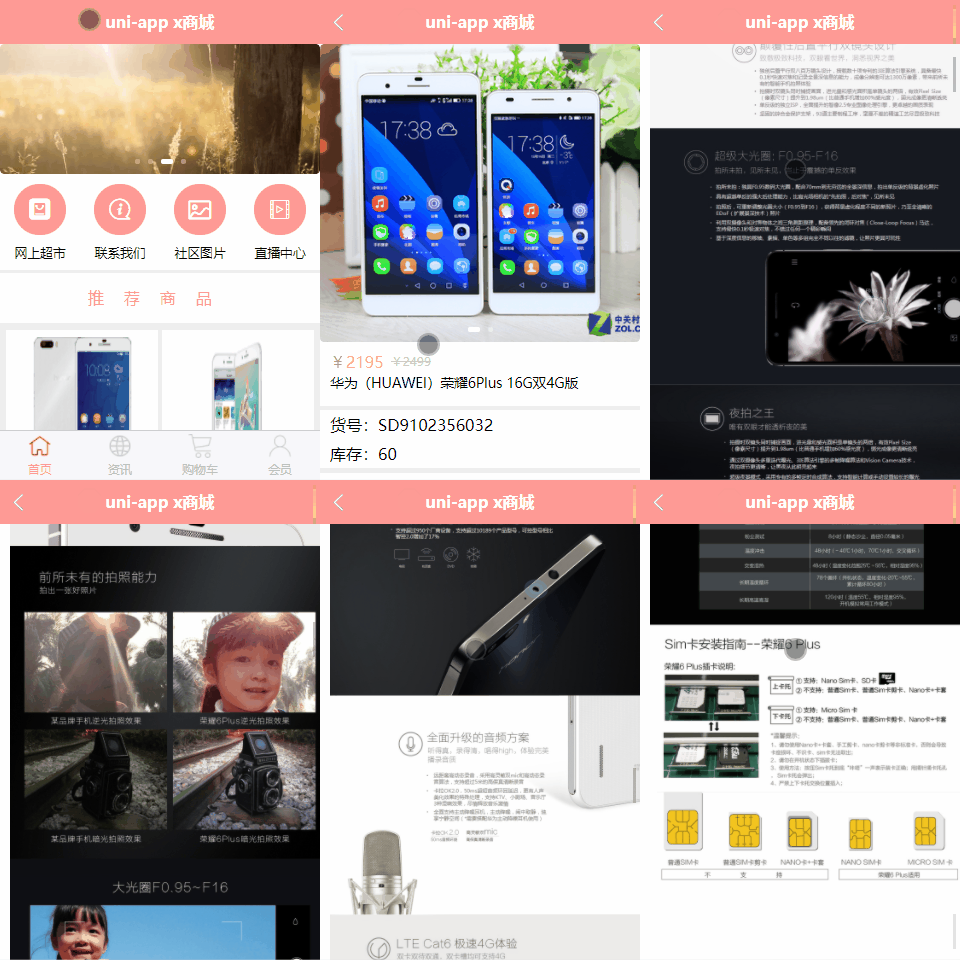
二、商品详情轮播图
修改 pages/googs/goods-detail.uvue,新增轮播图
完整代码如下:
<template><view><view class="goods_detail"><!-- 轮播区域 --><view style="text-align: center;margin: 98px auto;color: red;" v-if="swipers.length==0">该商品暂未设置轮播图数据</view><up-swiper v-if="swipers.length>0" :list="swipers" keyName="src" indicator indicatorMode="dot"circular></up-swiper></view></view>
</template><script>export default {data() {return {//接收的idid: 0,//轮播图数据
                swipers: [],}},onLoad(value) {this.id = value.id;console.log("onload拿到商品id", this.id);//轮播图数据回显// this.getSwipers();
        },methods: {//获取轮播图数据
            async getSwipers() {const res = await this.$http.get('/api/getthumimages/' + this.id, {})this.swipers = res.message;console.log("详情页轮播图数据", this.swipers);},}}
</script><style lang="scss">.goods_detail {swiper {height: 700rpx;image {width: 100%;height: 100%;}}}
</style>
编译代码,效果如下:
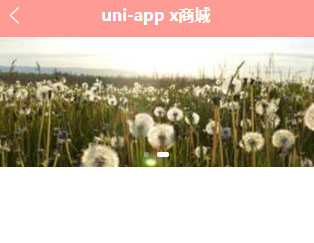
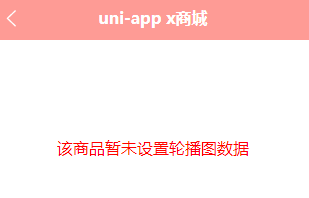
如果没有数据,会进行提示
三、商品详情样式结构
编辑 pages/googs/goods-detail.uvue,先固定一行数据
完整代码如下:
<template><view><view class="goods_detail"><!-- 轮播区域 --><view style="text-align: center;margin: 98px auto;color: red;" v-if="swipers.length==0">该商品暂未设置轮播图数据</view><up-swiper v-if="swipers.length>0" :list="swipers" keyName="src" indicator indicatorMode="dot"circular></up-swiper><!-- 商品详情 --><view class="box1"><view class="price"><text>¥5780</text><text>¥6388</text></view><view class="goods_name">华为(HUAWEI)荣耀6Plus 16G双4G版</view></view><view class="line"></view><view class="box2"><view>货号:SD721534532</view><view>库存:200</view></view><view class="line"></view><view class="box3"><view class="tit">详情介绍</view><view class="content" v-if="content!='undefined'"><!-- 支持富文本 --><rich-text :nodes="content"></rich-text></view><view style="text-align: center;color: red;" v-if="content.length==0">该商品暂无详情介绍数据</view></view></view></view>
</template><script>export default {data() {return {//接收的idid: 0,//轮播图数据
                swipers: [],//详情介绍content: "华为(HUAWEI),荣耀6Plus,移动/联通/电信/双4G版,双800万摄像头,八核,安卓智能手机,荣耀6plus",}},onLoad(value) {if (value.id != undefined) {this.id = value.id;console.log("onload拿到商品id", this.id);//轮播图数据回显
                this.getSwipers();}},methods: {//获取轮播图数据
            async getSwipers() {console.log("获取轮播图数据")const res = await this.$http.get('/api/getthumimages/' + this.id, {})this.swipers = res.message;console.log("详情页轮播图数据", this.swipers);},}}
</script><style lang="scss">.goods_detail {swiper {height: 700rpx;image {width: 100%;height: 100%;}}.box1 {padding: 10px;.price {display: flex;flex-direction: row; //横向排列font-size: 35rpx;color: $shop-color;line-height: 80rpx;// 原价样式 text:nth-child(2) {color: #ccc;font-size: 28rpx;margin-top: 5rpx;margin-left: 17rpx;text-decoration-line: line-through;}}.goods_name {font-size: 32rpx;line-height: 60rpx;}}.box2 {padding: 0 10px;font-size: 32rpx;line-height: 70rpx;}.box3 {padding-bottom: 50px;.tit {font-size: 32rpx;padding-left: 10px;border-bottom: 1px solid #eee;line-height: 70rpx;}.content {padding: 10px;font-size: 28rpx;color: #333;line-height: 50rpx;}}}.line {height: 10rpx;width: 750rpx;background: #eee;}
</style>
编译代码,效果如下:

四、数据渲染
修改 pages/googs/goods-detail.uvue,调用api接口
<template><view><view class="goods_detail"><!-- 轮播区域 --><view style="text-align: center;margin: 98px auto;color: red;" v-if="swipers.length==0">该商品暂未设置轮播图数据</view><up-swiper v-if="swipers.length>0" :list="swipers" keyName="src" indicator indicatorMode="dot" circular:height="uni.upx2px(700)"></up-swiper><!-- 商品详情 --><view class="box1"><view class="price"><text>¥{{goodsData.sell_price}}</text><text>¥{{goodsData.market_price}}</text></view><view class="goods_name">{{goodsData.title}}</view></view><view class="line"></view><view class="box2"><view>货号:{{goodsData.goods_no}}</view><view>库存:{{goodsData.stock_quantity}}</view></view><view class="line"></view><view class="box3"><view class="tit">详情介绍</view><view class="content" v-if="content!='undefined'"><!-- 支持富文本 --><rich-text :nodes="content"></rich-text></view><view style="text-align: center;color: red;" v-if="content.length==0">该商品暂无详情介绍数据</view></view></view></view>
</template><script>export default {data() {return {//接收的idid: 0,//轮播图数据
                swipers: [],//商品详细信息
                goodsData: [],//详情介绍content: "",}},onLoad(value) {if (value.id != undefined) {this.id = value.id;console.log("onload拿到商品id", this.id);//轮播图数据回显
                this.getSwipers();//商品详细信息
                this.getDetailInfo();//详情介绍数据
                this.getContent();}},methods: {//获取轮播图数据
            async getSwipers() {const res = await this.$http.get('/api/getthumimages/' + this.id, {})this.swipers = res.message;console.log("详情页轮播图数据", this.swipers);},//获取商品详细信息
            async getDetailInfo() {const res = await this.$http.get('/api/goods/getinfo/' + this.id, {})this.goodsData = res.message[0];console.log("商品数据信息", this.goodsData);},//获取详情介绍
            async getContent() {const res = await this.$http.get('/api/goods/getdesc/' + this.id, {})this.content = res.message[0].content;console.log("详情介绍数据", this.content);},}}
</script><style lang="scss">.goods_detail {swiper {height: 700rpx;image {width: 100%;height: 100%;}}.box1 {padding: 10px;.price {display: flex;flex-direction: row; //横向排列font-size: 35rpx;color: $shop-color;line-height: 80rpx;// 原价样式 text:nth-child(2) {color: #ccc;font-size: 28rpx;margin-top: 5rpx;margin-left: 17rpx;text-decoration-line: line-through;}}.goods_name {font-size: 32rpx;line-height: 60rpx;}}.box2 {padding: 0 10px;font-size: 32rpx;line-height: 70rpx;}.box3 {padding-bottom: 50px;.tit {font-size: 32rpx;padding-left: 10px;border-bottom: 1px solid #eee;line-height: 70rpx;}.content {padding: 10px;font-size: 28rpx;color: #333;line-height: 50rpx;img {width: 750rpx;}}}}.line {height: 10rpx;width: 750rpx;background: #eee;}
</style>
编译代码,效果如下:

详情介绍
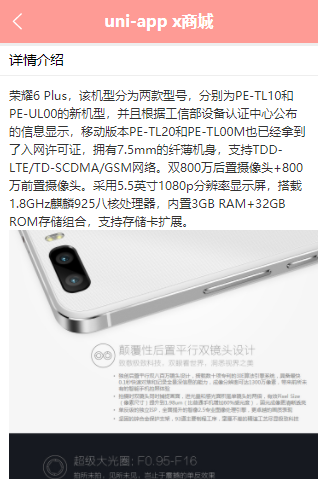
拖动到底部

最终效果如下: