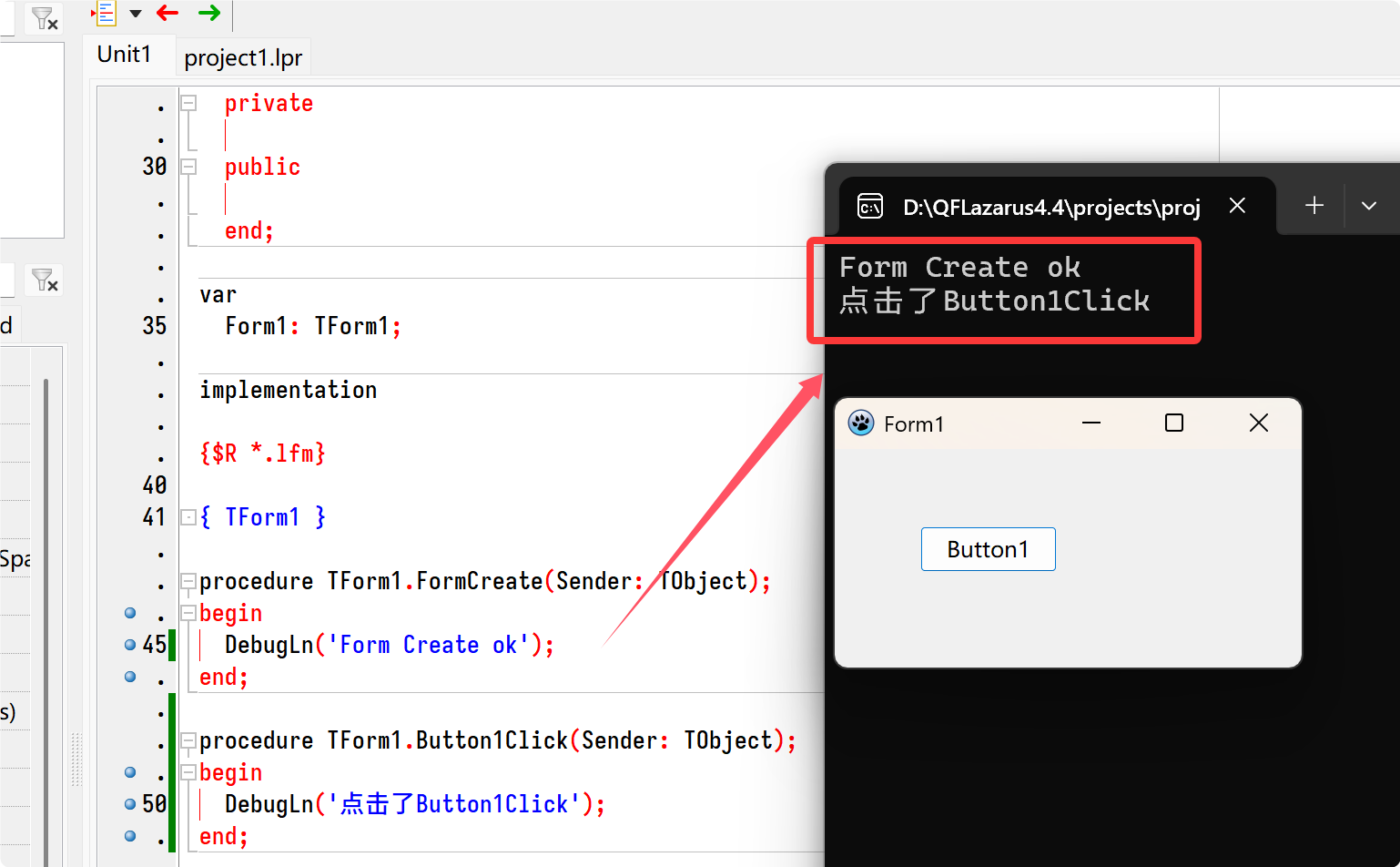
要点:
1、添加lazlogger和lazLoggerDummy单元
2、定义Debug
3、设置AppType为console
4、在需要显示调试信息的地方添加DebugLn(xxxx);
1、添加lazlogger和lazLoggerDummy单元
2、定义Debug
3、设置AppType为console
4、在需要显示调试信息的地方添加DebugLn(xxxx);
unit Unit1;{$mode objfpc}{$H+}
{$DEFINE Debug}   //<----定义Debug模式
{$ifdef debug}
{$APPTYPE CONSOLE}//<----加上这行,使用debugln时在控制台窗显示调试信息
{$endif}interfaceusesClasses, SysUtils, Forms, Controls, Graphics, Dialogs, StdCtrls,{$ifdef debug}lazlogger{$else}LazLoggerDummy  //<-----此单元为您提供虚拟的DebugLn调用(以及所有其他LazLogger函数)。它们只是对空方法的调用。这使您能够在不需要移除任何debugln语句的情况下,禁用单元中的所有日志记录{$endif};type{ TForm1 }TForm1 = class(TForm)Button1: TButton;procedure Button1Click(Sender: TObject);procedure FormCreate(Sender: TObject);privatepublicend;varForm1: TForm1;implementation{$R *.lfm}{ TForm1 }procedure TForm1.FormCreate(Sender: TObject);
beginDebugLn('Form Create ok');
end;procedure TForm1.Button1Click(Sender: TObject);
beginDebugLn('点击了Button1Click');
end;end.