测试环境如下
g5.4xlarge
EBS: 200GB
AMI:ami-0a83c884ad208dfbc ubuntu/images/hvm-ssd-gp3/ubuntu-noble-24.04-amd64-server-20250419
安装nvidia驱动和cuda toolkit
查看PCIE设备
- 性能参数参考,https://www.nvidia.cn/data-center/products/a10-gpu/
$ lspci|grep NVIDIA
00:1e.0 3D controller: NVIDIA Corporation TU104GL [Tesla T4] (rev a1)
安装nvidia驱动,类别为data center,寻找并下载12.8的cuda驱动版本,https://www.nvidia.cn/drivers/details/242978/
sudo apt install linux-headers-$(uname -r) gcc make -y
sudo bash NVIDIA-Linux-x86_64-570.133.20.run
报错和原因,这个错误信息表明 NVIDIA 驱动程序安装器无法找到当前运行内核的源代码。NVIDIA 的驱动程序需要内核头文件和源代码来编译与内核兼容的模块。
ERROR: Unable to find the kernel source tree for the currently running kernel.  Please make sure you have installed the kernel source files for your kernel and that they are properly configured; on Red Hat Linux systems, for example, be sure you have the 'kernel-source' or 'kernel-devel' RPM installed.  If you know the correct kernel source files are installed, you may specify the kernel source path with the '--kernel-source-path' command line option.
ERROR: Installation has failed.  Please see the file '/var/log/nvidia-installer.log' for details.  You may find suggestions on fixing installation problems in the README available on the Linux driver download page at www.nvidia.com.
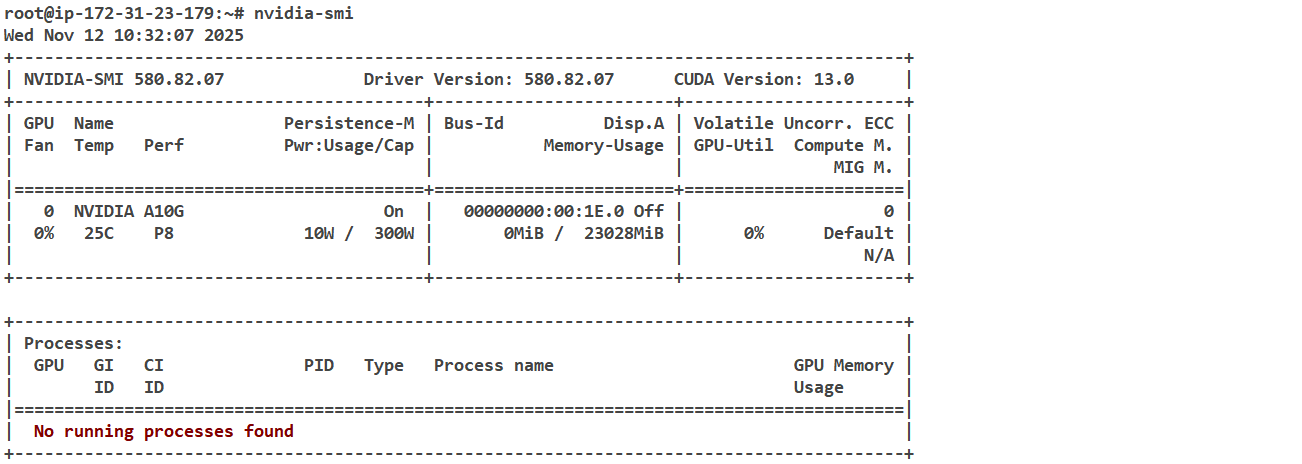
查看安装成功,单卡P8显存23GB
安装cuda toolkit,使用同样的版本,https://developer.nvidia.com/cuda-downloads?target_os=Linux&target_arch=x86_64&Distribution=Ubuntu&target_version=24.04&target_type=runfile_local
wget https://developer.download.nvidia.com/compute/cuda/12.8.1/local_installers/cuda_12.8.1_570.124.06_linux.run
sudo sh cuda_12.8.1_570.124.06_linux.run
安装过程会自动使用make -j x来使用所有cpu编译,日志可以查看报错或结束提示
$ cat /var/log/cuda-installer.log
...
[INFO]: Finished with code: 36096
[ERROR]: Install of driver component failed. Consult the driver log at /var/log/nvidia-installer.log for more details.# 一直报错编译错误,应该是内核版本不兼容
/tmp/selfgz35754/NVIDIA-Linux-x86_64-570.124.06/kernel-open/nvidia/nv-mmap.c:321:5: warning: conflicting types for 'nv_encode_caching' due to enum/integer mismatch; have 'int(pgprot_t *, NvU32,  nv_memory_type_t)' {aka 'int(struct pgprot *, unsigned int,  nv_memory_type_t)'} [-Wenum-int-mismatch]
编译cudatoolkit一直报错,参考文档直接使用apt安装,这也体现了docker容器的优势,内置了cudatoolkit
$ sudo apt install nvidia-cuda-toolkit
添加PATH,非常重要否则后续会出现找不到*.so文件的错误。通过apt install就不需要手动添加了
export PATH=/usr/local/cuda-12.x/bin:$PATH
export LD_LIBRARY_PATH=/usr/local/cuda-12.x/lib64:$LD_LIBRARY_PATH
查看安装成功
$ nvcc --version
nvcc: NVIDIA (R) Cuda compiler driver
Copyright (c) 2005-2023 NVIDIA Corporation
Built on Fri_Jan__6_16:45:21_PST_2023
Cuda compilation tools, release 12.0, V12.0.140
Build cuda_12.0.r12.0/compiler.32267302_0
以上两个步骤需要编译,需要一定时间,尽量选择较新版本的cuda
由于后续需要使用docker运行模型,因此添加容器运行时支持,直接参考文档安装即可
sudo apt-get install -y nvidia-container-toolkit
镜像的选择和配置
在modelscope中将模型Qwen3-VL-2B-Instruct加载到S3中路径为s3://bucketname/Qwen/Qwen3-VL-2B-Instruct/
参考Qwen3 VL官方 document(https://github.com/QwenLM/Qwen3-VL),要求用到的transformers版本大于4.57.0,建议使用vllm版本0.11
The Qwen3-VL model requires transformers >= 4.57.0
We recommend using vLLM for fast Qwen3-VL deployment and inference. You need to install
vllm>=0.11.0to enable Qwen3-VL support.
考虑到环境的隔离性,使用镜像来完成模型的部署。
- Qwen官方镜像:qwenllm/qwenvl:qwen3vl-cu128
- 公开的vllm0.11版本镜像:public.ecr.aws/deep-learning-containers/vllm:0.11-gpu-py312
在实际拉取过程中会发现这两个镜像大部分的layers都是相同的。
其中Qwen官方镜像并没有入口命令可以用于调试。公开的public ecr镜像vllm:0.11-gpu-py312的入口为vllm官方的sagemaker入口脚本,内容如下,主要是为了兼容sagemaker服务的配置。
# /usr/local/bin/sagemaker_entrypoint.sh
bash /usr/local/bin/bash_telemetry.sh >/dev/null 2>&1 || truePREFIX="SM_VLLM_"
ARG_PREFIX="--"ARGS=(--port 8080)while IFS='=' read -r key value; doarg_name=$(echo "${key#"${PREFIX}"}" | tr '[:upper:]' '[:lower:]' | tr '_' '-')ARGS+=("${ARG_PREFIX}${arg_name}")if [ -n "$value" ]; thenARGS+=("$value")fi
done < <(env | grep "^${PREFIX}")exec python3 -m vllm.entrypoints.openai.api_server "${ARGS[@]}"
使用如下命令启动容器,将模型挂载到容器中
docker run --gpus all --ipc=host --network=host --rm --name qwen3vl \
-v /root/model/:/model -it qwenllm/qwenvl:qwen3vl-cu128 bash
此外Qwen官方镜像中已经内置了如下依赖,不需要额外安装了。为了支持流式加载模型,修改为vllm[runai]
# install requirements
pip install accelerate
pip install qwen-vl-utils==0.0.14
# pip install -U vllm
pip install -U vllm[runai]
启动vllm引擎,由于默认的--max-model-len会导致显存溢出,设置为较小的值,并且此模型没有MOE,因此去掉--enable-expert-parallel,由于是单卡因此调整tp-size为1
vllm serve /model/Qwen3-VL-2B-Instruct \--load-format runai_streamer \--tensor-parallel-size 1 \--mm-encoder-tp-mode data \--async-scheduling \--media-io-kwargs '{"video": {"num_frames": -1}}' \--host 0.0.0.0 \--port 8000 \--max-model-len 8945
列出模型
$ curl 127.0.0.1:8000/v1/models
{"object":"list","data":[{"id":"/model/Qwen3-VL-2B-Instruct","object":"model","created":1762944040,"owned_by":"vllm","root":"/model/Qwen3-VL-2B-Instruct","parent":null,"max_model_len":8945,"permission":[{"id":"modelperm-3310ed85128d425793b2c15bb5cb3d79","object":"model_permission","created":1762944040,"allow_create_engine":false,"allow_sampling":true,"allow_logprobs":true,"allow_search_indices":false,"allow_view":true,"allow_fine_tuning":false,"organization":"*","group":null,"is_blocking":false}]}]}
尝试调用
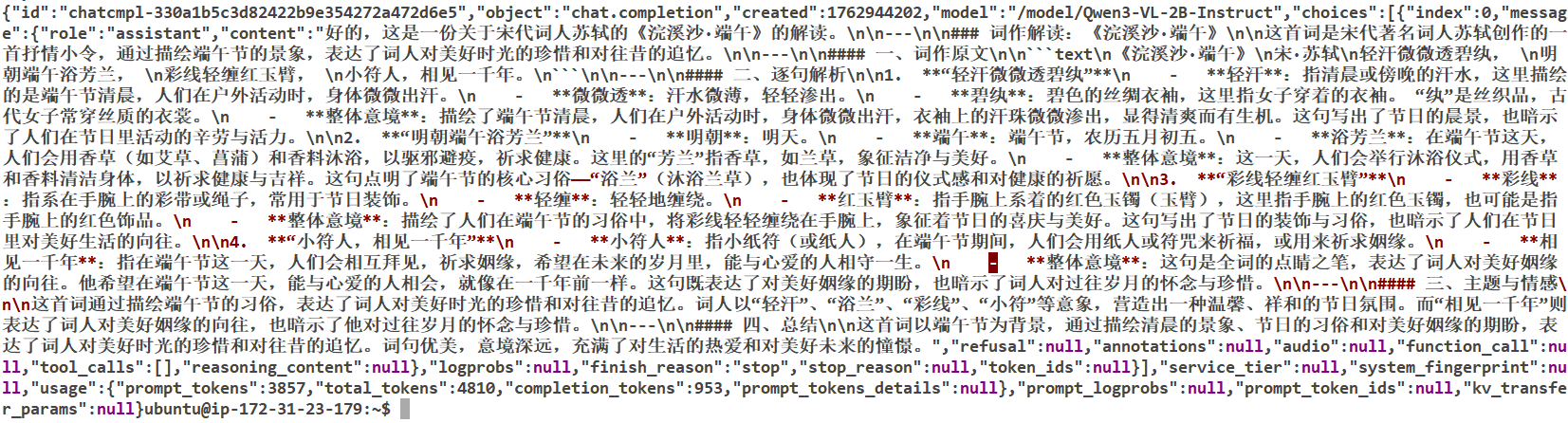
curl http://127.0.0.1:8000/v1/chat/completions \-H "Content-Type: application/json" \-H "Authorization: Bearer EMPTY" \-d '{"model": "/model/Qwen3-VL-2B-Instruct","messages": [{"role": "user","content": [{"type": "image_url","image_url": {"url": "https://n.sinaimg.cn/sinacn19/0/w2000h2000/20180618/d876-heauxvz1345994.jpg"}},{"type": "text","text": "帮我解读一下"}]}],"max_tokens": 1024}'
查看结果
视频推理出现如下报错,表明超出了--max-model-len需要调整参数或更换更大的机型来部署
{"error":{"message":"The decoder prompt (length 13642) is longer than the maximum model length of 8945. Make sure that `max_model_len` is no smaller than the number of text tokens plus multimodal tokens. For image inputs, the number of image tokens depends on the number of images, and possibly their aspect ratios as well.","type":"BadRequestError","param":null,"code":400}}
对于公开镜像public.ecr.aws/deep-learning-containers/vllm:0.11-gpu-py312,可以通过如下方式在eks集群中部署。指定serviceAccount以便于直接流式拉取位于S3中的模型文件,通过SM_VLLM前缀的环境变量来指定vllm引擎的参数。当然也可以考虑通过docker-compose完成部署。
apiVersion: apps/v1
kind: Deployment
metadata:name: vllm-openai-qwen3-vlnamespace: aitaolabels:app: vllm-openai
spec:replicas: 1selector:matchLabels:app: vllm-openaitemplate:metadata:labels:app: vllm-openaispec:serviceAccount: sa-service-account-apinodeSelector:eks.amazonaws.com/nodegroup: llm-ngcontainers:- name: vllm-openai-containerimage: public.ecr.aws/deep-learning-containers/vllm:0.11-gpu-py312env:- name: REGIONvalue: cn-northwest-1- name: SM_VLLM_MODELvalue: s3://bucketname/Qwen/Qwen3-VL-2B-Instruct- name: SM_VLLM_MAX_MODEL_LENvalue: "24896"- name: SM_VLLM_GPU_MEMORY_UTILIZATIONvalue: "0.9"- name: SM_VLLM_PORTvalue: "8000"- name: SM_VLLM_TENSOR_PARALLEL_SIZEvalue: "2"- name: SM_VLLM_LOAD_FORMATvalue: runai_streamer- name: SM_VLLM_SERVED_MODEL_NAMEvalue: Qwen3-VL- name: SM_VLLM_MAX_NUM_SEQSvalue: "1024"- name: AWS_DEFAULT_REGIONvalue: cn-northwest-1ports:- containerPort: 8000name: http-apiresources:limits:nvidia.com/gpu: 1memory: "16Gi"cpu: "4"requests:nvidia.com/gpu: 1memory: "16Gi"cpu: "4"restartPolicy: Always
报错为
(APIServer pid=1) OSError: Can't load the configuration of 's3://bucketname/Qwen/Qwen3-VL-2B-Instruct/'. If you were trying to load it from 'https://huggingface.co/models', make sure you don't have a local directory with the same name. Otherwise, make sure 's3://bucketname/Qwen/Qwen3-VL-2B-Instruct/' is the correct path to a directory containing a config.json file
推测是公开镜像中没有runai插件和相关依赖,使用如下dockerfile打包并上传到ecr仓库中
FROM public.ecr.aws/deep-learning-containers/vllm:0.11-gpu-py312# 设置python源
RUN pip config set global.index-url https://mirrors.aliyun.com/pypi/simple/# 安装所需依赖
RUN pip install accelerate \&& pip install qwen-vl-utils==0.0.14 \&& uv pip install -U vllm[runai]
再次部署
containers:- name: vllm-openai-containerimage: xxxxxxxxx.dkr.ecr.cn-north-1.amazonaws.com.cn/zhaojiew/vllm-sagemaker:latest
打印启动参数为
python3 -m vllm.entrypoints.openai.api_server --port 8000 --max-model-len 8896 --port 8000 --load-format runai_streamer --tensor-parallel-size 1 --gpu-memory-utilization 0.9 --model s3://bucketname/Qwen/Qwen3-VL-2B-Instruct --served-model-name Qwen3-V
并没出现问题,查看了一些类似的issue,发现可能是0.11版本vllm存在问题,issue link
When trying to use Run.AI model streamer on vLLM 0.11 it breaks.
It seems to break with every new minor release of vLLM, same thing happened previously from 0.9.x to 0.10.x.vllm serve s3://<path> --load-format runai_streamer Repo id must be in the form 'repo_name' or 'namespace/repo_name': 's3://XXXXXXXXX'. Use `repo_type` argument if needed
目前的方案只能是通过ebs或efs挂载到pod中使用了,如下命令测试没有异常
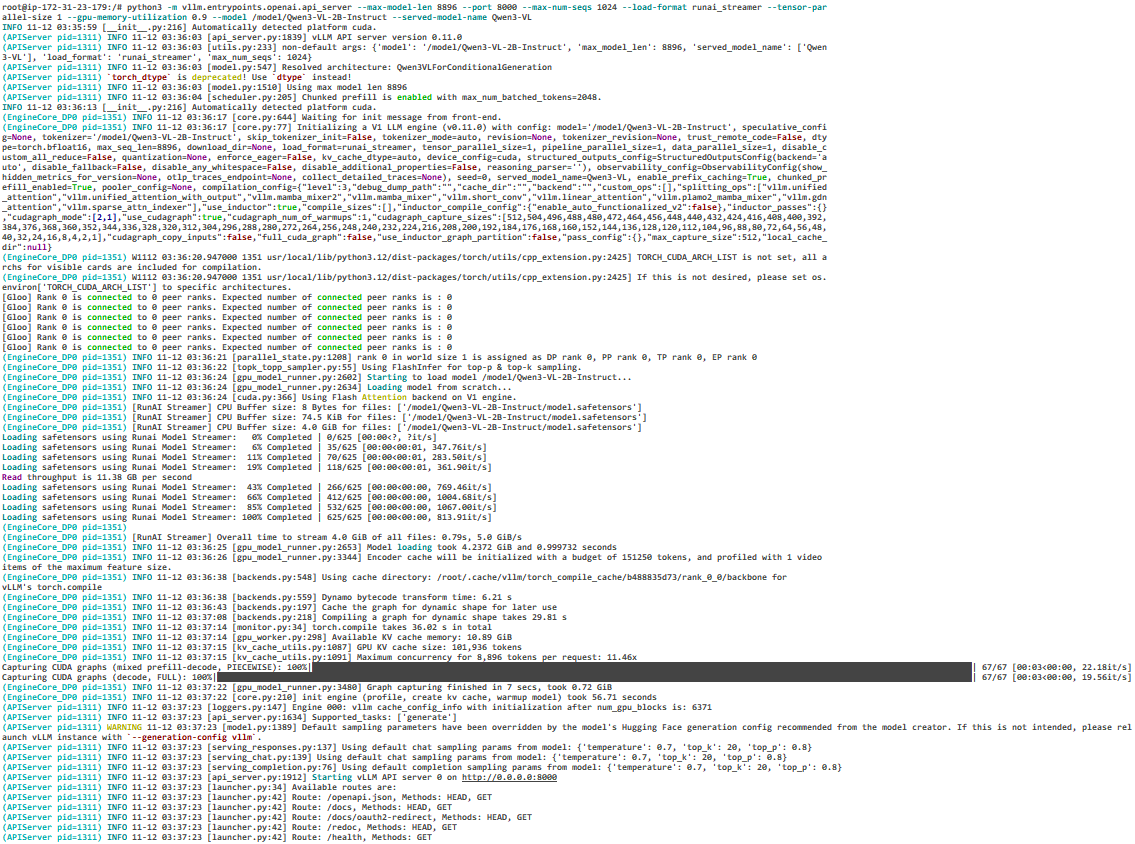
python3 -m vllm.entrypoints.openai.api_server --max-model-len 8896 --port 8000 --max-num-seqs 1024 --load-format runai_streamer --tensor-parallel-size 1 --gpu-memory-utilization 0.9 --model /model/Qwen3-VL-2B-Instruct --served-model-name Qwen3-VL
部署日志如下