环境
win10
PowerShell
场景
完全不想联网的工具型软件
原理
高级安全Windows Defender防火墙设置出站规则(直接禁止向外发送请求,达到禁网的目的)
过程
- 创建 PowerShell 脚本 wall.ps1
点击查看代码
# SCRIPT: Batch create firewall rules to block all EXEs in a folder.# --- Script Body ---# Prompt the user to enter a folder path
$folderPath = Read-Host "Please enter the full folder path to block and press Enter"# Check if the path provided by the user exists
if (-not (Test-Path $folderPath)) {Write-Host "ERROR: The folder path '$folderPath' does not exist or is invalid." -ForegroundColor RedRead-Host "Press Enter to exit."return
}$ruleNamePrefix = "Block EXEs in Folder"
Write-Host "Searching for all .exe files in '$folderPath' and its subfolders..." -ForegroundColor Cyan# Get all .exe files in the specified folder and all its subfolders
$exeFiles = Get-ChildItem -Path $folderPath -Filter "*.exe" -Recurseif ($exeFiles.Count -eq 0) {Write-Host "No .exe files were found in this folder." -ForegroundColor YellowRead-Host "Press Enter to exit."return
}# Loop through each .exe and create a firewall rule
foreach ($exe in $exeFiles) {# Sanitize the name for the rule to avoid errors$safeName = ($exe.Name -replace '[^a-zA-Z0-9.-]', '_')$ruleName = "$ruleNamePrefix - $safeName - $(Get-Random)" # Add random number to ensure uniquenessWrite-Host "Creating block rule for $($exe.FullName)..."New-NetFirewallRule -DisplayName $ruleName -Direction Outbound -Program $exe.FullName -Action Block -Enabled True -Profile Any
}Write-Host "SUCCESS! Firewall rules have been created for $($exeFiles.Count) programs." -ForegroundColor Green
Write-Host "You can check them in 'Windows Defender Firewall with Advanced Security' under 'Outbound Rules'."
Read-Host "Press Enter to exit."- 调整 PowerShell 执行策略
Windows 默认禁止运行脚本,以管理员身份打开PowerShell,执行
点击查看代码
Get-ExecutionPolicy
如果显示的是 Restricted,则需要修改,执行
点击查看代码
Set-ExecutionPolicy RemoteSigned
输入 Y 然后按回车确认
3. 执行脚本
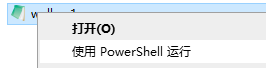
可以在 PowerShell 中直接执行
点击查看代码
.\wall.ps1
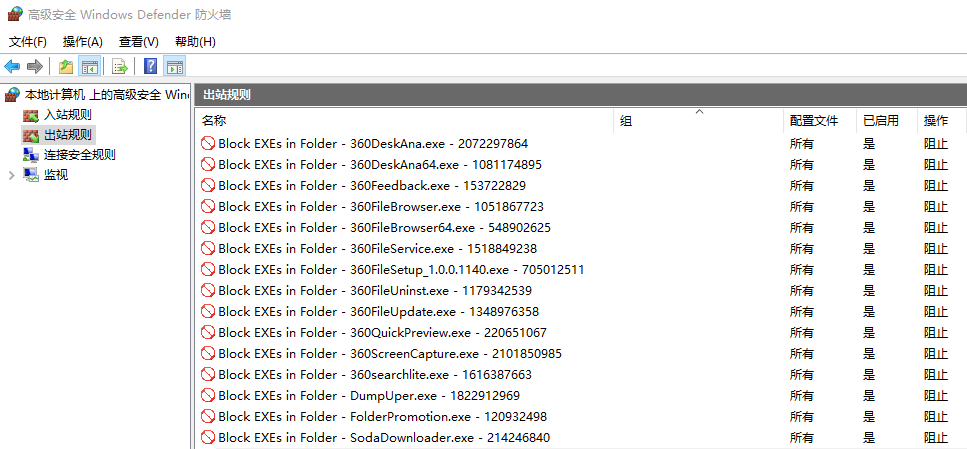
效果
禁用了360文件夹的联网功能