
爬取七猫中文网小说
前言:纯小白,若有什么不对之处,大家海涵海涵,大家可以在评论区雅正,其次只做分享不做商业用途,很多东西都是站在很多前辈肩上去学习的,再次恳请各位佬手下留情~
目标地址:aHR0cHM6Ly93d3cucWltYW8uY29tLw==
目标:爬取七猫 中文 网小说
场景
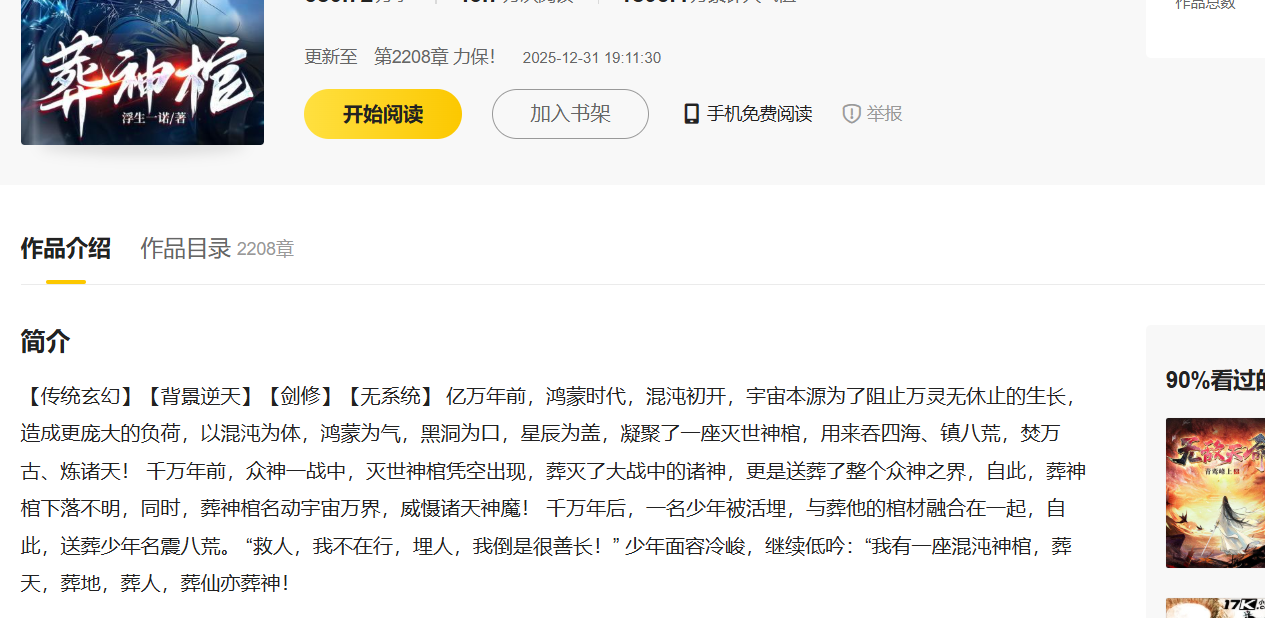
通过地址可跳转到网页如下

搜一本自己喜欢的书或者随便搜一本
分析步骤
点击开始阅读然后打开开发者工具点击下一章查看网络状态
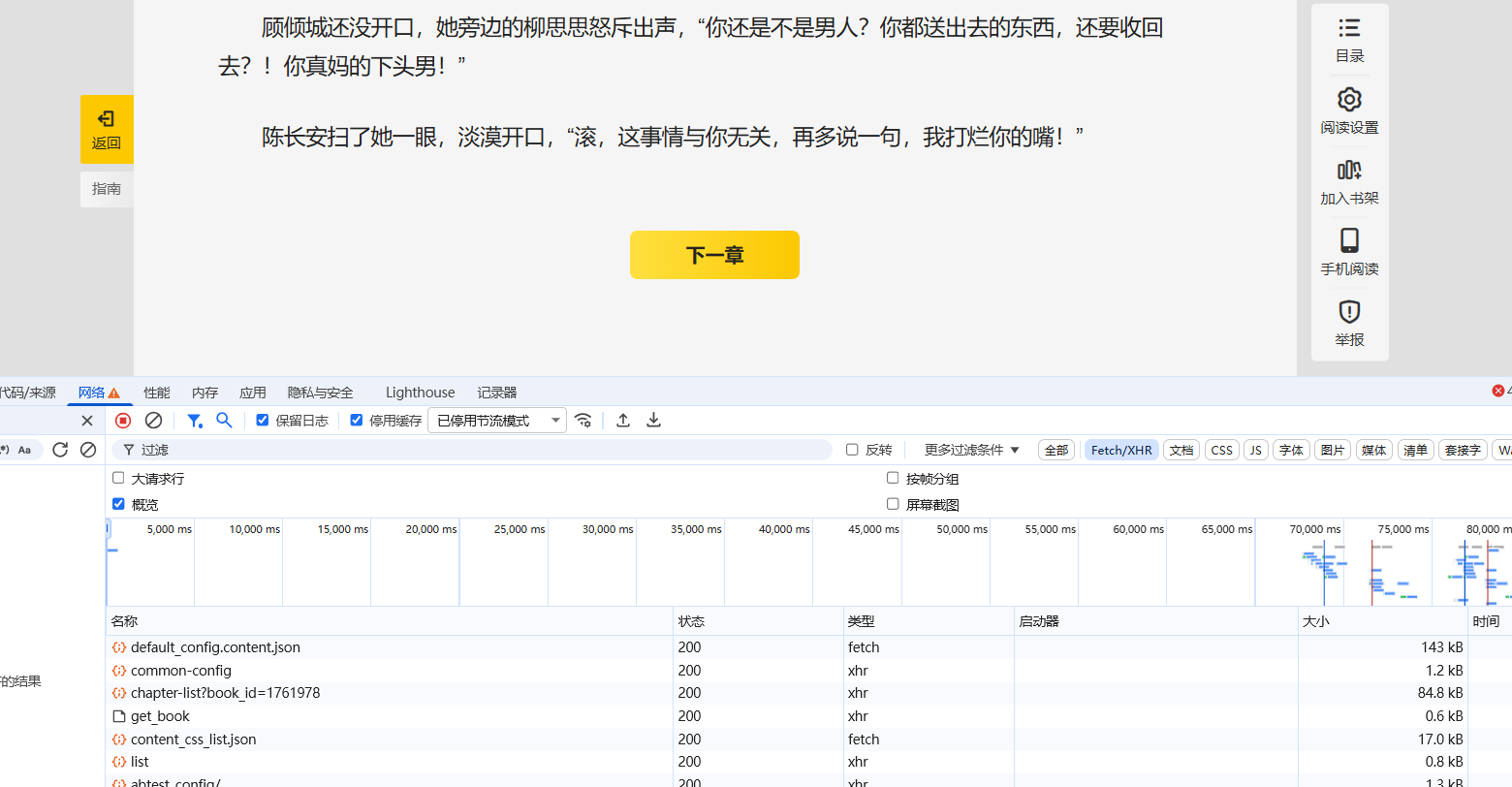
抓包发现在我们点击下一章这一事件之后有两个比较重要的东西get_book和chapter-list?book_id
因为我们发现他们载荷是相同的同时chapter-list?book_id的响应部分就是当前我们观看书籍的章节


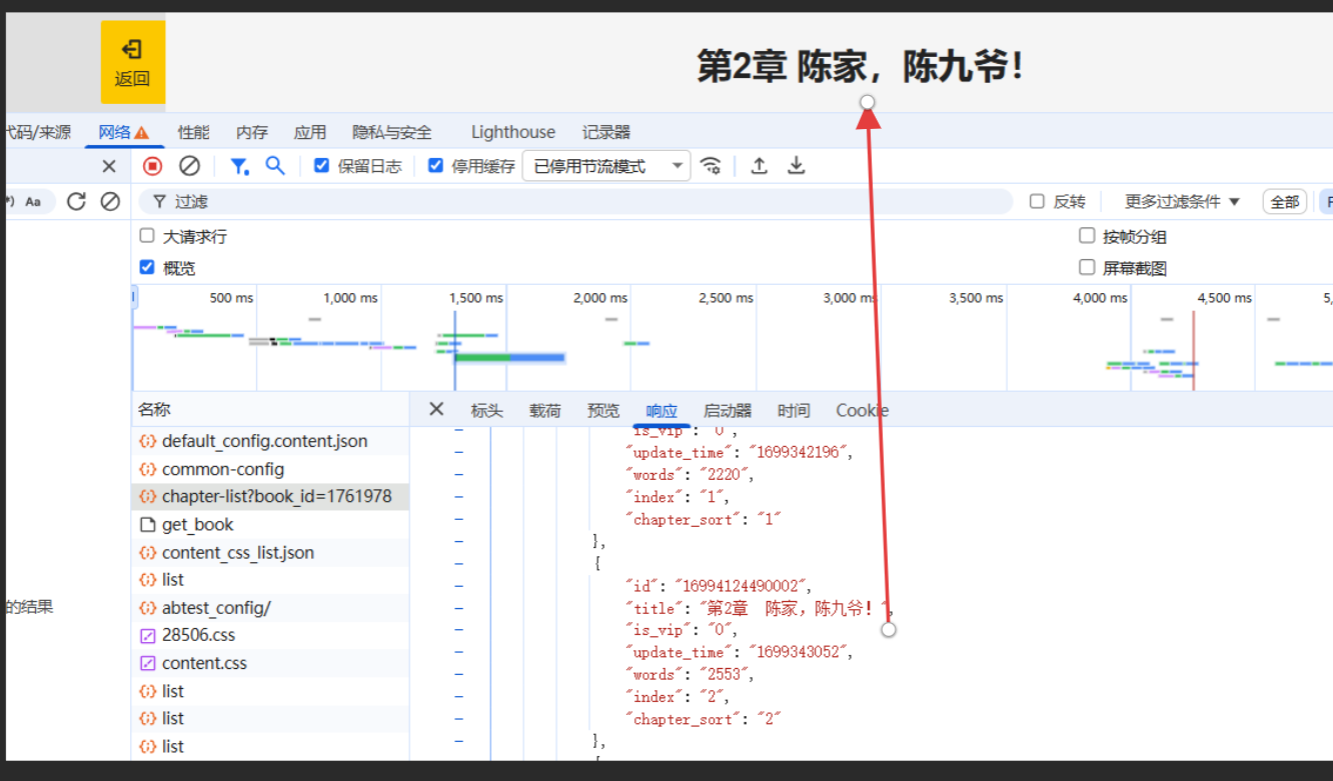
从上述不难看出每一本书都有一个唯一对应的id,而我们想要爬取整篇小说的话,那就需要拿到对应小说篇章的全部id即可,而全部id就在chapter-list里面。而每本书的id包含在URL中

下载实现
代码示例:
-
from urllib.parse import urlencode, quote
-
import json
-
from lxml import etree
-
import os
-
import re
-
import requests
-
-
def search_book_by_title(title):
-
"""
-
通过书名搜索书籍ID
-
:param title: 书籍标题
-
:return: 书籍ID
-
"""
-
search_url = 'https://www.qimao.com/qimaoapi/api/search/result'
-
params = {
-
"keyword": title,
-
"count": 0,
-
"page": 1,
-
"page_size": 15
-
}
-
-
headers = {
-
"accept": "application/json, text/plain, */*",
-
"user-agent": "Mozilla/5.0 (Windows NT 10.0; Win64; x64) AppleWebKit/537.36 (KHTML, like Gecko) Chrome/142.0.0.0 Safari/537.36"
-
}
-
-
try:
-
# 对标题进行URL编码
-
encoded_title = quote(title)
-
search_url_with_params = f"https://www.qimao.com/qimaoapi/api/search/result?keyword={encoded_title}&count=0&page=1&page_size=15"
-
-
response = requests.get(search_url_with_params, headers=headers)
-
if response.status_code == 200:
-
data = json.loads(response.text)
-
books = data.get('data', {}).get('search_list', [])
-
-
if books:
-
# 显示搜索结果供用户选择
-
print(f"\n找到 {len(books)} 本与 \"{title}\" 相关的书籍:")
-
print("=" * 80)
-
-
# 按匹配度排序(参考test.py中的实现)
-
sorted_books = []
-
for i, book in enumerate(books[:10]): # 只显示前10个结果
-
book_info = {
-
'index': i+1,
-
'book_id': book.get('book_id', ''),
-
'title': book.get('title', ''),
-
'author': book.get('author', ''),
-
'intro': book.get('intro', '')[:50] + '...' if len(book.get('intro', '')) > 50 else book.get('intro', ''),
-
}
-
sorted_books.append(book_info)
-
-
status_icon = "✅" if book.get('is_over_txt', '') == '完结' else "⏳"
-
print(f"{i+1:2d}. {status_icon} {book_info['title']} - {book_info['author']}")
-
print(f" {book_info['intro']}")
-
print(f" ID: {book_info['book_id']}")
-
print()
-
-
# 让用户选择正确的书籍
-
try:
-
choice = input("请选择正确的书籍编号 (1-{},或按回车选择第一个): ".format(len(sorted_books)))
-
if choice.strip() == "":
-
selected_index = 1
-
else:
-
selected_index = int(choice)
-
-
if 1 <= selected_index <= len(sorted_books):
-
selected_book = sorted_books[selected_index-1]
-
print(f"已选择: 《{selected_book['title']}》")
-
return selected_book['book_id']
-
else:
-
print("选择无效,使用第一个结果")
-
return sorted_books[0]['book_id']
-
except (ValueError, IndexError):
-
print("输入无效,使用第一个结果")
-
return sorted_books[0]['book_id']
-
else:
-
print(f"No books found for title: {title}")
-
else:
-
print(f"Search failed with status code: {response.status_code}")
-
except Exception as e:
-
print(f"Error searching book: {e}")
-
-
return None
-
-
def get_id(book_id):
-
start_url = 'https://www.qimao.com/api/book/chapter-list?'
-
params = {
-
"book_id": book_id
-
}
-
url = start_url + urlencode(params)
-
-
headers = {
-
"accept": "application/json, text/plain, */*",
-
"user-agent": "Mozilla/5.0 (Windows NT 10.0; Win64; x64) AppleWebKit/537.36 (KHTML, like Gecko) Chrome/142.0.0.0 Safari/537.36"
-
}
-
-
res = requests.get(url, headers=headers)
-
if res.status_code == 200:
-
_ = json.loads(res.text)
-
result = _['data']['chapters']
-
-
# Get book title from the first chapter page
-
book_title = None
-
if result:
-
first_chapter = result[0]
-
# Try to get book title from first chapter
-
book_title = get_book_title_from_chapter(book_id, first_chapter['id'])
-
-
# If we couldn't get title from chapter, use a default name
-
if not book_title:
-
book_title = f"book_{book_id}"
-
-
# Create directory for the book
-
book_dir = create_book_directory(book_title)
-
-
# 保存章节信息,以便后续按顺序处理
-
chapters = []
-
for r in result:
-
title = r['title']
-
txt_id = r['id']
-
-
# 保存章节信息
-
if title and txt_id:
-
chapters.append({
-
'title': title,
-
'txt_id': txt_id
-
})
-
-
# 按顺序下载并保存所有章节
-
for chapter in chapters:
-
save_txt(chapter['title'], chapter['txt_id'], book_id, book_dir)
-
-
else:
-
print(res.status_code)
-
-
-
def get_book_title_from_chapter(book_id, chapter_id):
-
'''
-
从章节页面提取书籍标题
-
:param book_id: 书籍ID
-
:param chapter_id: 章节ID
-
:return: 书籍标题
-
'''
-
url = f'https://www.qimao.com/shuku/{book_id}-{chapter_id}/'
-
headers = {
-
"accept": "text/html,application/xhtml+xml,application/xml;q=0.9,image/avif,image/webp,image/apng,*/*;q=0.8,application/signed-exchange;v=b3;q=0.7",
-
"user-agent": "Mozilla/5.0 (Windows NT 10.0; Win64; x64) AppleWebKit/537.36 (KHTML, like Gecko) Chrome/142.0.0.0 Safari/537.36"
-
}
-
-
try:
-
resp = requests.get(url, headers=headers)
-
if resp.status_code == 200:
-
html = etree.HTML(resp.text)
-
# Try to extract book title from page
-
title_elements = html.xpath('//div[@class="breadcrumb"]//a[last()]/text()')
-
if title_elements:
-
return title_elements[0].strip()
-
-
# Alternative method - from book info section
-
title_elements = html.xpath('//div[@class="book-info"]//h1/text()')
-
if title_elements:
-
return title_elements[0].strip()
-
except Exception as e:
-
print(f"获取书籍标题失败: {e}")
-
-
return None
-
-
-
def create_book_directory(book_title):
-
'''
-
创建书籍目录
-
:param book_title: 书籍标题
-
:return: 目录路径
-
'''
-
# 清理书名中的非法字符
-
clean_title = re.sub(r'[<>:"/\\|?*]', '', book_title)
-
book_dir = os.path.join(os.path.dirname(__file__), clean_title)
-
-
# 创建目录
-
if not os.path.exists(book_dir):
-
os.makedirs(book_dir)
-
-
return book_dir
-
-
-
def save_txt(title, txt_id, book_id, book_dir):
-
'''
-
:param title: 标题,
-
:param txt_id: 小说篇章ID
-
:param book_id: 小说ID
-
:param book_dir: 书籍目录路径
-
:return:
-
'''
-
url = f'https://www.qimao.com/shuku/{book_id}-{txt_id}/'
-
headers = {
-
"accept": "text/html,application/xhtml+xml,application/xml;q=0.9,image/avif,image/webp,image/apng,*/*;q=0.8,application/signed-exchange;v=b3;q=0.7",
-
"user-agent": "Mozilla/5.0 (Windows NT 10.0; Win64; x64) AppleWebKit/537.36 (KHTML, like Gecko) Chrome/142.0.0.0 Safari/537.36"
-
}
-
resp = requests.get(url, headers=headers)
-
if resp.status_code == 200:
-
html = etree.HTML(resp.text)
-
-
divs = html.xpath('//div[@class="article"]//p')
-
# 构建文件路径
-
file_path = os.path.join(book_dir, f'{title}.txt')
-
-
for div in divs:
-
p = div.xpath('.//text()')
-
if p:
-
# 将小说内容写入txt
-
with open(file_path, 'a', encoding='utf-8') as fp:
-
fp.write(f'{p[0]}\n')
-
-
fp.close()
-
-
print(f'{title} 存储文本成功')
-
-
else:
-
print(resp.status_code)
-
-
-
if __name__ == '__main__':
-
# 通过输入书名的方式下载小说
-
book_title = input("请输入要下载的小说书名: ")
-
-
if book_title:
-
book_id = search_book_by_title(book_title)
-
if book_id:
-
print(f"开始下载书籍,ID为: {book_id}")
-
get_id(book_id)
-
else:
-
print("未找到匹配的书籍")
-
else:
-
print("书名不能为空")
python
运行

运行代码
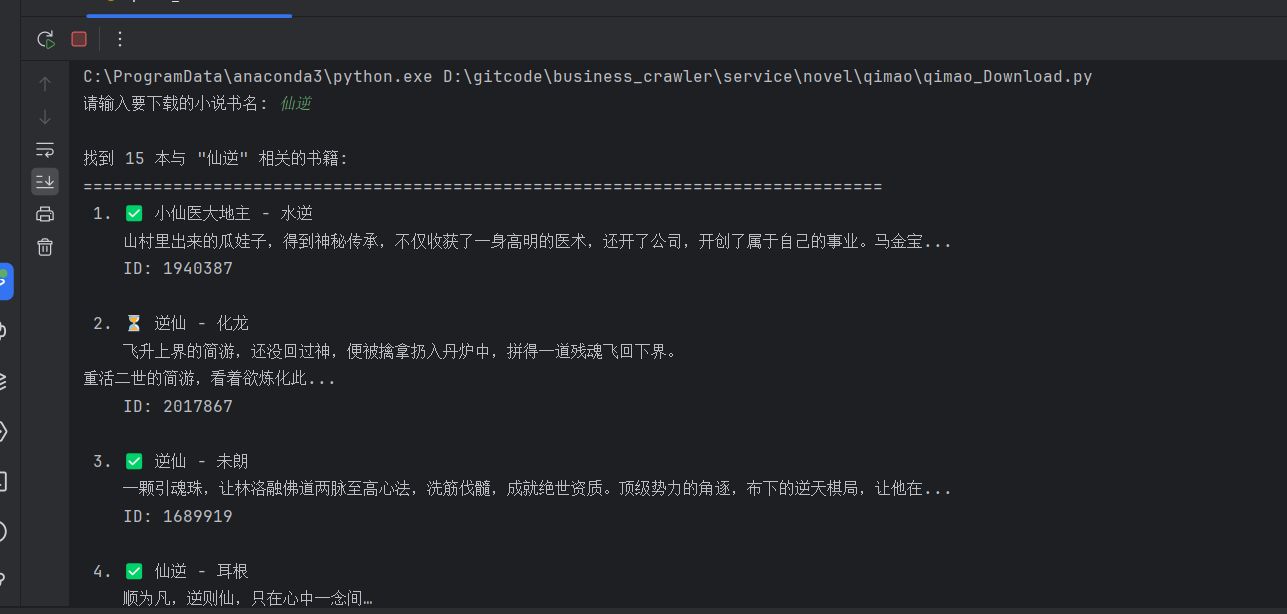
其实只需要携带相应书籍的ID就可以下载,但是我觉得麻烦就让AI魔改了一下代码通过搜索书名然后知道作者的情况下下载比较方便。
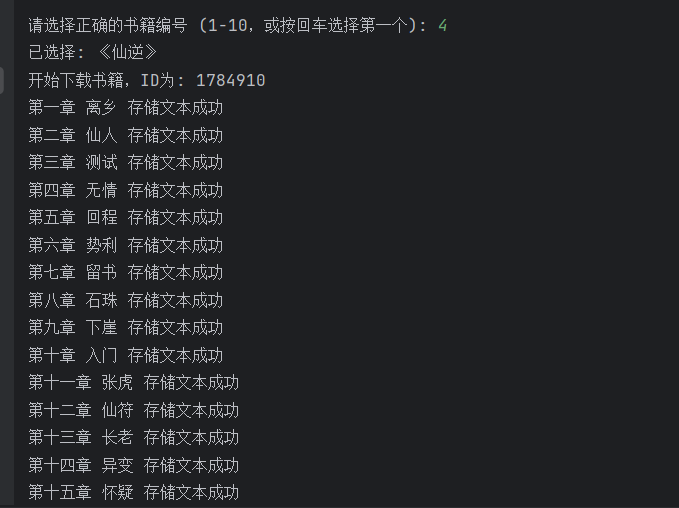
数据存储
对于下载放在什么位置的话就简单得多了,在放代码或者建立应该 文件夹 将路径放到代码中就行,想要批量下载的话修改代码就行。
注意哈只能下载免费的,如果要下载VIP的得携带VIP账号的cookie
2026-04-15 20:28:58【出处】:https://blog.csdn.net/2303_80825459/article/details/156482255
=======================================================================================

