
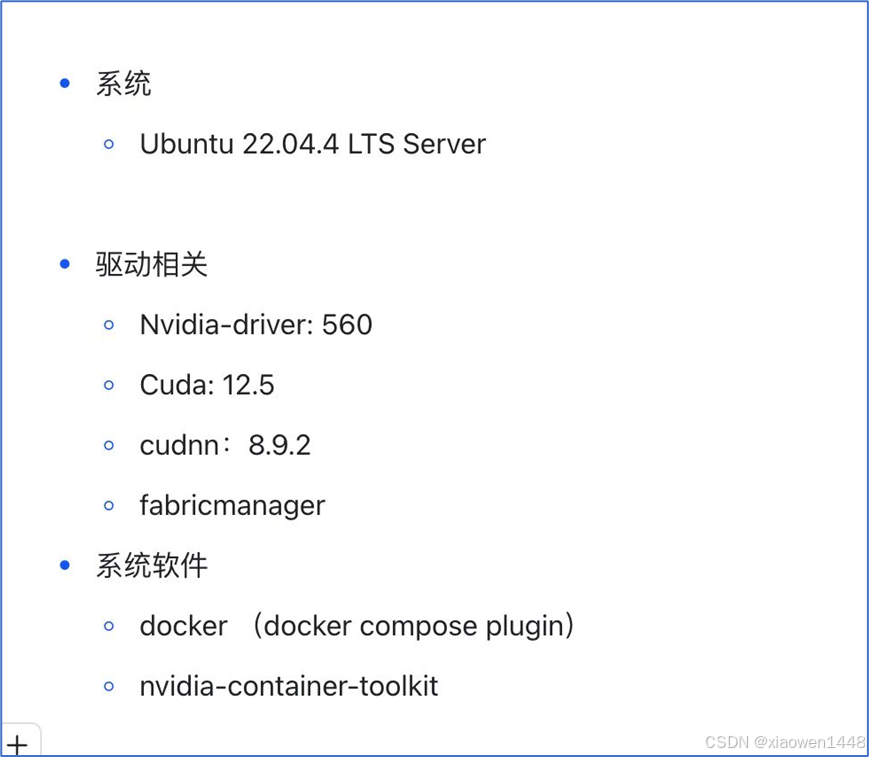
安装需求如下图
机器raid配置
两块磁盘做raid1,参见官方raid,配置手册
https://www.supermicro.com/support/manuals/
系统下载
https://old-releases.ubuntu.com/releases/22.04/
制作U盘
使用rufus制作,
U盘系统安装
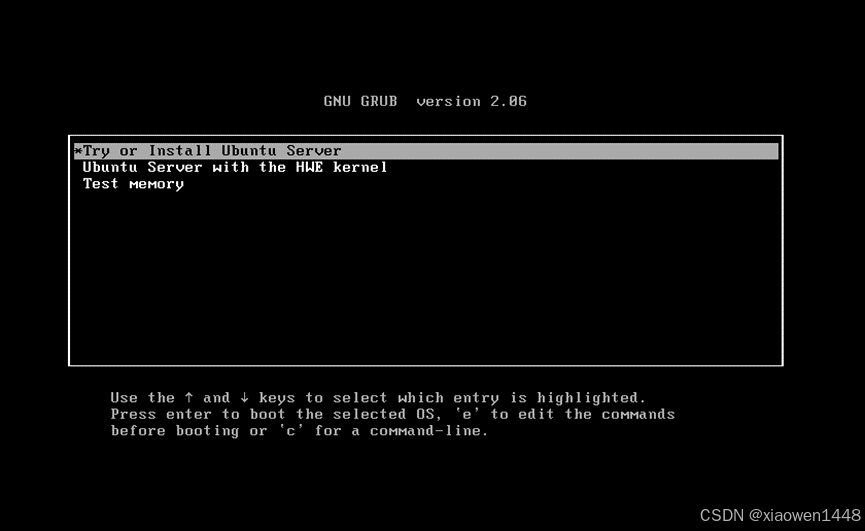
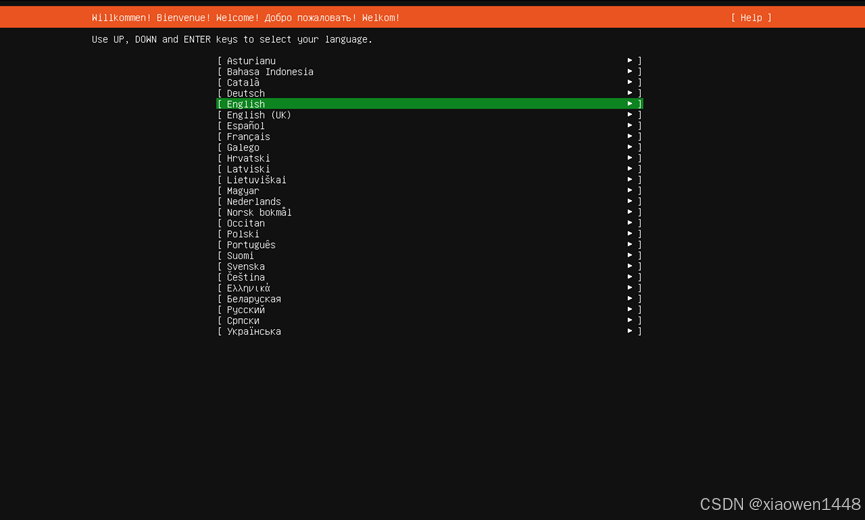
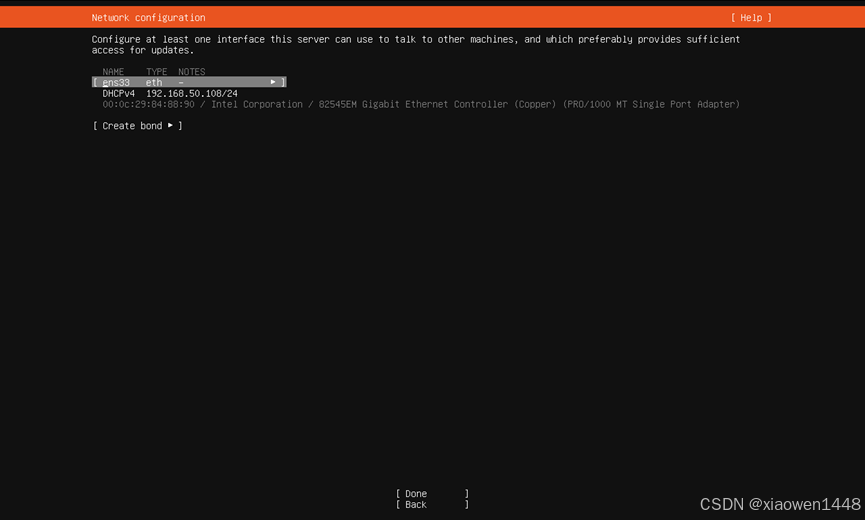
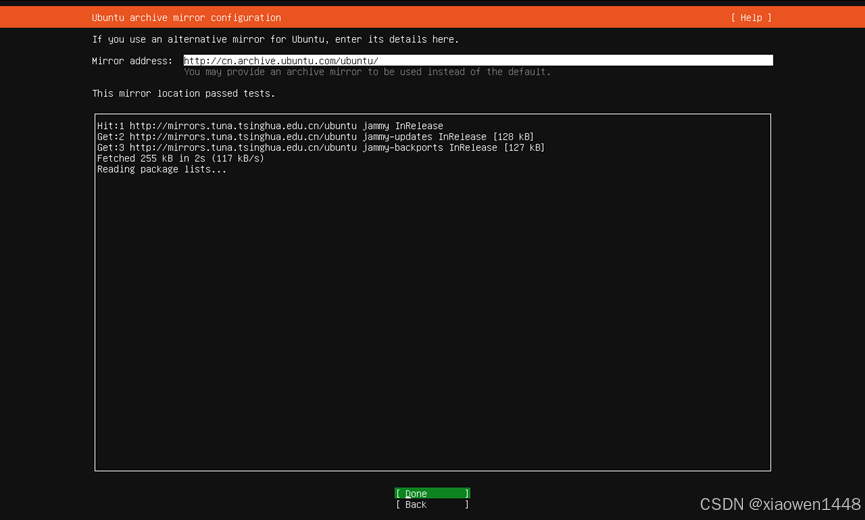
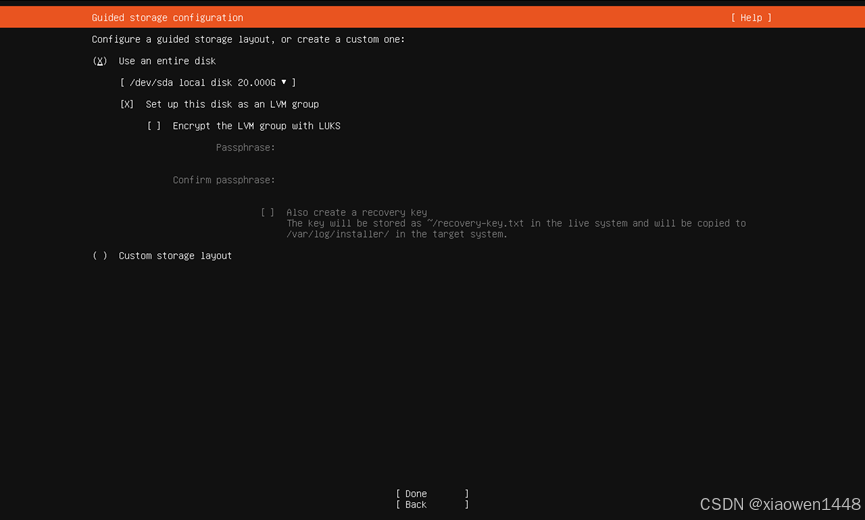
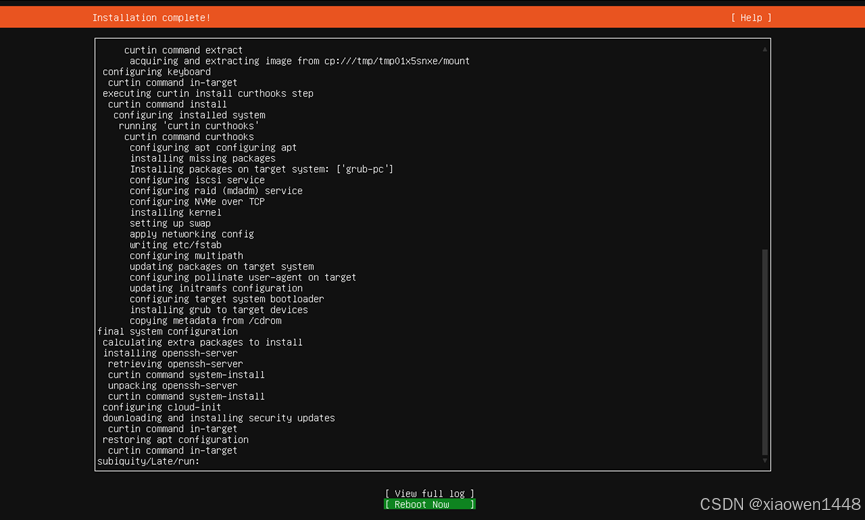
重启按F11,选择U盘,操作步骤截图如下:
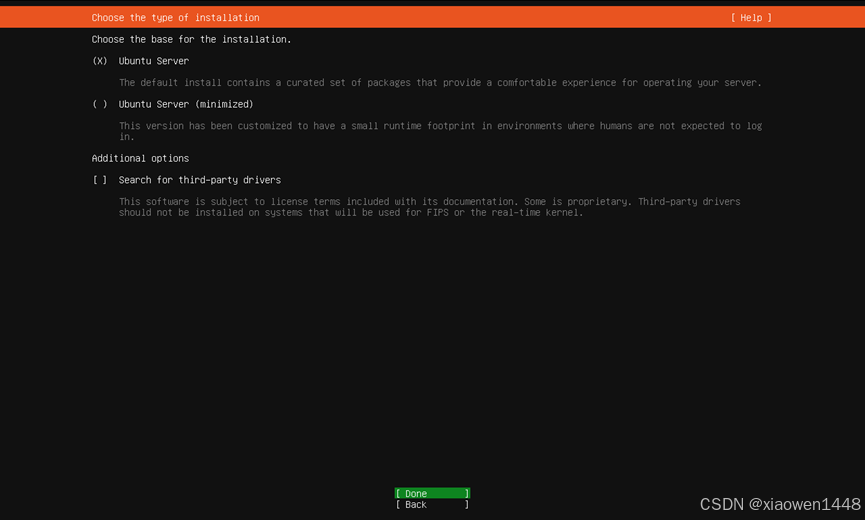
获取到ip地址,点击下一步

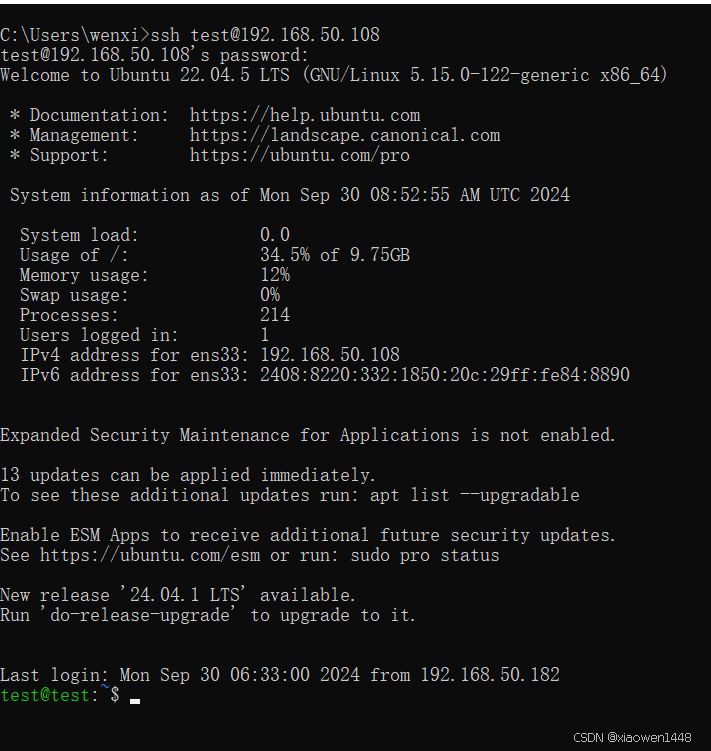
ubuntu远程登录
后续使用远程登录,远程登录界面如下
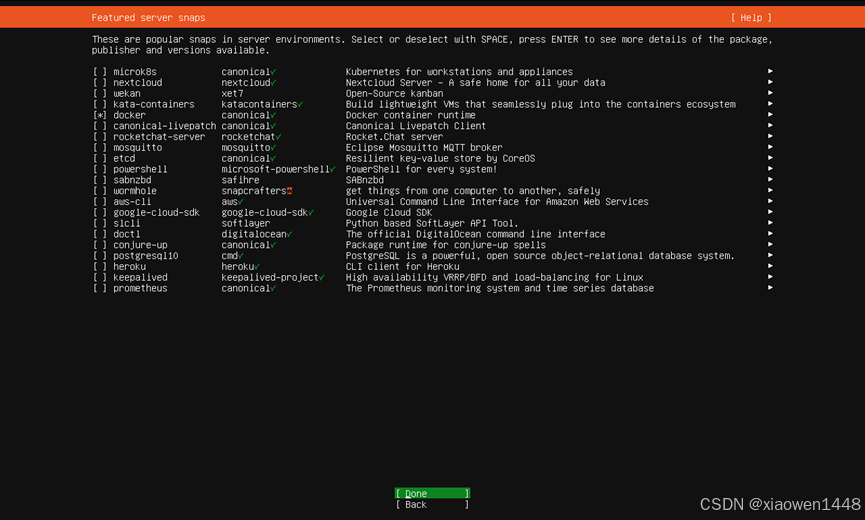
安装docker
可在选择系统安装部分,选择勾选docker即可
安装GCC
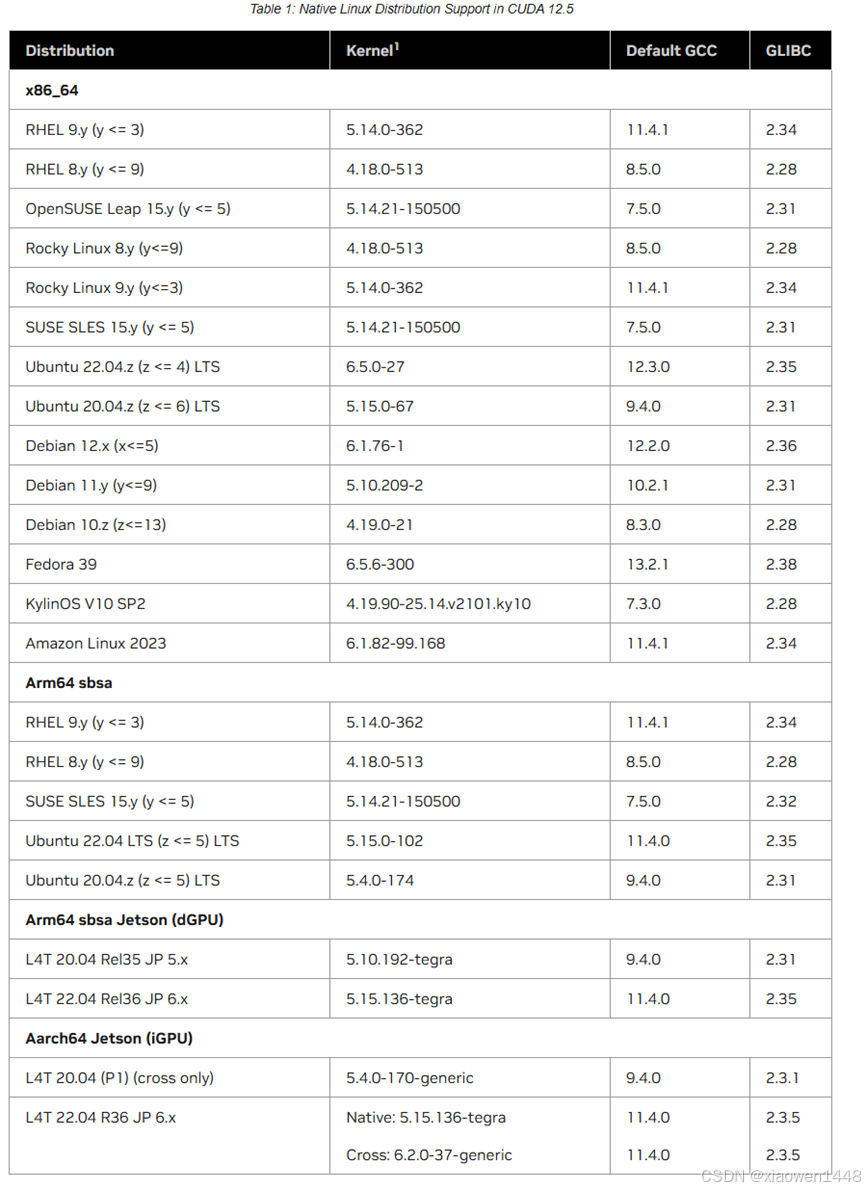
GCC版本要求参考官方
System Requirements 配置如下
To use NVIDIA CUDA on your system, you will need the following installed:
- CUDA-capable GPU
- A supported version of Linux with a gcc compiler and toolchain
- CUDA Toolkit (available at
The CUDA development environment relies on tight integration with the host development environment, including the host compiler and C runtime libraries, and is therefore only supported on distribution versions that have been qualified for this CUDA Toolkit release.
The following table lists the supported Linux distributions. Please review the footnotes associated with the table.
|
# 安装gcc12 sudo apt install gcc-12 sudo update-alternatives --install /usr/bin/gcc gcc /usr/bin/gcc-12 12 admin1@admin1:~$ gcc --version gcc (Ubuntu 12.3.0-1ubuntu1~22.04) 12.3.0 Copyright (C) 2022 Free Software Foundation, Inc. This is free software; see the source for copying conditions. There is NO warranty; not even for MERCHANTABILITY or FITNESS FOR A PARTICULAR PURPOSE.
|
安装Cuda12.5
Cuda官方下载链接
安装文档参考官方
|
wget https://developer.download.nvidia.com/compute/cuda/repos/ubuntu2204/x86_64/cuda-ubuntu2204.pin sudo mv cuda-ubuntu2204.pin /etc/apt/preferences.d/cuda-repository-pin-600 wget https://developer.download.nvidia.com/compute/cuda/12.5.0/local_installers/cuda-repo-ubuntu2204-12-5-local_12.5.0-555.42.02-1_amd64.deb sudo dpkg -i cuda-repo-ubuntu2204-12-5-local_12.5.0-555.42.02-1_amd64.deb sudo cp /var/cuda-repo-ubuntu2204-12-5-local/cuda-*-keyring.gpg /usr/share/keyrings/ sudo apt-get update sudo apt-get -y install cuda-toolkit-12-5 |
安装GPU驱动
|
安装命令,最新版
sudo apt-get install -y cuda-drivers
如果你想要安装指定版本,2选1即可
sudo apt-get install -y cuda-drivers-555 |
安装完毕执行nvidia-smi

安装cudnn
官方下载链接
安装文档参考(新版cdnn9.x.x)
安装文档参考(新版cdnn8.x.x)
deb包安装(适用于新版cdnn9.x.x)
|
wget https://developer.download.nvidia.com/compute/cudnn/9.4.0/local_installers/cudnn-local-repo-ubuntu2204-9.4.0_1.0-1_amd64.deb sudo dpkg -i cudnn-local-repo-ubuntu2204-9.4.0_1.0-1_amd64.deb sudo cp /var/cudnn-local-repo-ubuntu2204-9.4.0/cudnn-*-keyring.gpg /usr/share/keyrings/ sudo apt-get updatesudo apt-get -y install cudnn
sudo apt-get -y install cudnn-cuda-11
sudo apt-get -y install cudnn-cuda-12 |
deb包安装(适用于8.x.x)
tar包安装
|
Before issuing the following commands, you must replace X.Y and v8.x.x.x with your specific CUDA and cuDNN versions and package date. tar -xvf cudnn-linux-x86_64-8.x.x.x_cudaX.Y-archive.tar.xz Copy the following files into the CUDA toolkit directory. sudo cp cudnn-*-archive/include/cudnn*.h /usr/local/cuda/include sudo cp -P cudnn-*-archive/lib/libcudnn* /usr/local/cuda/lib64 sudo chmod a+r /usr/local/cuda/include/cudnn*.h /usr/local/cuda/lib64/libcudnn*
|
安装fabricmanager
官方文档链接如下
|
Note In the following commands, <driver-branch> should be substituted with the required NVIDIA driver branch number for qualified data center drivers (for example, 560).
sudo apt-get install -V nvidia-open-<driver-branch> sudo apt-get install -V nvidia-fabricmanager-<driver-branch> nvidia-fabricmanager-dev-<driver-branch>
|
安装nvidia- container-toolkit
官方安装文档
|
Installing with AptConfigure the production repository: curl -fsSL https://nvidia.github.io/libnvidia-container/gpgkey | sudo gpg --dearmor -o /usr/share/keyrings/nvidia-container-toolkit-keyring.gpg \ && curl -s -L https://nvidia.github.io/libnvidia-container/stable/deb/nvidia-container-toolkit.list | \ sed 's#deb https://#deb [signed-by=/usr/share/keyrings/nvidia-container-toolkit-keyring.gpg] https://#g' | \ sudo tee /etc/apt/sources.list.d/nvidia-container-toolkit.list Optionally, configure the repository to use experimental packages: sed -i -e '/experimental/ s/^#//g' /etc/apt/sources.list.d/nvidia-container-toolkit.list Update the packages list from the repository: sudo apt-get update Install the NVIDIA Container Toolkit packages: sudo apt-get install -y nvidia-container-toolkit |